
Retro Wrist Computer Playing Classic 8-Bit Game — Sora 2 Prompt
Create a first-person POV of a retro-futuristic Pip-Boy style device playing a classic platformer on a monochrome green CRT screen in a post-apocalyptic setting.
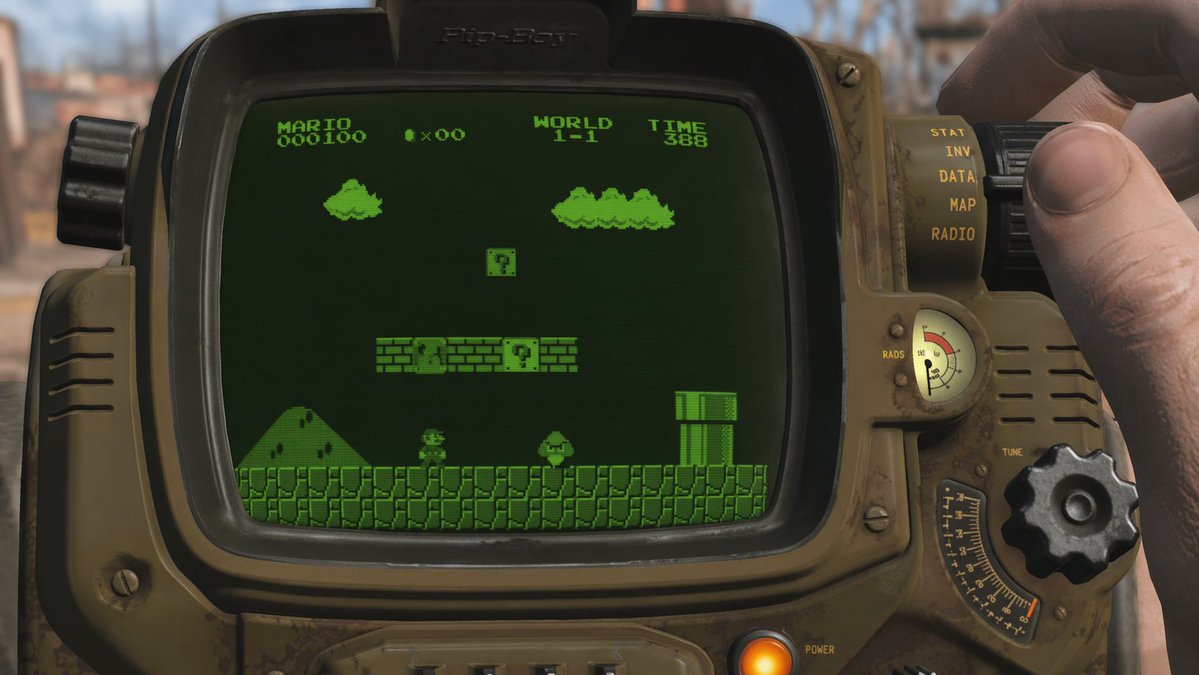
A first-person perspective shot of a user looking at a argdevice type: retro-futuristic wrist-mounted computer resembling a Pip-Boy. The device has a weathered olive-drab metal casing, various analog dials, a glowing orange power button, and a radiation gauge. A hand on the right side is adjusting a large black dial. The curved screen of the device is displaying argscreen content: the classic video game Super Mario Bros, specifically World 1-1. The game is rendered in argscreen style: monochrome green CRT pixel art with scanlines, showing the player character facing an enemy near a pipe and floating blocks, with text at the top reading "MARIO 000100", a coin icon with "x00", "WORLD 1-1", and "TIME 388". The background is a argbackground setting: blurred post-apocalyptic wasteland in daylight.
Sobre este prompt
Create a first-person POV of a retro-futuristic Pip-Boy style device playing a classic platformer on a monochrome green CRT screen in a post-apocalyptic setting. Use it as a Arte Conceitual starting point for GPT Image 2: keep the visual structure and style constraints intact, then swap in your own subject, brand, or scene.
Common directions include gptimage2api prompts, gptimage2api, and en. Treat these tags as creative cues; the prompt structure and preview image are the more useful guide.
Start by replacing device type, screen content, screen style, and background setting, then keep the camera, composition, and material cues in the same order. This makes the output easier to compare across variations.
Como usar este prompt
- Copy the entire prompt body text from above.
- Paste it into your chosen AI model interface (e.g., Sora 2).
- Tweak the variables like
{device type},{screen content},{screen style}, and{background setting}to customize the scene. - Generate the image or video and iterate on your adjustments for the perfect result.


