
Watercolor Fantasy Silhouette — Double-Exposure Sora 2 Prompt
Creates a dreamy, layered fantasy world inside a character's silhouette, perfect for magical, storybook-style art.
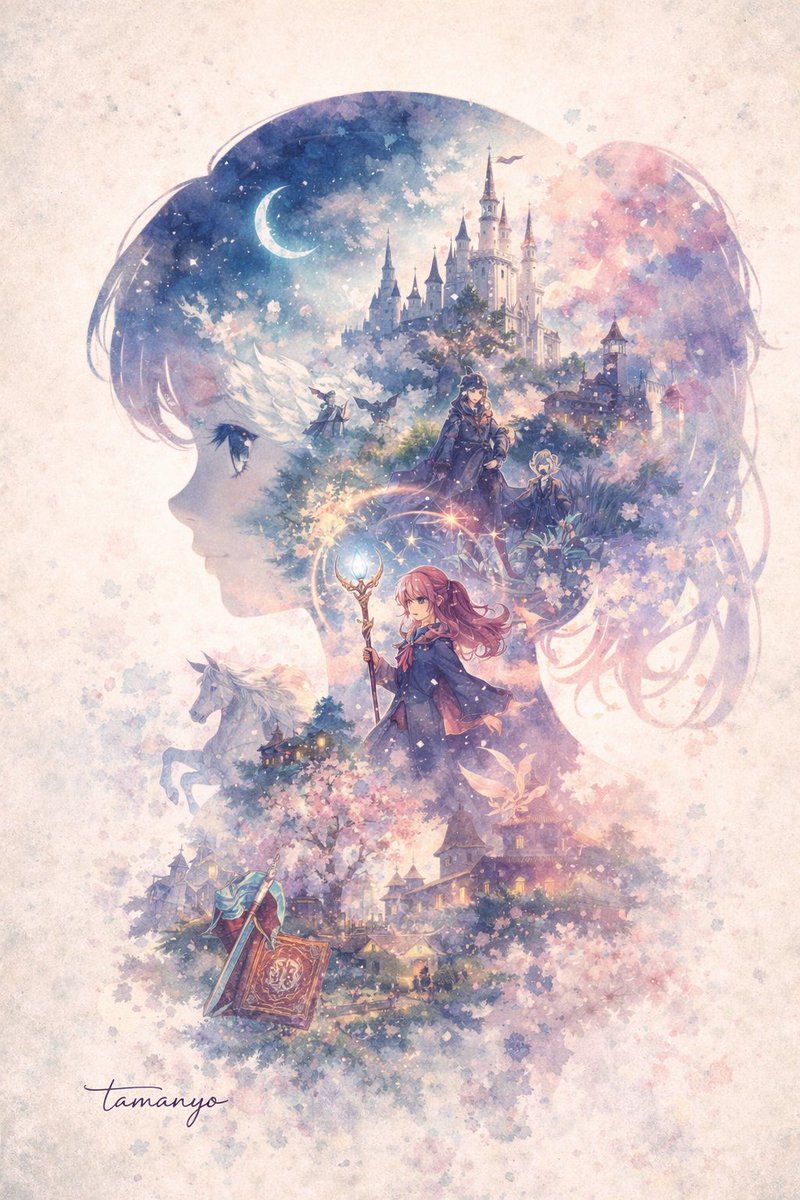
A dreamy watercolor double-exposure illustration where the main shape is the side profile silhouette of a argmain subject silhouette: young anime girl facing left. Inside her silhouette is a rich, layered fantasy world. At the top is a argtop scenery: grand white castle with multiple spires under a starry night sky with a crescent moon. Below the castle, two cloaked figures stand in a mystical forest. In the center, a argcentral character: young female mage with pink hair holding a glowing magical staff stands prominently. To the left of the mage, a white horse is visible. At the bottom of the silhouette is a argbottom scenery: fantasy village surrounded by blooming cherry blossom trees, with a large open spellbook and a sword resting in the foreground. The artwork features a argcolor palette: soft pastel purples, pinks, and blues color palette. The background outside the silhouette is textured parchment with soft watercolor splatters and fading cherry blossom petals, with the signature "tamanyo" written in cursive at the bottom left.
Sobre este prompt
Creates a dreamy, layered fantasy world inside a character's silhouette, perfect for magical, storybook-style art. Use it as a Arte Conceitual starting point for GPT Image 2: keep the visual structure and style constraints intact, then swap in your own subject, brand, or scene.
Common directions include gptimage2api prompts, gptimage2api, and en. Treat these tags as creative cues; the prompt structure and preview image are the more useful guide.
Start by replacing main subject silhouette, top scenery, central character, and bottom scenery, then keep the camera, composition, and material cues in the same order. This makes the output easier to compare across variations.
Como usar este prompt
- Copy the entire prompt text.
- Choose an AI image model like Sora 2 or Midjourney.
- Replace the default values in curly braces
{}with your own subject, scenery, or color ideas. - Paste the customized prompt into the model's input field.
- Generate and refine by adjusting the variables until you get your perfect illustration.


