
GPT Image 2AI-промпт
1.e4 e5 Chess Opening Digital Board — Sora 2 Prompt
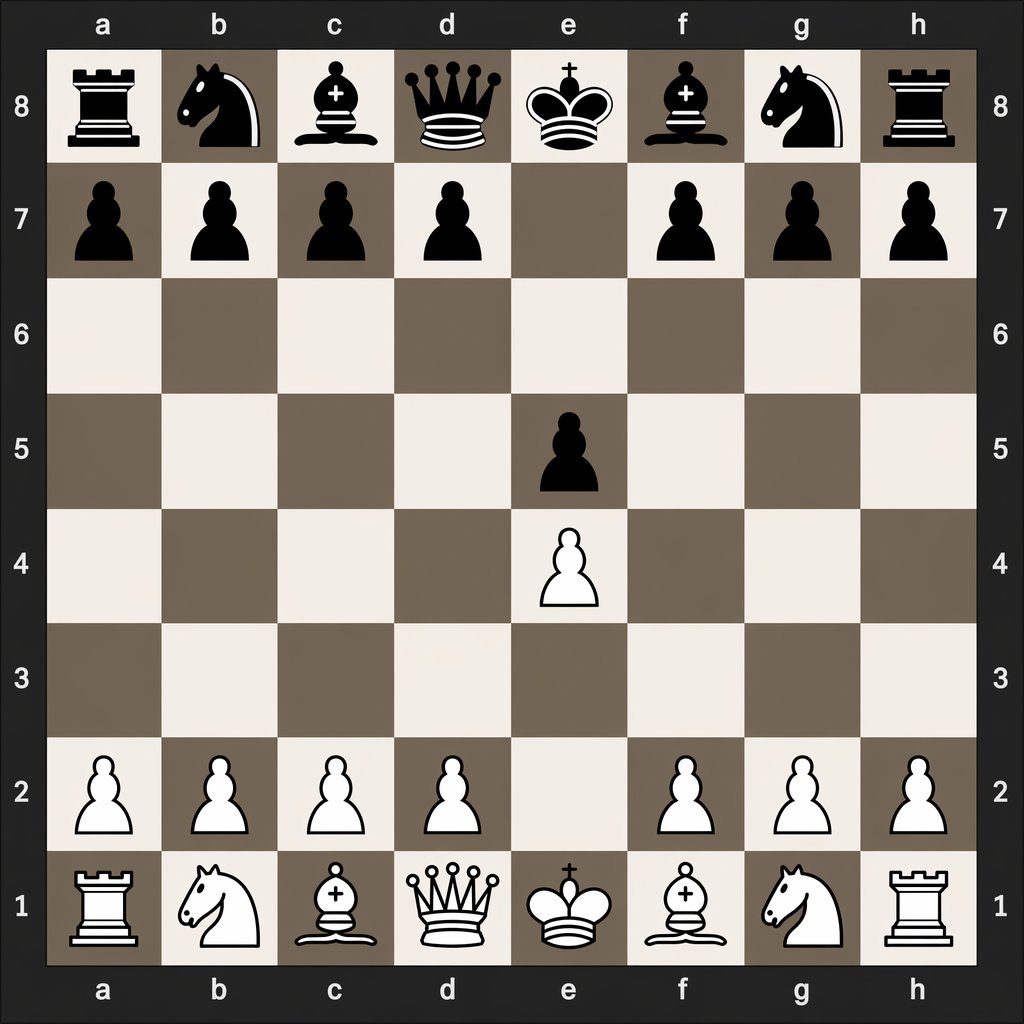
Create a clean 2D chessboard showing the exact position after 1.e4 e5, perfect for tutorials and move recording.
ПРОМПТ · EN
一张清晰、扁平的数字俯视棋盘,居中于画面。棋盘为 8x8 方格,四周显示代数坐标:顶部和底部为 a 到 h 的字母,左侧和右侧为 8 到 1 的数字。使用深炭灰色作为外部背景和边框,棋盘格交替采用浅米色和柔和的灰褐色。渲染简洁的高对比度 2D 象棋图标,黑色棋子位于上方,白色棋子位于下方,呈现清晰的矢量风格,无木纹质感,无真实光影,无多余的界面元素。展示 1. e4 e5 开局后的准确位置:黑色大子位于 a8 车、b8 马、c8 象、d8 后、e8 王、f8 象、g8 马、h8 车;黑色兵位于 a7、b7、c7、d7、f7、g7、h7 和 e5;白色兵位于 a2、b2、c2、d2、f2、g2、h2 和 e4;白色大子位于 a1 车、b1 马、c1 象、d1 后、e1 王、f1 象、g1 马、h1 车。其余方格留空。保持构图绝对对称、具有教学意义且易于辨识,如同用于说明开局走法的数字象棋图。
О промпте
Create a clean 2D chessboard showing the exact position after 1.e4 e5, perfect for tutorials and move recording. Use it as a Концепт-арт starting point for GPT Image 2: keep the visual structure and style constraints intact, then swap in your own subject, brand, or scene.
Start with small changes to subject, scene, camera, and color, then generate a few variations to compare composition and detail without turning the page copy into keyword stuffing.
Как использовать этот промпт
- Copy the prompt text from this page.
- Paste it into an AI image generator like Sora, DALL·E, or Midjourney.
- Optionally tweak the coordinates to represent other openings.
- Generate and download your flat, high-contrast chess diagram.


