
GPT Image 2AI-промпт
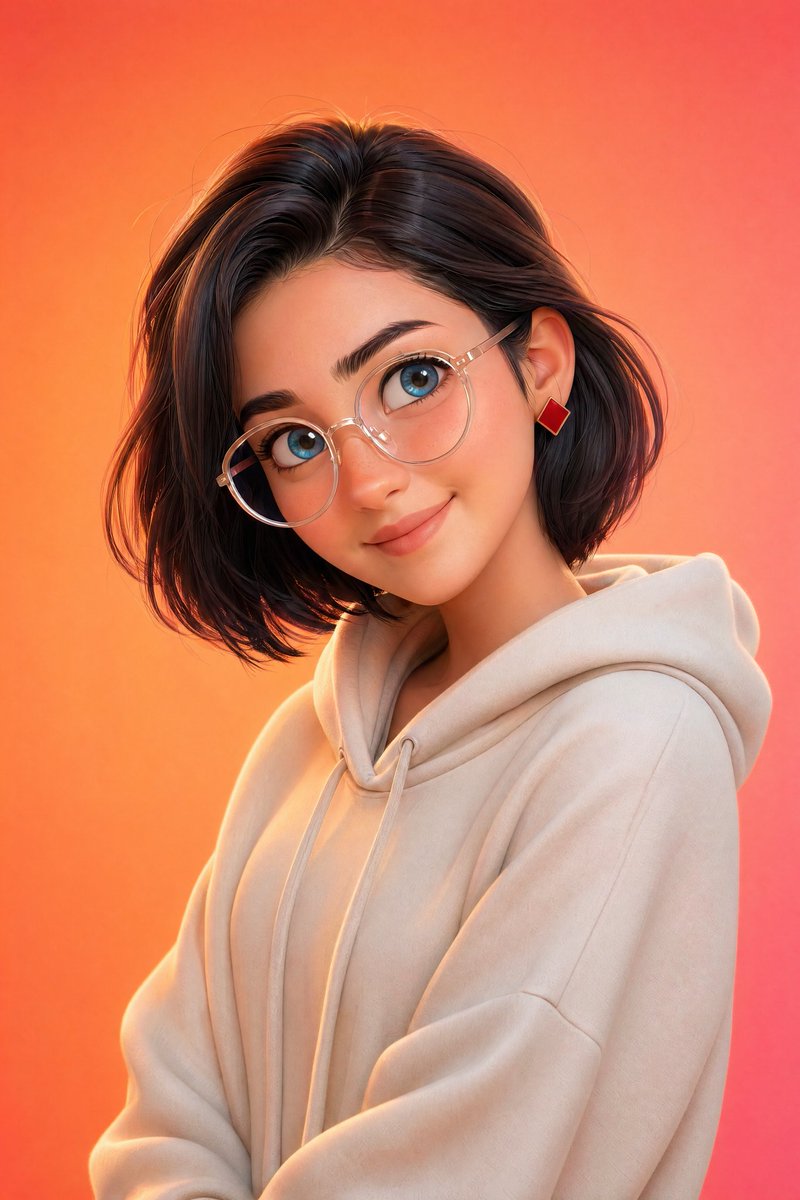
Pixar-Style 3D Character Portrait — Sora 2 Prompt
Create a high-quality, friendly 3D animated character portrait with soft studio lighting, vibrant gradient background, and Pixar-inspired charm.
1 / 2
ПРОМПТ · EN
一张风格化的皮克斯风格 3D 肖像,主角是 argcharacter: 年轻人,拥有光滑的皮肤、大而传神的蓝色眼睛和柔和的面部特征,佩戴 argaccessory: 圆形透明眼镜,现代发型(短发造型 / 柔和波波头),休闲装扮(连帽衫或简约毛衣),微微侧头并带着温暖的微笑,表情友好且平易近人,超简洁的角色设计,argbackground: 充满活力的橙粉色渐变 背景,柔和的摄影棚灯光搭配微妙的轮廓光,电影级景深,超精细,8K 渲染,Octane 渲染风格。
О промпте
Create a high-quality, friendly 3D animated character portrait with soft studio lighting, vibrant gradient background, and Pixar-inspired charm. Use it as a Концепт-арт starting point for GPT Image 2: keep the visual structure and style constraints intact, then swap in your own subject, brand, or scene.
Start by replacing character, accessory, and background, then keep the camera, composition, and material cues in the same order. This makes the output easier to compare across variations.
Как использовать этот промпт
- Copy the entire prompt text below.
- Choose a suitable AI image generation model (e.g., Sora 2).
- Customize the variables
{character},{accessory}, and{background}to match your vision. - Paste the modified prompt into the model's input field.
- Generate the image and iterate by adjusting details as needed.


