
GPT Image 2AI-промпт
Die-Cut to Photoreal 3D Packaging Prompt
Create photorealistic 3D packaging renders from flat die-cut templates with perfect folds, distortion-free text, and customizable textures.
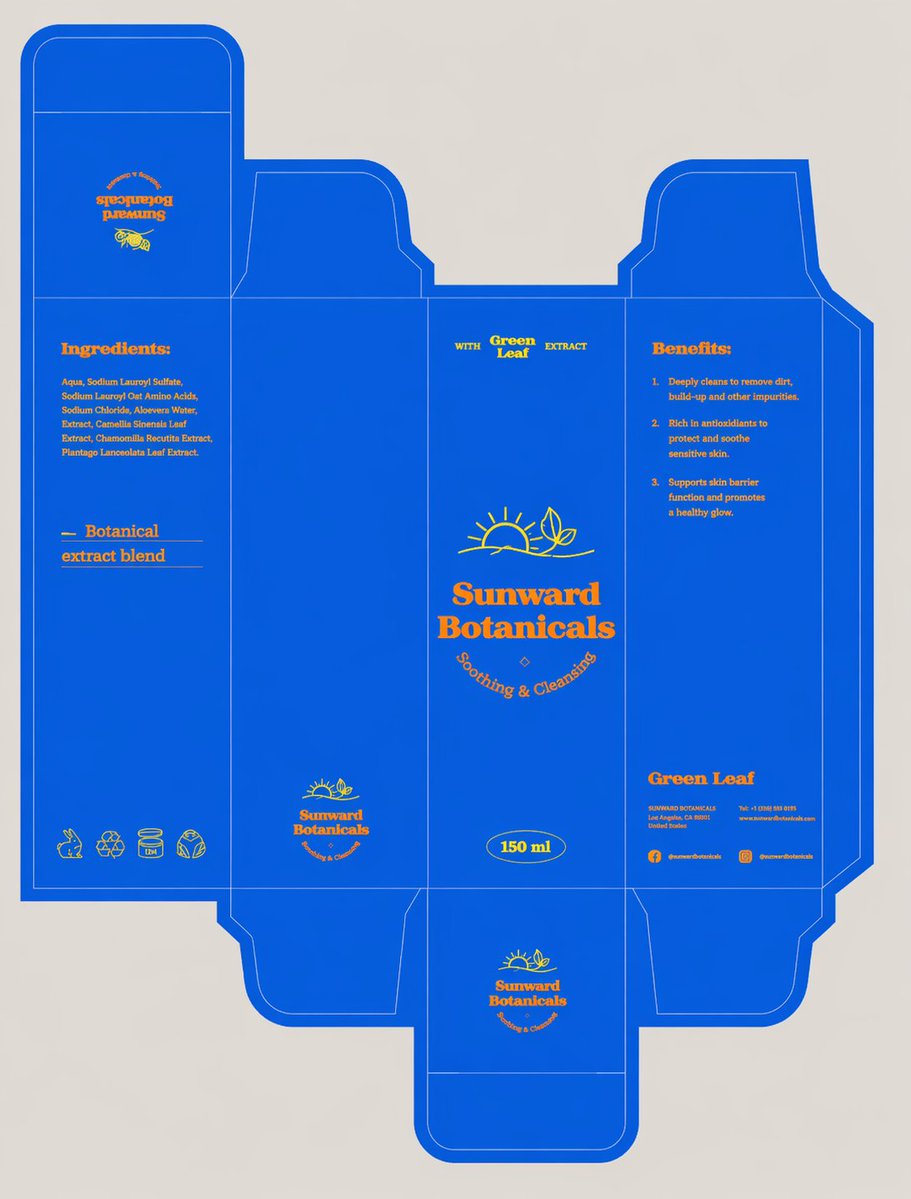
ПРОМПТ · EN
将刀模组装成完美的 3D 包装盒,确保面板准确、折痕清晰、文字无畸变,并完整保留设计稿。以精致的 ¾ 视角将其直立拍摄,置于 argsetting: 极简高端摄影棚场景 中,搭配柔和的中性背景、漫射光、细腻的阴影,无多余道具,色彩真实,呈现 argtexture: 哑光纸板质感 以及逼真的编辑级细节。
О промпте
Create photorealistic 3D packaging renders from flat die-cut templates with perfect folds, distortion-free text, and customizable textures. Use it as a Концепт-арт starting point for GPT Image 2: keep the visual structure and style constraints intact, then swap in your own subject, brand, or scene.
Start by replacing setting and texture, then keep the camera, composition, and material cues in the same order. This makes the output easier to compare across variations.
Как использовать этот промпт
- Copy the prompt template.
- Replace
{setting}with your desired studio background (e.g., “minimalist high-end studio”) and{texture}with the material finish (e.g., “matte cardboard”). - Choose a text-to-image AI model such as Sora 2, DALL·E 3, or Midjourney.
- Paste the customized prompt and generate your image.
- Adjust variables or add minor details to refine the result if needed.


