
3D Cat Mascot Marche Stall — Cozy Food Promo Prompt
Turn a flat cat logo into a warm, plush 3D mascot at a festive night market stall, complete with food props and chalkboard menus for inviting event promos.
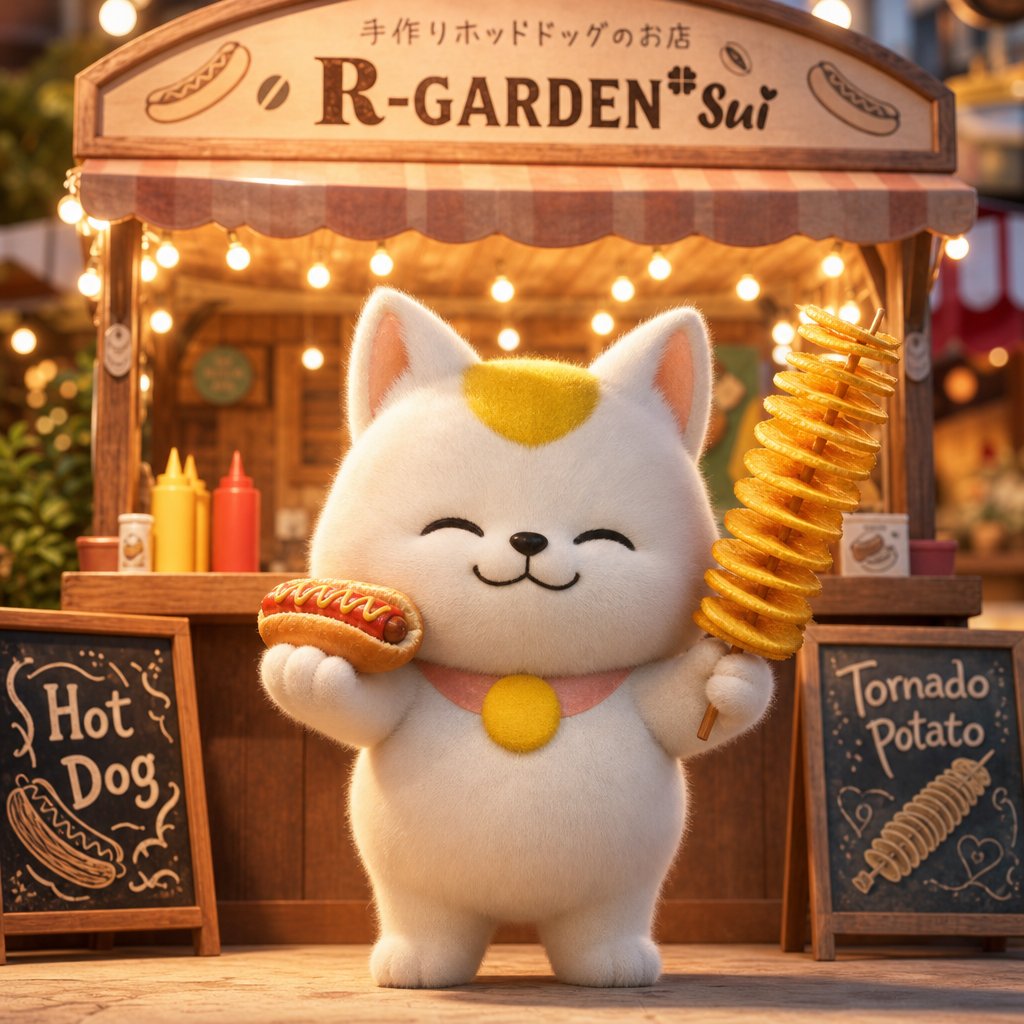
Using the provided reference image as the brand and character base, transform the flat logo into a warm, cute 3D promotional image for a first-time marche food-stall appearance. Keep the same white cat mascot identity, yellow forehead patch, round yellow chest accent, smiling closed-eye expression, handmade hot dog shop theme, and the shop name argshop name: R-GARDEN*Sui. Place the mascot full-body in front of a cozy wooden festival stall at night, rendered as a soft plush toy character. Add a wooden arched shop sign across the top with the Japanese headline argheadline text: 手作りホットドッグのお店, the shop name, and small hot dog / coffee-bean style decorative icons inspired by the reference border. Give the mascot two food props: 1 hot dog in one paw and 1 spiral tornado potato skewer in the other. Add warm string lights, a striped awning, condiment bottles, shallow depth of field, and a friendly market-event atmosphere. Include exactly 2 chalkboard menu signs in front of the stall: left sign labeled argleft board text: Hot Dog with a hot dog doodle, and right sign labeled argright board text: Tornado Potato with a spiral potato doodle. Use a cinematic square composition, golden lighting, high-detail 3D rendering, and an inviting SNS/event advertisement feel.
О промпте
Turn a flat cat logo into a warm, plush 3D mascot at a festive night market stall, complete with food props and chalkboard menus for inviting event promos. Use it as a Концепт-арт starting point for GPT Image 2: keep the visual structure and style constraints intact, then swap in your own subject, brand, or scene.
Common directions include gptimage2api prompts, gptimage2api, and en. Treat these tags as creative cues; the prompt structure and preview image are the more useful guide.
Start by replacing shop name, headline text, left board text, and right board text, then keep the camera, composition, and material cues in the same order. This makes the output easier to compare across variations.
Как использовать этот промпт
- Copy the prompt and its variables (shop name, headline text, left/right board text).
- Choose a high-quality 3D-capable AI model like Sora 2 or a comparable image generator.
- Adjust the variable defaults to match your brand or event details.
- Generate the image, iterating on lighting or composition if needed.
- Use the output for social media ads, event posters, or market stall decorations.


