
GPT Image 2AI-промпт
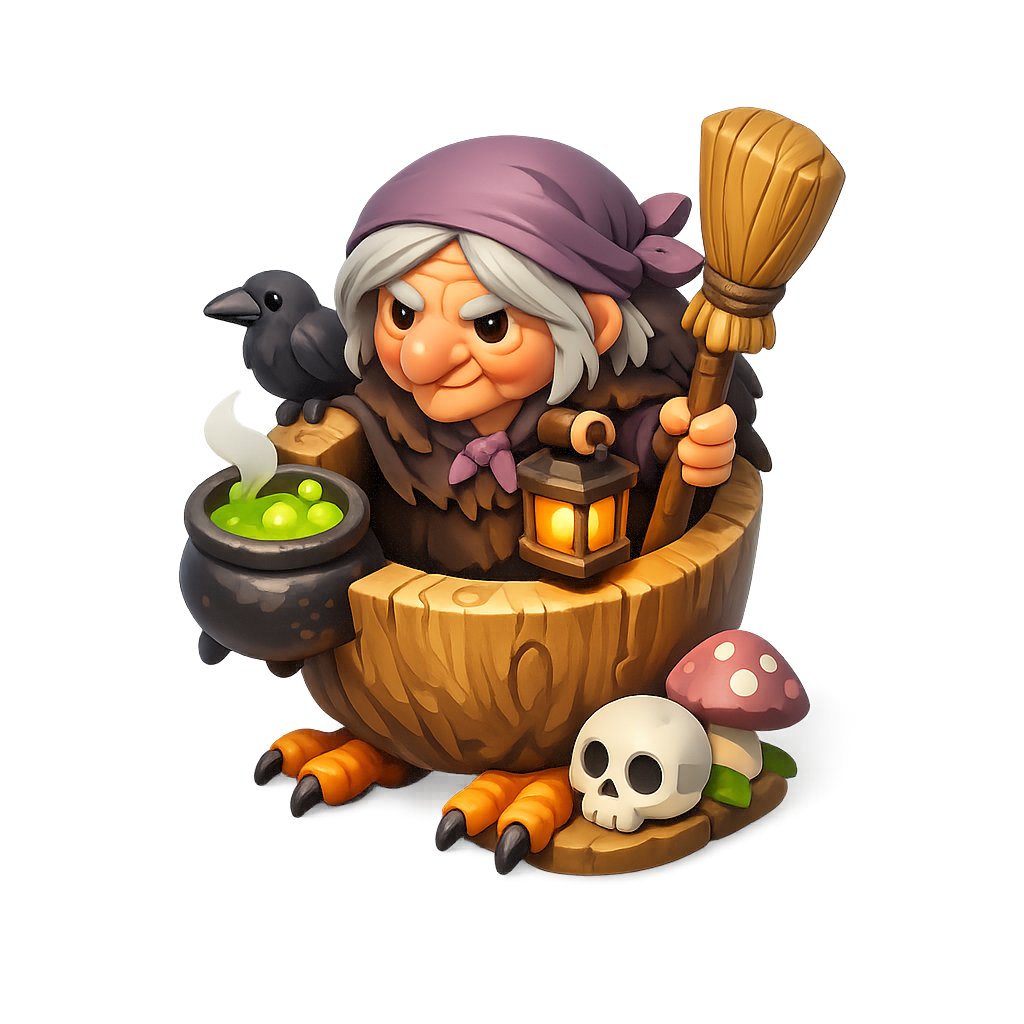
Chibi Witch Owl 3D Figurine — Halloween Mascot Prompt
Creates a polished 3D Halloween mascot figurine of a cute chibi witch-owl in a barrel, with cauldron, crow, skull and mushroom props for collectible character art.
ПРОМПТ · EN
Create a polished 3D stylized fantasy mascot on a pure white background: a cute chibi witch-owl creature sitting inside a carved wooden bucket or half-barrel, rendered like a collectible game figurine with soft studio lighting, rounded shapes, warm colors, high detail, ambient occlusion, and a clean isolated product-shot composition. The character has a squat round body covered in dark brown feathers, orange bird feet with 6 visible talons total, shaggy pale cream hair, a muted purple headscarf tied in a bow on the right side, pointed orange ears, and a strange square faceless area over the front of the head in a smooth brown gradient. The creature holds 1 straw broom upright in its right hand and has 1 small glowing lantern hanging from the front of the barrel. On the left side are 2 props: 1 black cauldron filled with bright green bubbling potion with white steam, and 1 black crow perched beside it. On the ground to the right are 3 props: 1 cream skull, 1 red mushroom cap with white spots and green stem, and 1 small wooden base/stone patch. Use a whimsical Halloween cottagecore fantasy style, miniature diorama proportions, glossy eyes on the crow, carved wood grain on the bucket, orange lantern glow, saturated but cozy palette, no text, no border, centered composition. Customize the character as argcharacter type: chibi witch-owl creature, the headscarf as argheadscarf color: muted purple, the potion as argpotion color: bright green, the accessory animal as arganimal companion: black crow, and the held prop as argheld prop: straw broom.
О промпте
Creates a polished 3D Halloween mascot figurine of a cute chibi witch-owl in a barrel, with cauldron, crow, skull and mushroom props for collectible character art. Use it as a Концепт-арт starting point for GPT Image 2: keep the visual structure and style constraints intact, then swap in your own subject, brand, or scene.
Start by replacing character type, headscarf color, potion color, and animal companion, then keep the camera, composition, and material cues in the same order. This makes the output easier to compare across variations.
Как использовать этот промпт
- Copy the full prompt text above and paste it into your Sora 2 or other compatible AI image generator.
- Select a model optimized for 3D stylized or figurine-style outputs (e.g., Sora 2, Midjourney, or DALL·E 3).
- Customize the bracketed variables like
character type,headscarf color, andpotion colorto match your vision before generating. - Generate the image and review the output. Regenerate with slight wording tweaks if the composition or details need adjustment.
- Download and use the result for personal projects, social media, or collectible design mockups.


