
GPT Image 2AI-промпт
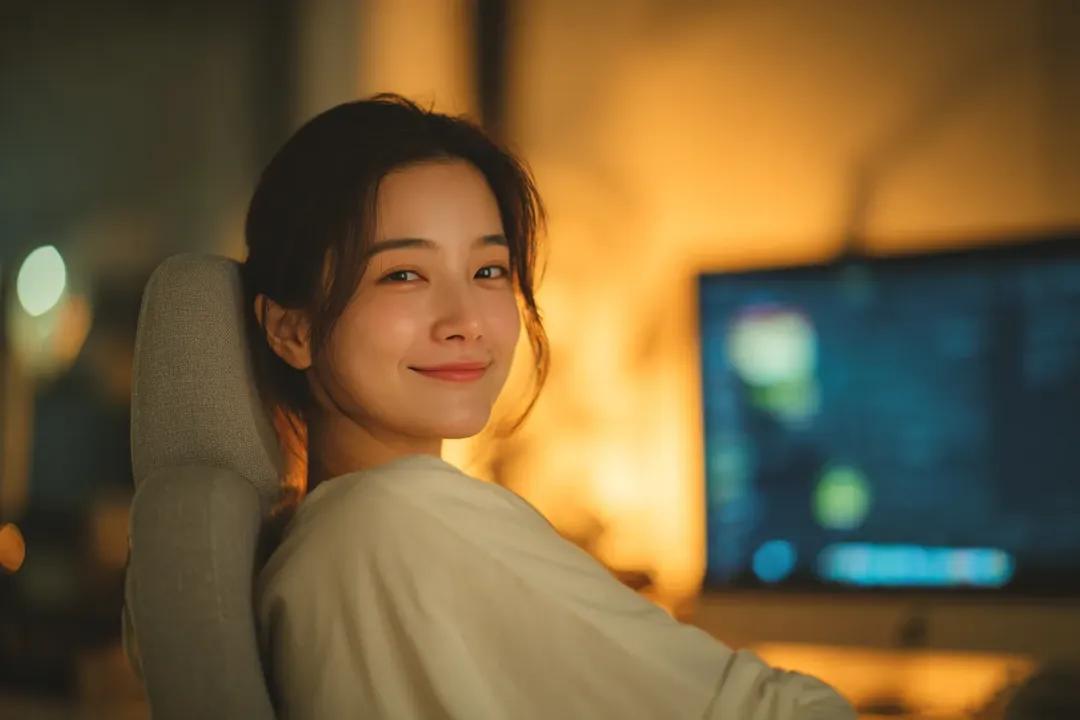
Cozy Workspace Portrait — Sora 2 Cinematic Prompt
Generate a moody, film-like 4K portrait of a woman in a warm home office with soft golden lighting, shallow depth of field, and natural bokeh.
1 / 2
ПРОМПТ · EN
Cinematic indoor portrait of a young woman sitting on a chair and looking back over her shoulder with a soft, natural smile, cozy home workspace environment, warm ambient lighting with golden tones, blurred computer monitor in the background, soft bokeh lights, relaxed atmosphere. Natural skin texture, minimal makeup, casual outfit, shallow depth of field, 85mm lens, soft focus, warm color grading, storytelling composition, ultra-realistic, 4K, lifestyle photography style. Moody cinematic portrait of a young woman leaning on a desk with her chin resting on her hand, gentle smile, warm dim lighting from desk lamps creating soft glow, blurred computer screen with editing interface in background, cozy nighttime workspace, intimate and relaxed mood. Soft shadows, creamy bokeh, natural skin tones, slightly messy hair, casual black outfit, shallow depth of field, 85mm lens, film-like color grading, ultra-realistic, 4K, aesthetic lifestyle photography
О промпте
Generate a moody, film-like 4K portrait of a woman in a warm home office with soft golden lighting, shallow depth of field, and natural bokeh. Use it as a Концепт-арт starting point for GPT Image 2: keep the visual structure and style constraints intact, then swap in your own subject, brand, or scene.
Start with small changes to subject, scene, camera, and color, then generate a few variations to compare composition and detail without turning the page copy into keyword stuffing.
Как использовать этот промпт
- Copy the full prompt text above.
- Paste it into your chosen AI image or video generator (e.g., Sora 2, Midjourney, DALL·E).
- Tweak variables like outfit color, hair style, lighting intensity, or background elements to match your vision.
- Adjust camera settings (e.g., change 85mm to 50mm) for different depth-of-field effects.
- Generate and iterate—refine the prompt if needed until you get the perfect cinematic portrait.


