
Dual Exposure Sports Tribute Poster — Mixed-Media Mosaic Prompt
Create a high-end sports tribute poster with a silhouette container filled by a tactile photo-mosaic grid, halftone textures, and selective color.
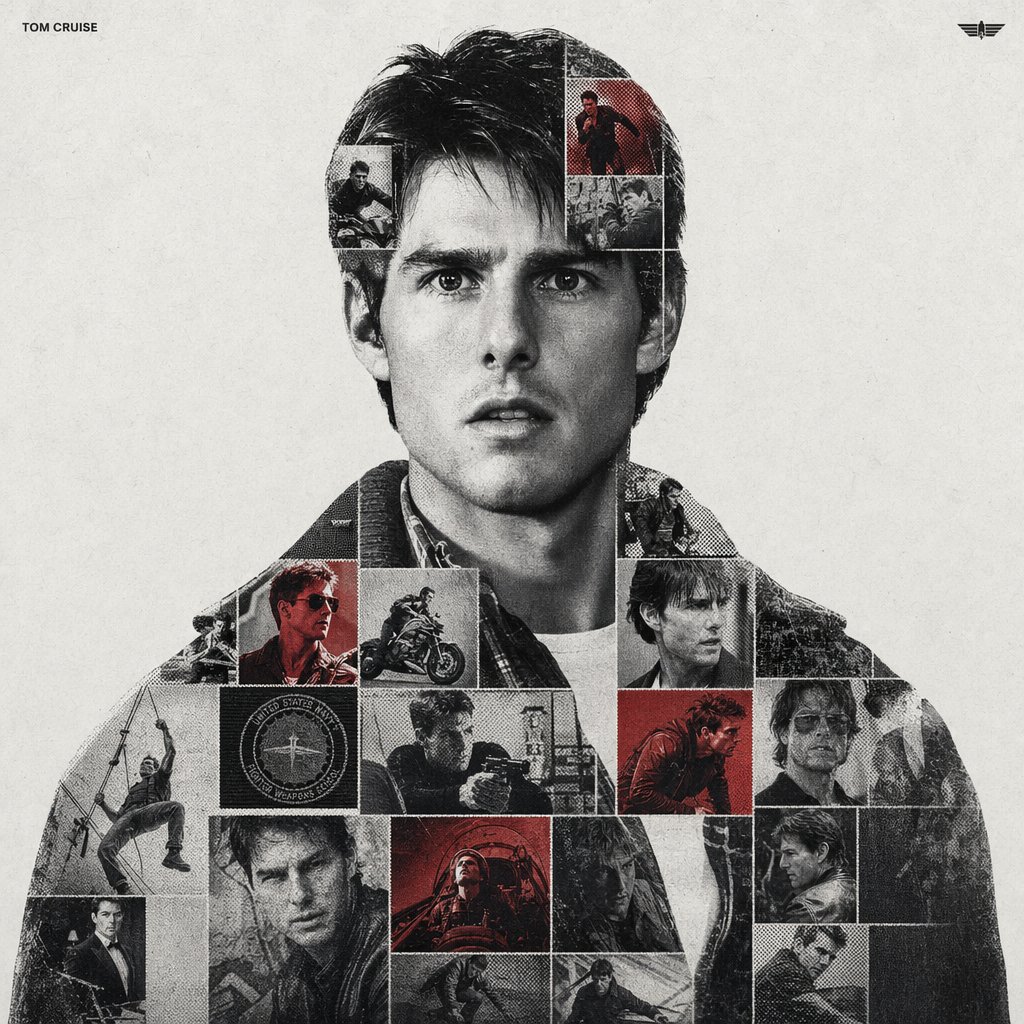
argsubject name: [PERSON NAME]. Act as a high-end sports graphic designer creating a conceptual tribute poster. The style is a complex "dual exposure photo-grid composite" with mixed-media textures.
CENTRAL STRUCTURE (THE VESSEL):
The central focus is a large-scale, high-contrast black and white portrait silhouette of argsubject name: [PERSON NAME]. This main portrait acts as the container.
THE GRID FILL & TEXTURES (MIXED MEDIA):
The interior of the silhouette is populated by a dense "photo mosaic grid" of action shots from the person's career.
CRITICAL TEXTURE INSTRUCTION: Do not just paste flat photos. Apply artistic textures to various grid cells to create a tactile, collage feel. Use effects like:
Halftone Dots: Comic-book style raster patterns on some cells.
Fabric/Embroidery: Subtle thread or canvas textures suggesting a jersey or patch.
Film Grain: Heavy noise on specific high-contrast action shots.
COLOR STRATEGY:
The base is Monochrome B&W. Use selective color overlays (relevant to the team/flag) ONLY on specific grid cells to create a rhythm.
TYPOGRAPHY & BRANDING (STRICT MICRO-SCALING):
Top Left (The Name): Write "argsubject name: [PERSON NAME]" strictly using the font argfont family: Inter Semibold.
Kerning: Tight negative kerning (-4%).
Size: SMALL and discreet. It must occupy MAXIMUM 20% of the canvas width. Do NOT make it large or loud.
Top Right (The Symbol): Place the primary logo (Team/Brand/Flag).
Size: VERY SMALL. It must occupy MAXIMUM 10% of the canvas width.
COMPOSITION & BACKGROUND:
Background: Off-white or light grey with a visible high-quality paper or concrete texture. It should not be flat digital white.
Alignment: Center the figure perfectly. Maintain wide negative space around the object.
О промпте
Create a high-end sports tribute poster with a silhouette container filled by a tactile photo-mosaic grid, halftone textures, and selective color. Use it as a Концепт-арт starting point for GPT Image 2: keep the visual structure and style constraints intact, then swap in your own subject, brand, or scene.
Common directions include gptimage2api prompts, gptimage2api, and ko. Treat these tags as creative cues; the prompt structure and preview image are the more useful guide.
Start by replacing subject name and font family, then keep the camera, composition, and material cues in the same order. This makes the output easier to compare across variations.
Как использовать этот промпт
- Copy the entire prompt text.
- Paste it into your preferred AI image generator (e.g., Sora, Midjourney).
- Replace
[PERSON NAME]with your subject's full name. - Optionally change the default font name in the typography section.
- Generate and iterate, adjusting the text size or color strategy if needed.


