
GPT Image 2AI-промпт
Mountain Ramen Bowl Temple — Epic Fantasy Prompt
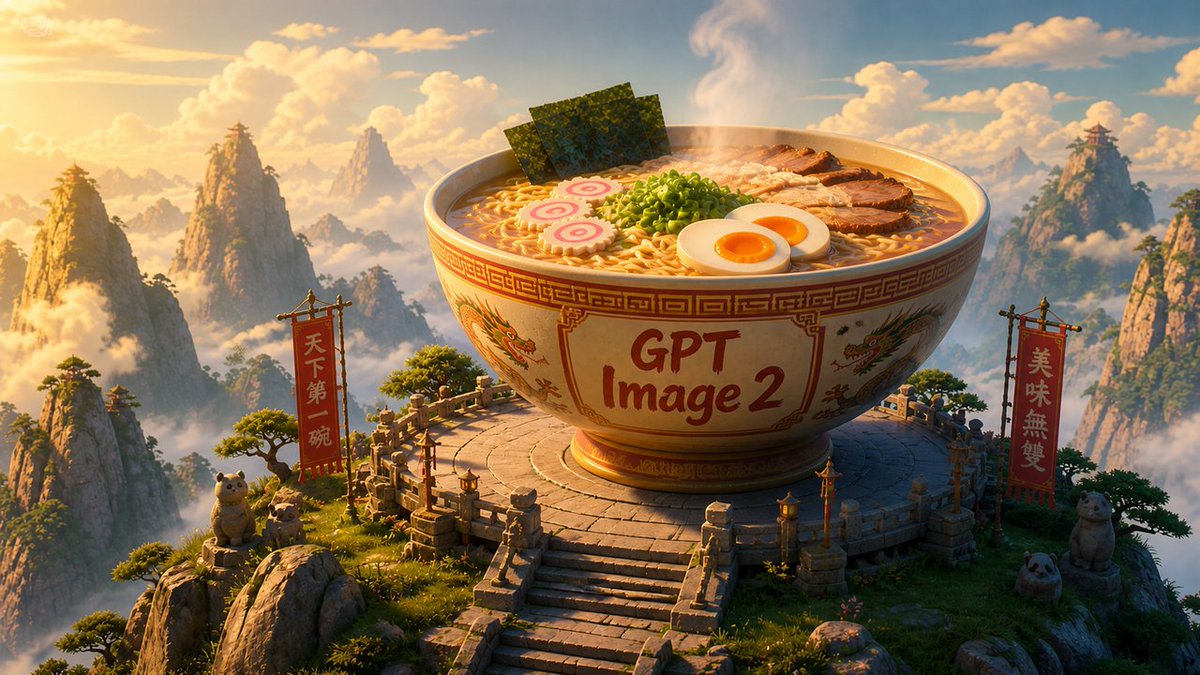
Generate a cinematic 3D fantasy sunrise scene with a giant, ornate ramen bowl on a mystical mountain temple, perfect for epic product reveals or playful announcements.
ПРОМПТ · EN
Create a cinematic 3D fantasy landscape at golden-hour sunrise: an enormous ornate ramen bowl sits on a circular stone temple platform high among misty Chinese mountain peaks, with warm volumetric sunlight, drifting clouds, pine trees, carved railings, lanterns, and a grand stairway leading up to the bowl. The bowl is cream ceramic with red-and-gold geometric borders and dragon illustrations, and the front has large hand-painted text reading argbowl label: GPT Image 2. The steaming ramen should look appetizing and detailed, with exactly 6 visible topping groups: curly noodles, 3 upright sheets of nori seaweed, a mound of chopped green onions, about 7 slices of roasted pork, 2 soft-boiled egg halves with orange yolks, and 2 pink-and-white narutomaki fish cakes. Add exactly 2 tall red vertical banners on wooden frames, one on each side of the platform, with gold lettering; the left banner reads argleft banner text: 天下第一碗 and the right banner reads argright banner text: 美味無雙. Include exactly 4 cute stone or plush guardian animals around the platform: 2 small tanuki-like figures on the left rocks, 1 round panda head near the lower right, and 1 seated bear-like figure beside the right banner. Use a wide 16:9 composition, highly polished Pixar-like / Unreal Engine realism, intricate materials, soft atmospheric haze, epic scale, sharp foreground detail, glowing rim light, and a whimsical monumental food-adventure mood.
О промпте
Generate a cinematic 3D fantasy sunrise scene with a giant, ornate ramen bowl on a mystical mountain temple, perfect for epic product reveals or playful announcements. Use it as a Концепт-арт starting point for GPT Image 2: keep the visual structure and style constraints intact, then swap in your own subject, brand, or scene.
Start by replacing bowl label, left banner text, and right banner text, then keep the camera, composition, and material cues in the same order. This makes the output easier to compare across variations.
Как использовать этот промпт
- Copy the full prompt text from the page. 2. Select a compatible AI model like Sora 2 or other video/image generator. 3. Customize the text variables in the curly braces
{}to match your brand or message. 4. Paste the prompt into your chosen model's input field. 5. Generate and refine the output as needed.


