
GPT Image 2AI-промпт
Minimalist Japanese Fan Banner Prompt — Sora 2
Generate a professional, flat-design horizontal WordPress plugin banner featuring a stylized Japanese folding fan icon and elegant serif typography.
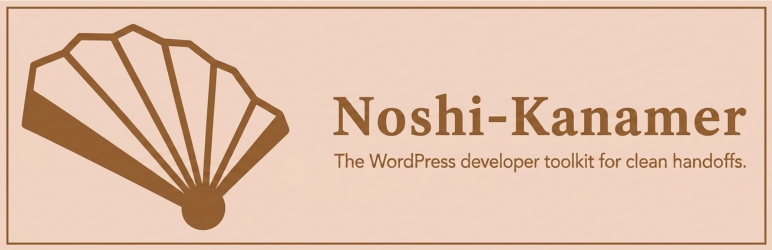
ПРОМПТ · EN
创建一个具有精致极简日式美学的横向 WordPress 插件横幅。画布:宽矩形,约 1540 × 500 像素,浅暖桃色背景,中心附近带有非常微妙的柔和径向光晕。在边缘内侧添加一个细的中棕色矩形边框。布局:左侧放置一个大型风格化折扇图标,占据约 35% 的宽度;右侧垂直居中放置产品名称和标语。图标细节:一个简单的几何日式折扇,采用深暖棕色轮廓和填充,略微向上倾斜,共有 7 个可见扇面,由粗棕色扇骨分隔,内部扇面为奶油色填充,外侧扇面为深棕色填充,底部中心有一个圆形的深棕色转轴。文字:大型衬线标题,内容为 argplugin name: Noshi-Kanamer,颜色为深暖棕色,加粗且优雅,字间距宽裕;正下方为较小的无衬线标语,内容为 argtagline: The WordPress developer toolkit for clean handoffs.,颜色与标题相同。保持设计简洁、扁平、矢量风格、专业,并适合作为 WordPress 插件横幅。不要使用额外的图标、阴影、样机、人物或任何其他文字。
О промпте
Generate a professional, flat-design horizontal WordPress plugin banner featuring a stylized Japanese folding fan icon and elegant serif typography. Use it as a Концепт-арт starting point for GPT Image 2: keep the visual structure and style constraints intact, then swap in your own subject, brand, or scene.
Start by replacing plugin name and tagline, then keep the camera, composition, and material cues in the same order. This makes the output easier to compare across variations.
Как использовать этот промпт
- Copy the entire prompt text.
- Paste it into your chosen AI image generator like Sora 2 or DALL·E.
- Replace the
{plugin name}and{tagline}variables with your specific details. - Generate the image, ensuring the output settings are for a wide horizontal format.
- Download the resulting banner for use in your WordPress plugin repository.


