
GPT Image 2AI-промпт
Jellyfish Utensil Holder: Blueprint to Catalog Photo — Sora 2 Prompt
Save hours of photography work by turning engineering blueprints directly into polished, catalog-ready product images.
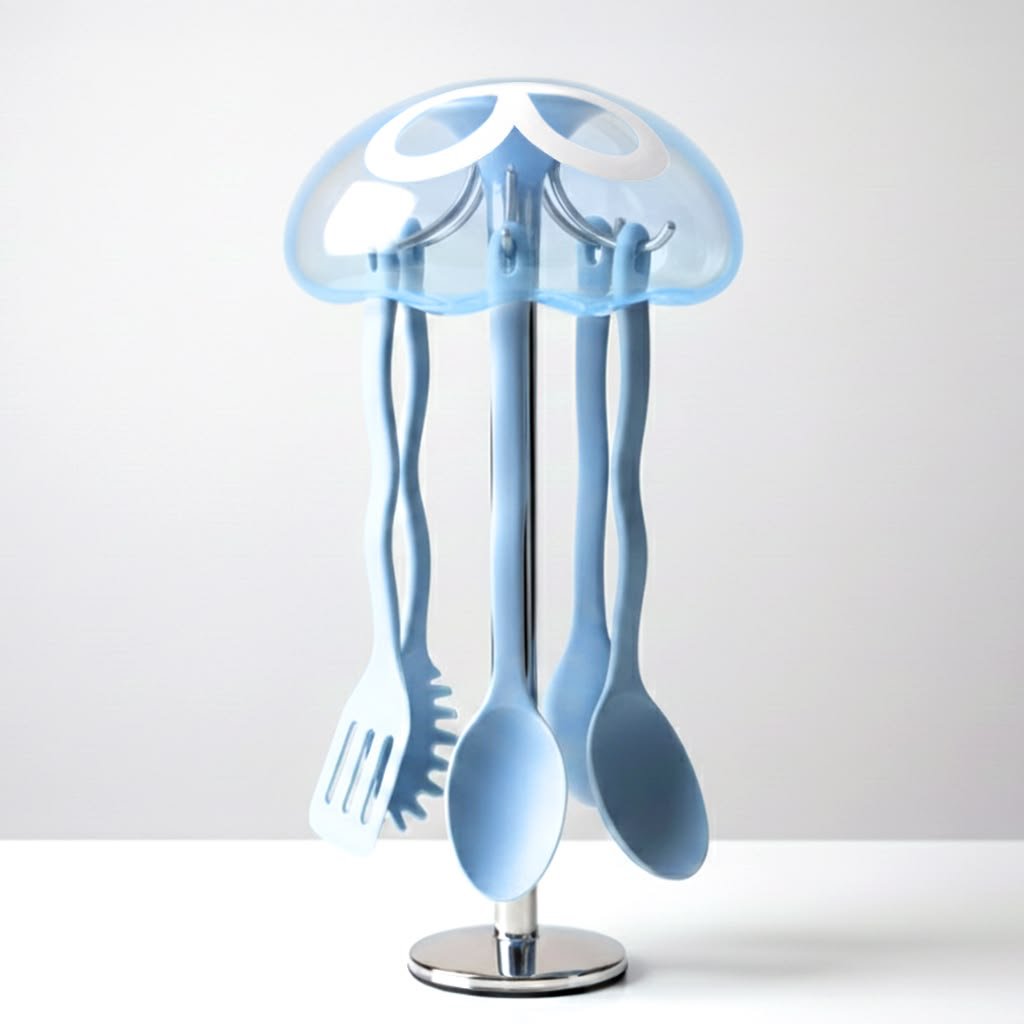
ПРОМПТ · EN
使用提供的参考图像,将技术工程规格表转换为同一个水母形状厨房用具架的干净摄影级产品主图。保留整体产品设计、半透明蓝色圆顶盖、银色底座以及 4 件悬挂用具:1 个漏勺、1 个意面捞勺和 2 个汤勺。移除所有蓝图元素,包括爆炸图、尺寸线、标签、表格、注释和标题栏。仅展示居中对齐、正面朝向的组装成品,背景为极简浅灰色,置于白色平面上,采用柔和的漫射光,带有细腻逼真的阴影,并呈现出高级的光泽质感。使其看起来像是一张现代工业设计目录或电商产品摄影图。
О промпте
Save hours of photography work by turning engineering blueprints directly into polished, catalog-ready product images. Use it as a Концепт-арт starting point for GPT Image 2: keep the visual structure and style constraints intact, then swap in your own subject, brand, or scene.
Start with small changes to subject, scene, camera, and color, then generate a few variations to compare composition and detail without turning the page copy into keyword stuffing.
Как использовать этот промпт
- Copy the entire prompt from the text block.
- Open your AI image generator (Sora 2, DALL·E 3, or Midjourney) and paste the prompt.
- If your model supports image inputs, upload the reference engineering drawing to guide the transformation.
- Generate the image. You can optionally tweak details like the product name or background color before generating.


