
GPT Image 2AI-промпт
Cinematic Fire VFX Asset — Sora 2 AI Prompt
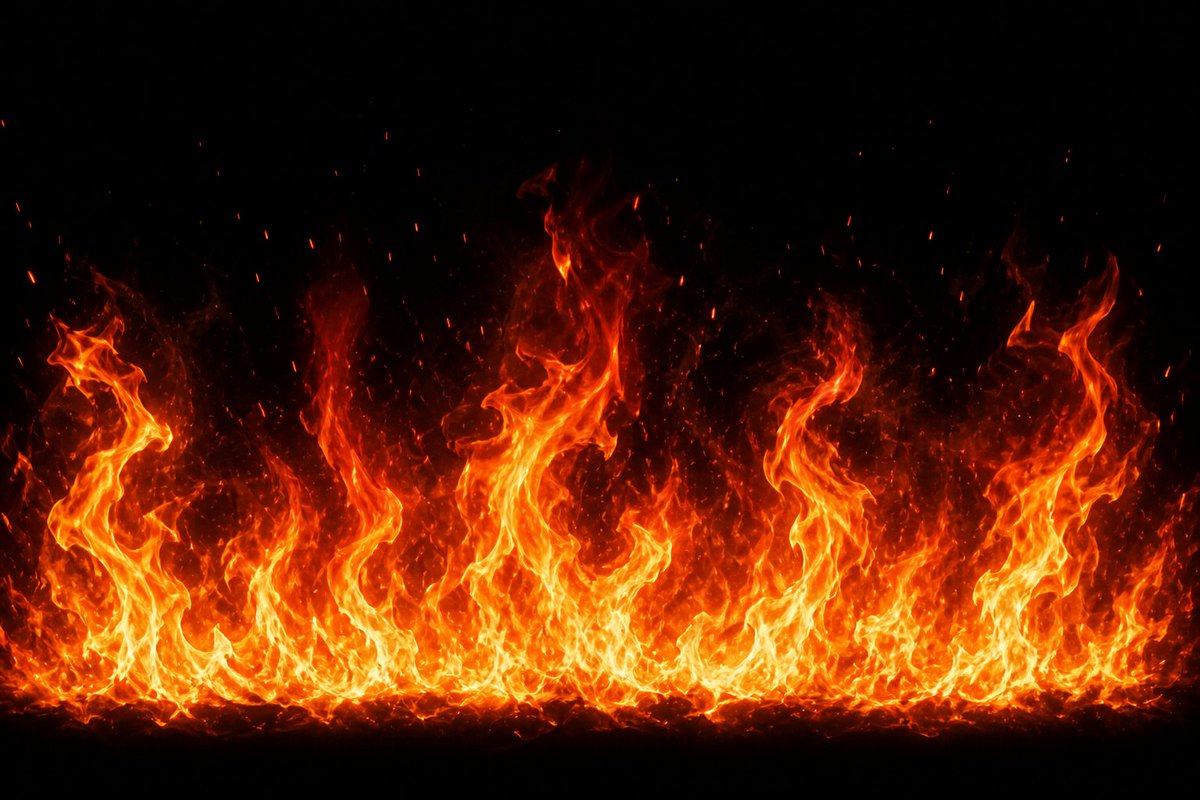
Generate a photorealistic horizontal fire wall with glowing embers and heat haze on black — perfect for VFX compositing and game design.
ПРОМПТ · EN
创建高分辨率 VFX 火焰特效素材:在纯黑背景下,生成一道从底部边缘升起、横跨整个画面的宽幅水平火焰墙。火焰应具备明亮的黄白色核心、饱和的橙红色外焰,以及向上渐隐至黑暗中的半透明烟雾热浪。使用 argflame height: 高低错落的火焰峰值,呈现不均匀的卷曲形态,包括左、中、右侧几根巨大的扭曲火柱,以及底部一层密集的小火焰带。添加大量向上飘散的炽热余烬颗粒和火星,火焰上方散布着细小的红橙色斑点。使其看起来像逼真的电影级游戏特效或合成元素,高对比度,细节锐利,蕴含自然的湍流运动感,无物体,无文字,无人物,无边框,居中构图,argbackground color: 纯黑色,argfire color palette: 黄、白、橙、红,argaspect ratio: 16:9 宽屏横向。
О промпте
Generate a photorealistic horizontal fire wall with glowing embers and heat haze on black — perfect for VFX compositing and game design. Use it as a Концепт-арт starting point for GPT Image 2: keep the visual structure and style constraints intact, then swap in your own subject, brand, or scene.
Start by replacing flame height, background color, fire color palette, and aspect ratio, then keep the camera, composition, and material cues in the same order. This makes the output easier to compare across variations.
Как использовать этот промпт
- Copy this prompt and paste it into your Sora 2 or compatible AI video/image generator.
- Select the appropriate model (e.g., Sora 2, Sora, or similar diffusion model).
- Adjust the variables like
flame height,background color,fire color palette, andaspect ratioto match your project needs. - Generate the output and review — regenerate or upscale for higher resolution if needed.
- Download the asset and composite it into your video or game project using blend modes like Screen or Add.


