
GPT Image 2AI-промпт
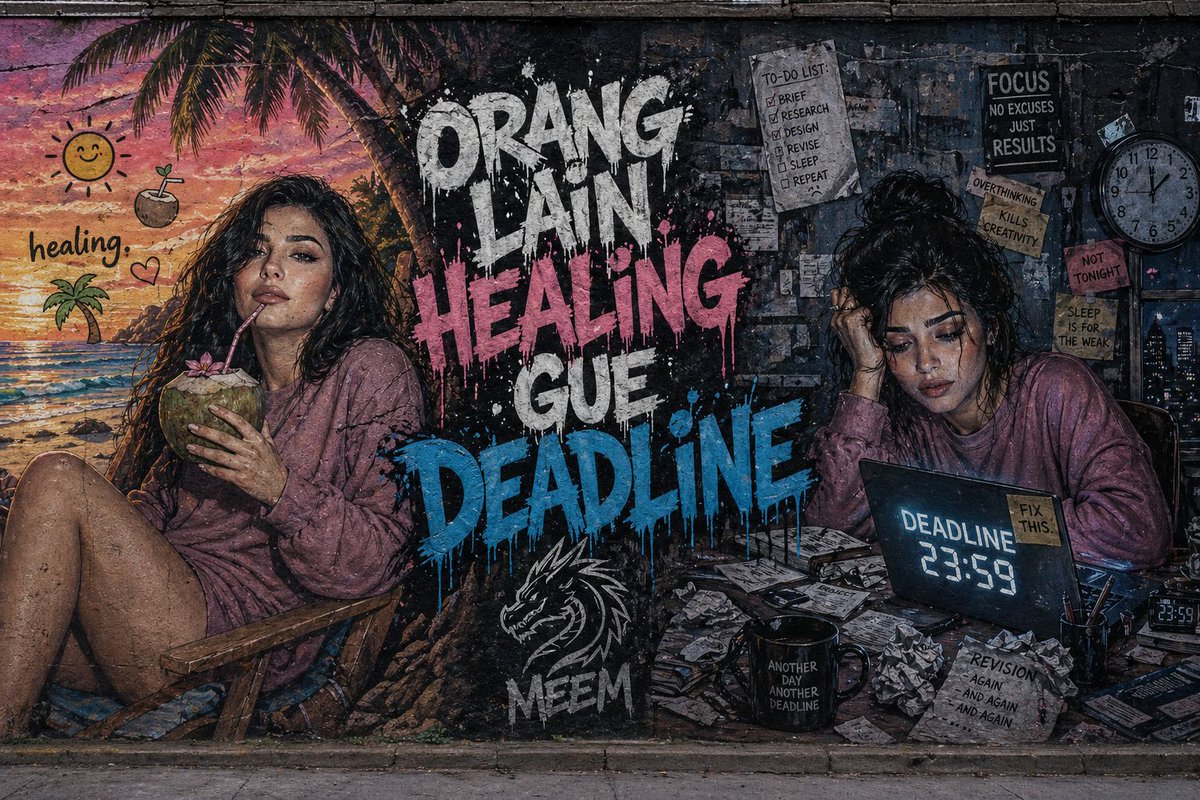
Split Concept Mural — Healing vs Deadline Street Art
Generate a hyper-realistic 8K street art mural with a dramatic split-screen design comparing serene tropical healing and stressful deadline scenes.
ПРОМПТ · EN
超细节的宽幅街头艺术壁画,绘制在粗糙的城市混凝土墙面上,采用拆分构图。在 argleft side: 左侧,一个充满活力的热带海滩场景,采用温暖的柔和色调,展示了一位年轻女性(与参考图脸部一致)坐在椅子上放松,在日落天空下喝着椰子,配有俏皮的热带表情符号和“healing”字样。在 argright side: 右侧,一个昏暗杂乱的工作空间,采用冷蓝灰色调,展示了同一位女性在书桌前感到压力,周围散落着纸张、咖啡杯和显示着“DEADLINE 23:59”的亮屏笔记本电脑。在中心位置,argmain text: 粗体的涂鸦文字写着“ORANG LAIN HEALING”和“GUE DEADLINE”,采用滴漆风格,色彩对比强烈。下方包含一个带有程式化龙标志的“MEEM”标签。电影级光效,颗粒感纹理,超写实风格,强烈的情感对比,8K 细节。
О промпте
Generate a hyper-realistic 8K street art mural with a dramatic split-screen design comparing serene tropical healing and stressful deadline scenes. Use it as a Концепт-арт starting point for GPT Image 2: keep the visual structure and style constraints intact, then swap in your own subject, brand, or scene.
Start by replacing left side, right side, and main text, then keep the camera, composition, and material cues in the same order. This makes the output easier to compare across variations.
Как использовать этот промпт
- Copy the entire prompt text from the page.
- Select your preferred AI image generator (e.g., Sora 2, Midjourney, DALL-E 3).
- Customize the variables inside the curly brackets
{}(likeleft side,right side,main text) to fit your personal story. - Generate the image. For best cinematic results, use the highest quality settings available.
- Review the output and adjust your variable text or the main prompt details if needed for a better composition.


