
GPT Image 2AI-промпт
Dark Luxury Product Sculpture — Sora 2 Prompt
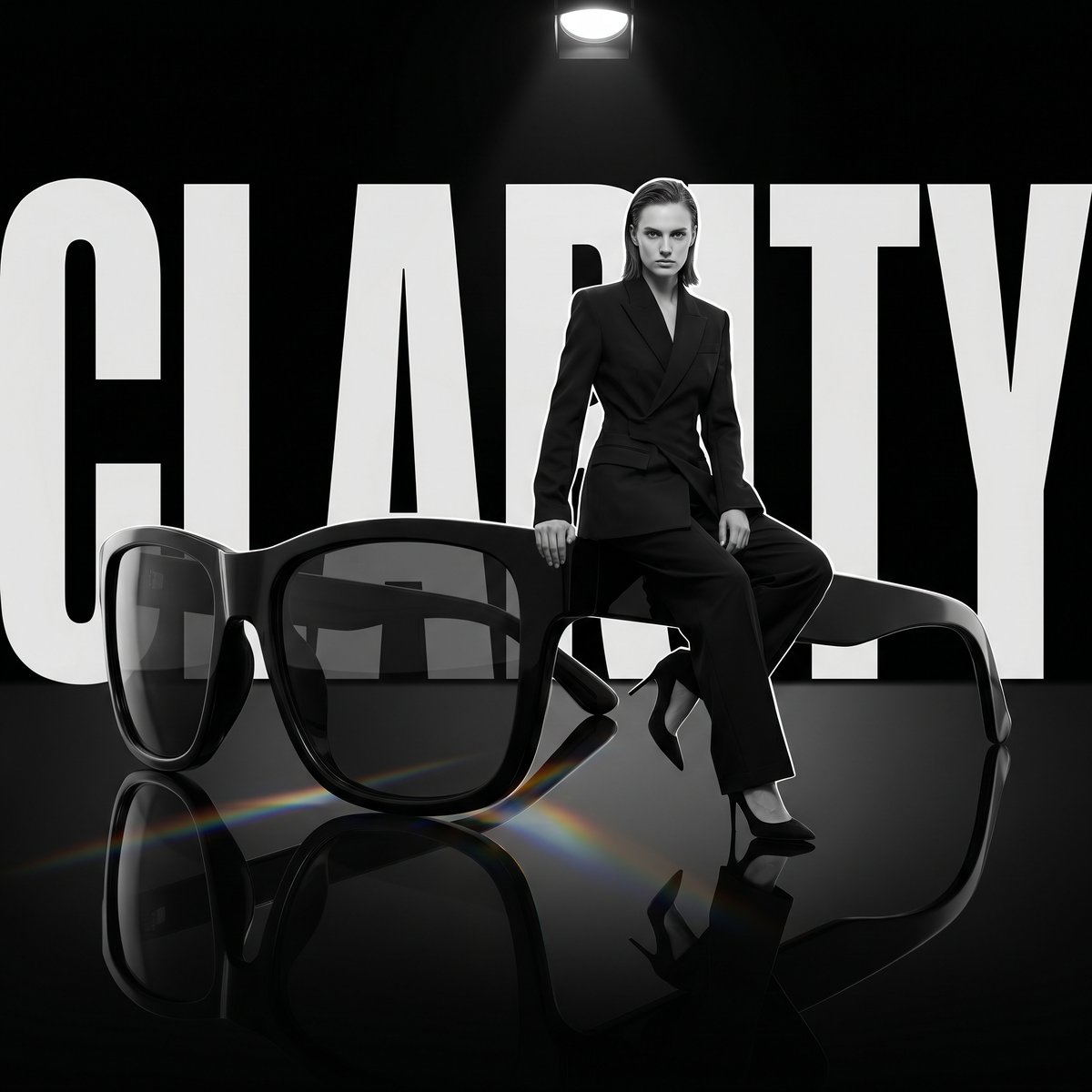
Generate high-end editorial photography with an oversized product as a dramatic sculpture, set against a matte black void with prismatic light reflections on a glossy floor.
ПРОМПТ · EN
超大尺寸的 argproduct: PRODUCT 作为雕塑,模特坐在上面,背后是巨大的“argbrand name: WORD”字样,哑光黑色虚空背景,反光黑色地板,地板上有棱镜散射光。1:1,暗黑奢华编辑风格。
О промпте
Generate high-end editorial photography with an oversized product as a dramatic sculpture, set against a matte black void with prismatic light reflections on a glossy floor. Use it as a Концепт-арт starting point for GPT Image 2: keep the visual structure and style constraints intact, then swap in your own subject, brand, or scene.
Start by replacing product and brand name, then keep the camera, composition, and material cues in the same order. This makes the output easier to compare across variations.
Как использовать этот промпт
- Copy the Prompt: Copy the entire prompt text from the page.
- Choose Your Model: Use it in Sora 2 or any compatible AI video/image generator.
- Set Your Variables: Replace
PRODUCTwith your product name (e.g., "handbag", "watch") andWORDwith your brand name or tagline. - Adjust the Aspect Ratio: The prompt is set for 1:1 by default; change it to 16:9 or 9:16 as needed.
- Generate & Refine: Generate the output. If you want to change the lighting or style, try tweaking terms like "prismatic light" or "dark luxury".


