
GPT Image 2AI-промпт
Trompe l'Oeil Sketch Illusion — Sora 2 Prompt
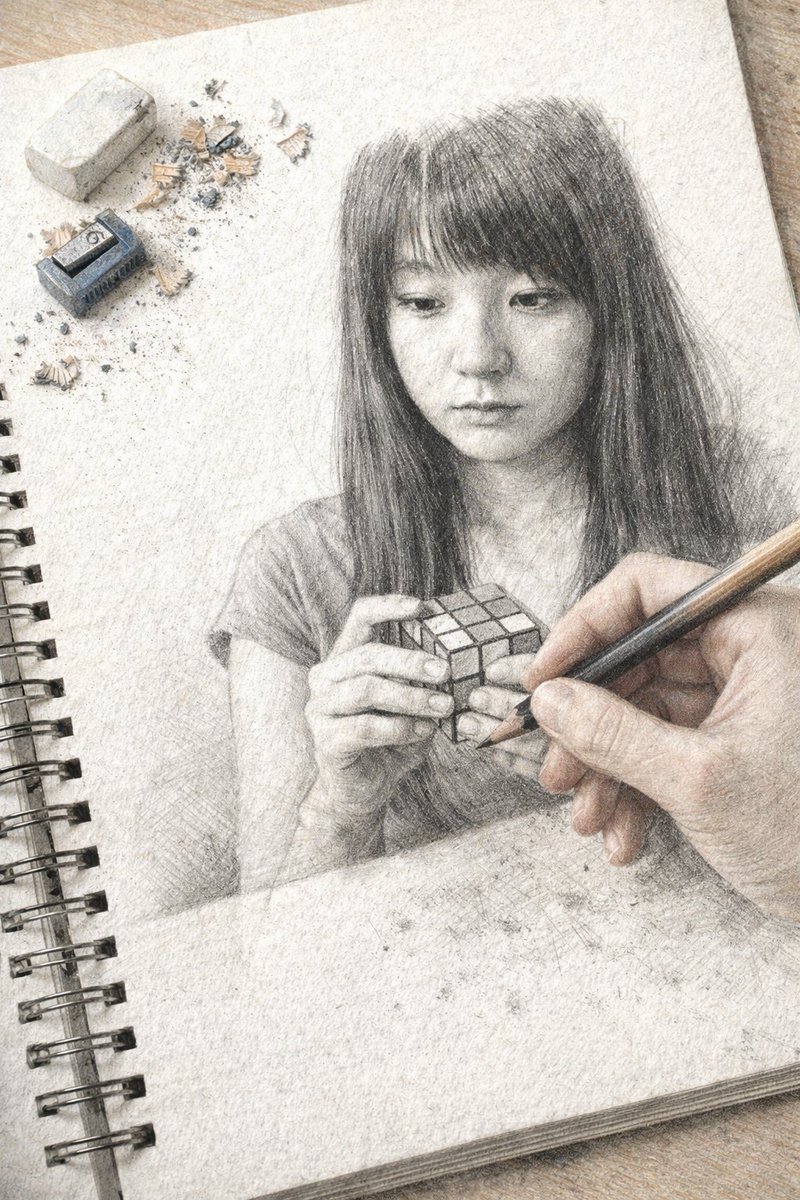
Create a hyper-realistic trompe l'oeil image of a hand drawing a detailed graphite portrait in a sketchbook, complete with realistic props and a seamless illusion.
ПРОМПТ · EN
一张超写实的错视画,画面中是一个放在木质桌面上的螺旋装订速写本。速写本页面上是一幅高度精细的石墨铅笔素描,描绘了一位 argsubject description: 留着黑色直发和刘海的年轻亚裔女性,她正低头沉思,双手拿着一个 argobject held: 魔方。从右下角,一只写实的人手握着木质铅笔进入画面,仿佛正在绘制这幅素描。在纹理纸张的左上角,放着 1 块长方形白色橡皮擦、1 个小型蓝色金属卷笔刀以及散落的铅笔屑。写实的手与石墨素描之间的过渡营造出一种天衣无缝的视觉错觉。
О промпте
Create a hyper-realistic trompe l'oeil image of a hand drawing a detailed graphite portrait in a sketchbook, complete with realistic props and a seamless illusion. Use it as a Концепт-арт starting point for GPT Image 2: keep the visual structure and style constraints intact, then swap in your own subject, brand, or scene.
Start by replacing subject description and object held, then keep the camera, composition, and material cues in the same order. This makes the output easier to compare across variations.
Как использовать этот промпт
- Copy the prompt text from this page.
- Open your preferred AI image generator that supports detailed text prompts (e.g., DALL·E 3, Midjourney, Stable Diffusion).
- Replace the {subject description} and {object held} placeholders with your desired subject and object (e.g., "elderly man with glasses" and "book").
- Paste the modified prompt into the model and generate the image.
- Experiment with iterations to refine the trompe l'oeil effect and realism.


