
GPT Image 2AI-промпт
3D Pixar Miniature Music Scene — Sora 2 Prompt
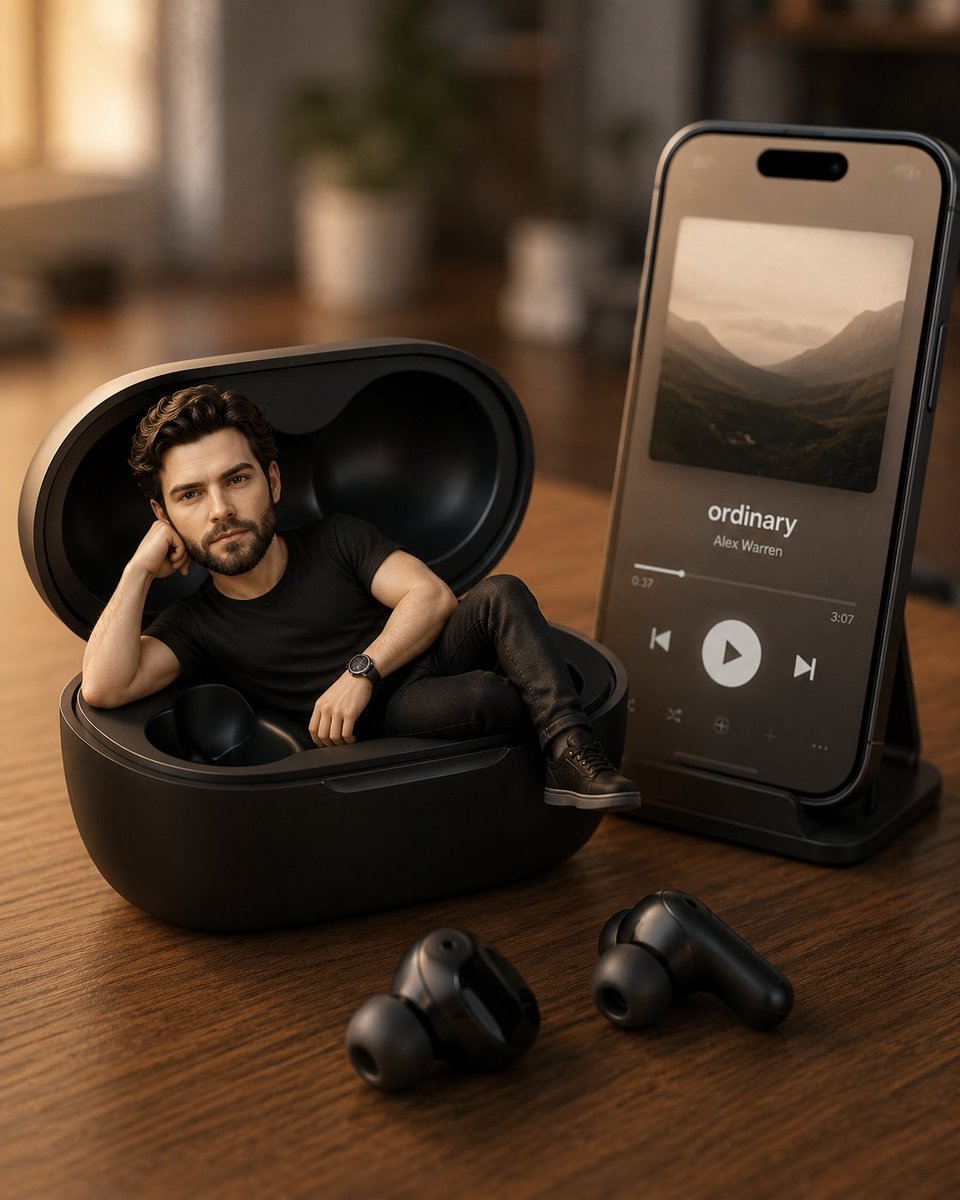
Create a hyper-detailed 3D Pixar-style render of a person relaxing inside a wireless earphone case on a modern desk, complete with a smartphone music player and soft, cinematic lighting.
1 / 2
ПРОМПТ · EN
使用上传的参考图片作为角色的面部和发型参考,创作一个超精细的 3D 皮克斯风格微缩场景。 一个面部、发型、肤色和整体外观与上传图片一致的 argsubject: 可爱的年轻人,正舒适地躺在放置于木质书桌上的无线耳机充电盒内。 他留着黑色长发,眼神柔和且富有表现力,带着自然温和的微笑。他穿着与上传参考图片中完全相同的服装。 角色以放松的姿势舒适地躺在耳机盒内,单手托头,一条腿随意地搭在另一条腿上。 充电盒旁边,一部现代智能手机垂直放置在支架上,显示着简洁的极简音乐播放器界面。屏幕上显示着歌曲名称“argsong name: ordinary”,配有优雅的专辑封面、播放按钮和进度条。 两个无线耳机随意地放置在书桌上的充电盒附近。 环境采用柔和温暖的自然窗光,营造出舒适的电影感氛围。背景应进行柔焦处理,呈现美学虚化效果,并搭配极简的现代书桌布置。 风格应呈现为高品质的电影级 3D 渲染,具有平滑的纹理、柔和的阴影、景深效果、超逼真的光影、高度精细的材质,以及可爱的皮克斯风格比例。 高分辨率,逼真的反射效果,舒适的氛围,居中构图,专业的产品广告级质量。
О промпте
Create a hyper-detailed 3D Pixar-style render of a person relaxing inside a wireless earphone case on a modern desk, complete with a smartphone music player and soft, cinematic lighting. Use it as a Концепт-арт starting point for GPT Image 2: keep the visual structure and style constraints intact, then swap in your own subject, brand, or scene.
Start by replacing subject and song name, then keep the camera, composition, and material cues in the same order. This makes the output easier to compare across variations.
Как использовать этот промпт
- Copy the full prompt text.
- Choose your preferred AI video/image model (e.g., Sora 2).
- Replace the
{subject}and{song name}variables with your desired character description and song title. - Generate and iterate on the output until you achieve the perfect miniature scene.


