
GPT Image 2AI-промпт
Dark Fantasy Double-Exposure Poster — Sora 2 Prompt
Create a cinematic, high-detail dark fantasy movie poster featuring double-exposure silhouettes, dramatic lighting, and epic storytelling aesthetics.
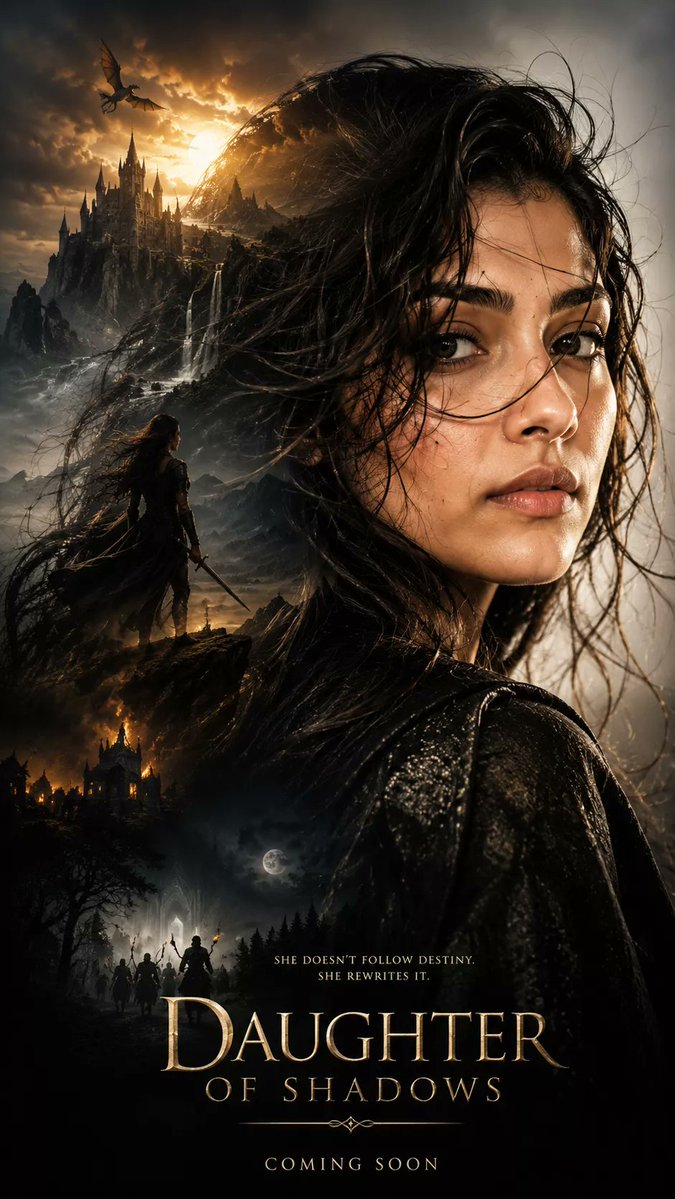
ПРОМПТ · EN
生成一张超电影感的暗黑奇幻海报,使用 argsubject profile: 上传参考照片中的面部和发型 作为轮廓,超写实肖像构图,主体侧面特写,细腻的皮肤纹理,略显凌乱的湿发在风中飘动,强烈而神秘的情绪表达,以及史诗般戏剧性的氛围。双重曝光构图,在写实的剪影中呈现多个场景:[ ] 写实风格,戏剧性深度,体积光,argatmosphere: 奢华、少女感、真人实拍、美学等 氛围,超细腻纹理,电影海报美学,史诗叙事构图,高对比度阴影,灵活的电影级调色,超写实,杰作,清晰对焦,HDR,8K 细节,Unreal Engine 品质,高度细腻的面部,照片级真实感,奇幻冒险氛围。垂直构图,紧凑布局,高级电影海报设计,9:16 纵横比,超高清
О промпте
Create a cinematic, high-detail dark fantasy movie poster featuring double-exposure silhouettes, dramatic lighting, and epic storytelling aesthetics. Use it as a Концепт-арт starting point for GPT Image 2: keep the visual structure and style constraints intact, then swap in your own subject, brand, or scene.
Start by replacing subject profile and atmosphere, then keep the camera, composition, and material cues in the same order. This makes the output easier to compare across variations.
Как использовать этот промпт
- Copy the full prompt text from the page.
- Select a compatible image generation model (e.g., Sora 2, DALL·E, Midjourney).
- Customize the
{subject profile}and{atmosphere}variables with your preferred portrait and style. - Adjust the
[]section to describe the specific scenes you want within the silhouette. - Generate the image and iterate on the variables for your perfect result.


