
GPT Image 2AI-промпт
Restore Old Photos Prompt — Fix Yellowing, Stains, Creases
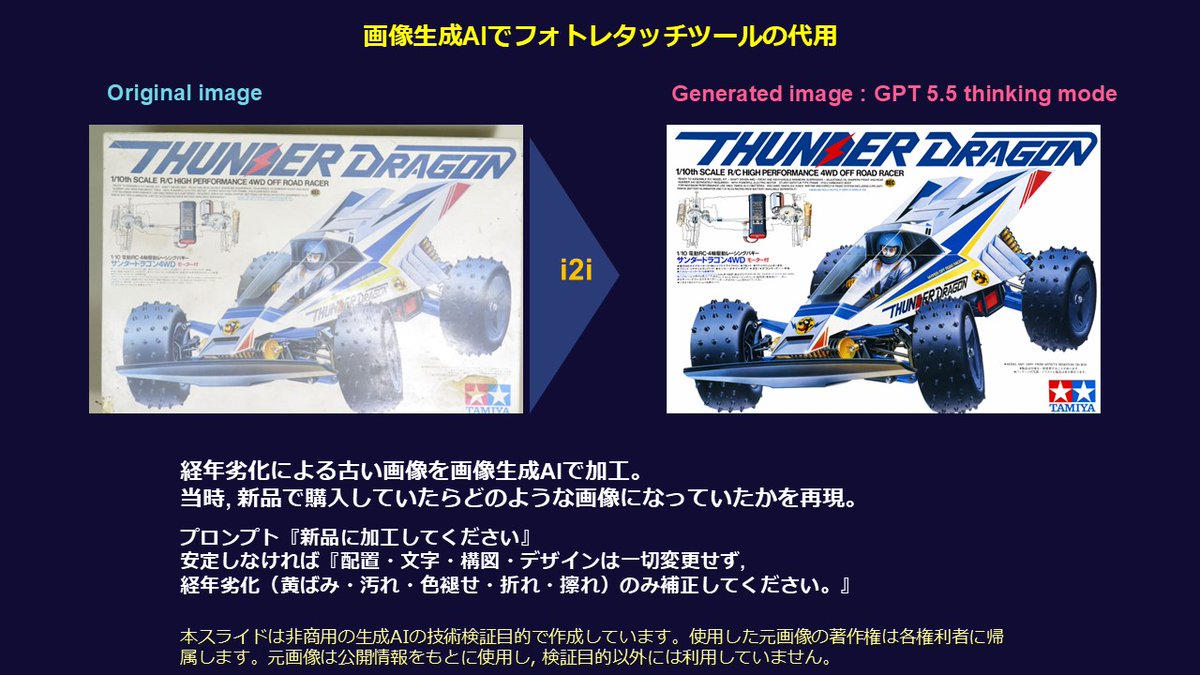
Precisely restore old photos by removing deterioration like yellowing, stains, and creases, while keeping the original layout and composition unchanged.
ПРОМПТ · EN
在完全不改变布局、文字、构图或设计的前提下,请仅修复因时间流逝而产生的劣化(如泛黄、污渍、褪色、折痕和擦痕)。
О промпте
Precisely restore old photos by removing deterioration like yellowing, stains, and creases, while keeping the original layout and composition unchanged. Use it as a Концепт-арт starting point for GPT Image 2: keep the visual structure and style constraints intact, then swap in your own subject, brand, or scene.
Start with small changes to subject, scene, camera, and color, then generate a few variations to compare composition and detail without turning the page copy into keyword stuffing.
Как использовать этот промпт
- Copy the prompt from this page.
- Open your preferred AI image editor (e.g., DALL·E 2, Midjourney with image input, or Adobe Firefly).
- Upload your old photo and paste the prompt into the instruction field.
- If needed, tweak the prompt to specify damage types like 'torn edges' or 'water damage'.
- Generate the image and repeat to refine the restoration.


