
GPT Image 2AI-промпт
Luxury Fashion Sale Poster — Sora 2 Prompt
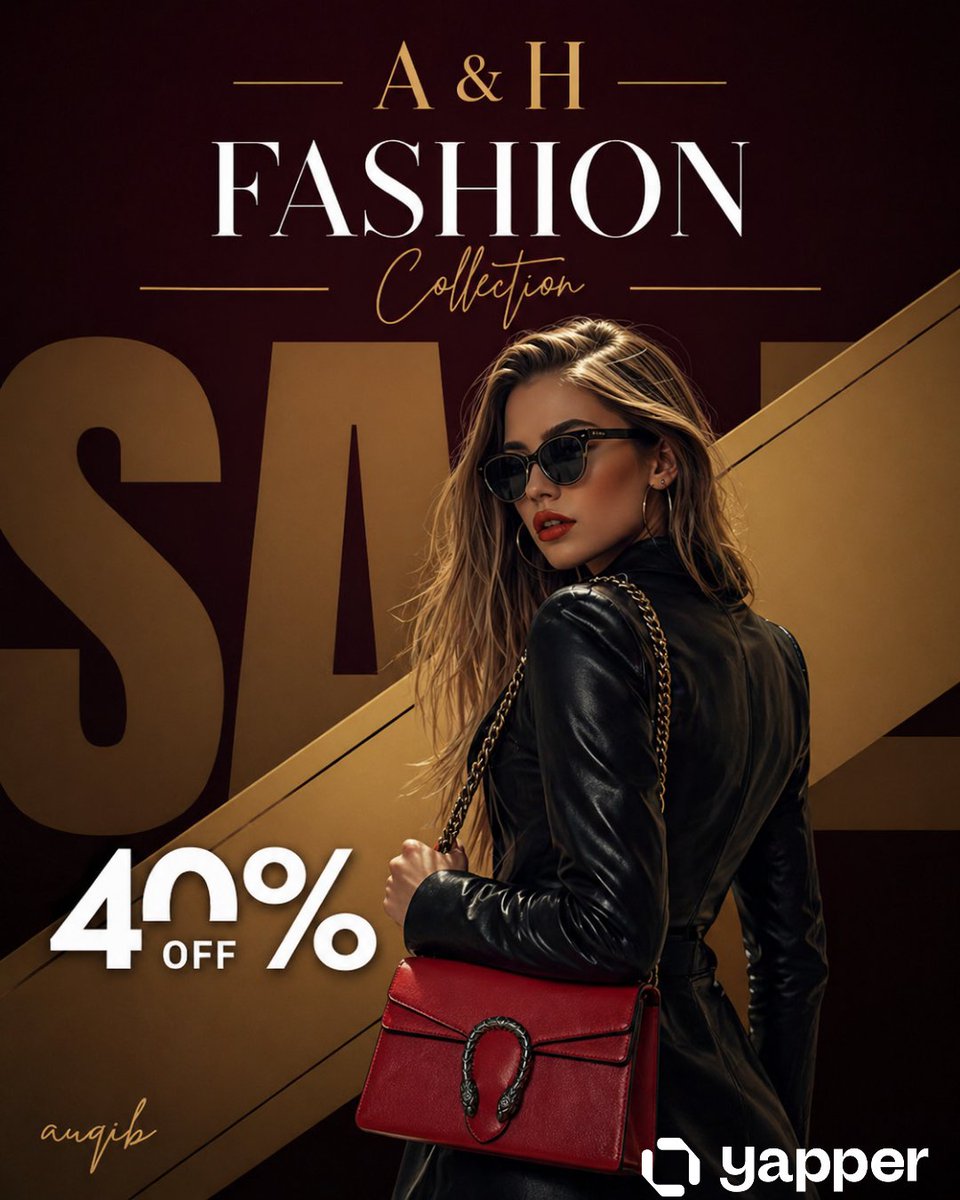
Generate a high-end editorial sale poster with a confident model, designer handbag, and dramatic studio lighting in a rich burgundy and gold palette.
ПРОМПТ · EN
奢华时尚促销海报,高级编辑风格。一位自信的高端时尚女性模特,身穿 argoutfit: 时髦的黑色皮裙和超大墨镜,手提一款 arghandbag color: 亮红色 的设计师手袋,配有金属链条肩带。姿势微微向后转,回眸凝视,气场强大。 背景:深酒红色与黑色渐变,带有柔和的晕影,并饰有一条贯穿构图的对角线金属金条。背景中有巨大的超大号褪色“SALE”字样,部分被模特遮挡。 顶部区域:优雅的金色衬线字体“argbrand: A & H”居中,两侧饰有细长的装饰线条。下方是巨大的白色衬线标题“FASHION”,其下为金色草书“Collection”。 左下角:“40% OFF”采用粗体白色现代字体,简洁明快。 在左下角添加金色手写签名“SIGNITURE”。 灯光:戏剧性的摄影棚灯光,柔和的阴影,高对比度,皮革服装和手袋上有光泽的亮点。 调色板:酒红色、黑色、金色点缀,具有强烈的对比度和奢华感。 风格:超写实,高端时尚宣传,杂志级品质,焦点清晰,4K,电影级景深,高级品牌美学。 构图:竖版海报(2:3 比例),模特略微右对齐,文字在顶部和左侧保持平衡
О промпте
Generate a high-end editorial sale poster with a confident model, designer handbag, and dramatic studio lighting in a rich burgundy and gold palette. Use it as a Концепт-арт starting point for GPT Image 2: keep the visual structure and style constraints intact, then swap in your own subject, brand, or scene.
Start by replacing outfit, handbag color, and brand, then keep the camera, composition, and material cues in the same order. This makes the output easier to compare across variations.
Как использовать этот промпт
- Copy the full prompt text from the page.
- Choose your preferred AI image generation model (e.g., Sora 2, Midjourney, DALL·E).
- Customize the variables
{outfit},{handbag color}, and{brand}to match your desired style. - Paste the prompt into your chosen model and generate the image.
- Refine or upscale the output for your final promotional use.


