
GPT Image 2AI-промпт
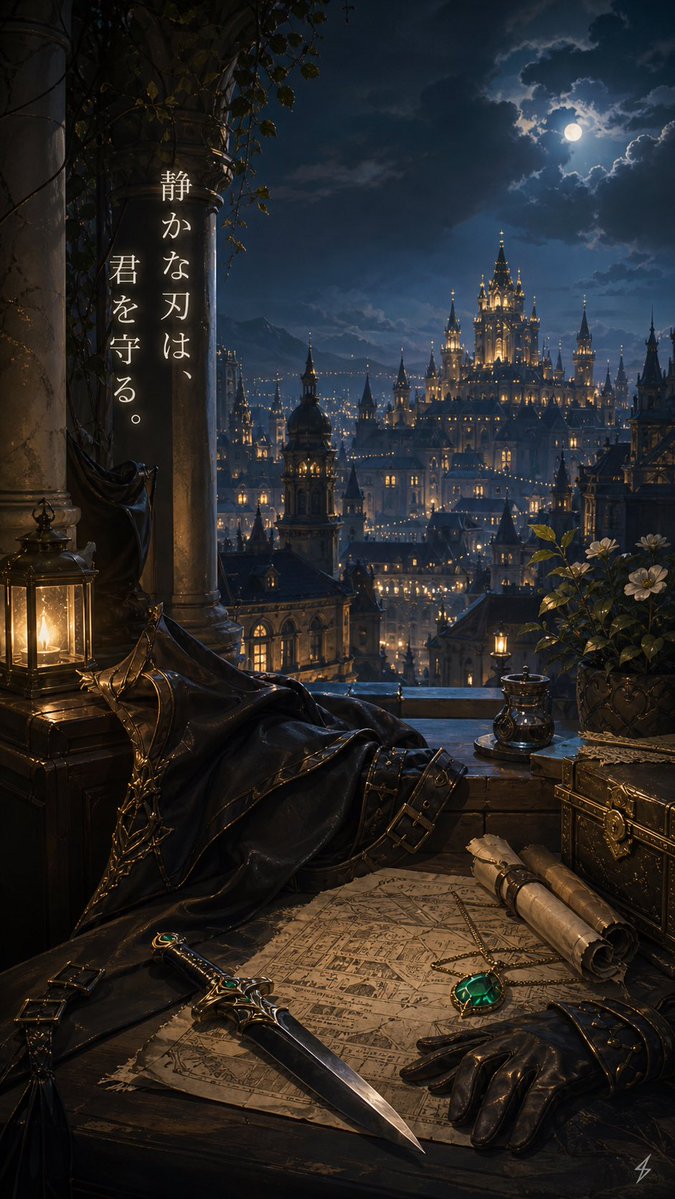
Gothic Guardian Balcony — Sora 2 Vertical Fantasy Prompt
Generate a vertical gothic fantasy background with a moonlit castle city, ornate desk objects, and Japanese calligraphy for wallpaper art.
ПРОМПТ · EN
创作一张深色浪漫哥特风格的垂直奇幻背景插画,视角设在夜晚的高处石质阳台上。场景俯瞰着一座广阔且灯火通明的城堡城市,云层密布的深蓝色天空下,尖塔林立,窗户透出温暖的灯光,一轮满月高悬。左侧前景放置两根缠绕着常春藤和藤蔓的巨大风化石柱,一把椅子或栏杆上披着一件黑色斗篷或披风,木箱上放着一盏发光的黄铜灯。在下方前景处,摆放一张铺在深色木桌上的陈旧羊皮地图,一把饰有祖母绿的华丽匕首斜放在地图上,旁边是一只黑色皮手套、两卷用绳子系着的卷轴、阳台边缘附近的一个小金属杯或墨水瓶,右侧是一个装饰性的锁闭宝箱,以及一盆开着白色花朵的盆栽。前景使用温暖的烛光与远方城市清冷的月光形成对比,营造出一种静谧的守护氛围。在左侧石柱上添加一段优雅的白色衬线书法垂直日文短句,排版为两列垂直文本,内容为 argmessage text: 静かな刃は、君を守る。。场景设定为 argsetting mood: 一位沉默的守护者俯瞰王都,以 argmain foreground item: 一把镶嵌祖母绿的匕首 作为视觉焦点,背景为 argsky condition: 月光下的云层 和 argcity style: 哥特奇幻城堡城市。画面中不出现任何人物。
О промпте
Generate a vertical gothic fantasy background with a moonlit castle city, ornate desk objects, and Japanese calligraphy for wallpaper art. Use it as a Концепт-арт starting point for GPT Image 2: keep the visual structure and style constraints intact, then swap in your own subject, brand, or scene.
Start by replacing message text, setting mood, main foreground item, and sky condition, then keep the camera, composition, and material cues in the same order. This makes the output easier to compare across variations.
Как использовать этот промпт
- Copy the full prompt text from the page.
- Paste it into your chosen AI image generator (e.g., Sora 2, Midjourney, DALL-E).
- Customize the variables in curly braces
{}likemessage textorcity styleto change details. - Generate the image and select your preferred aspect ratio for a vertical composition.
- Use the final artwork as a desktop or mobile wallpaper.


