
GPT Image 2AI-промпт
Vintage Delhi India Gate Poster — AI Travel Art Prompt
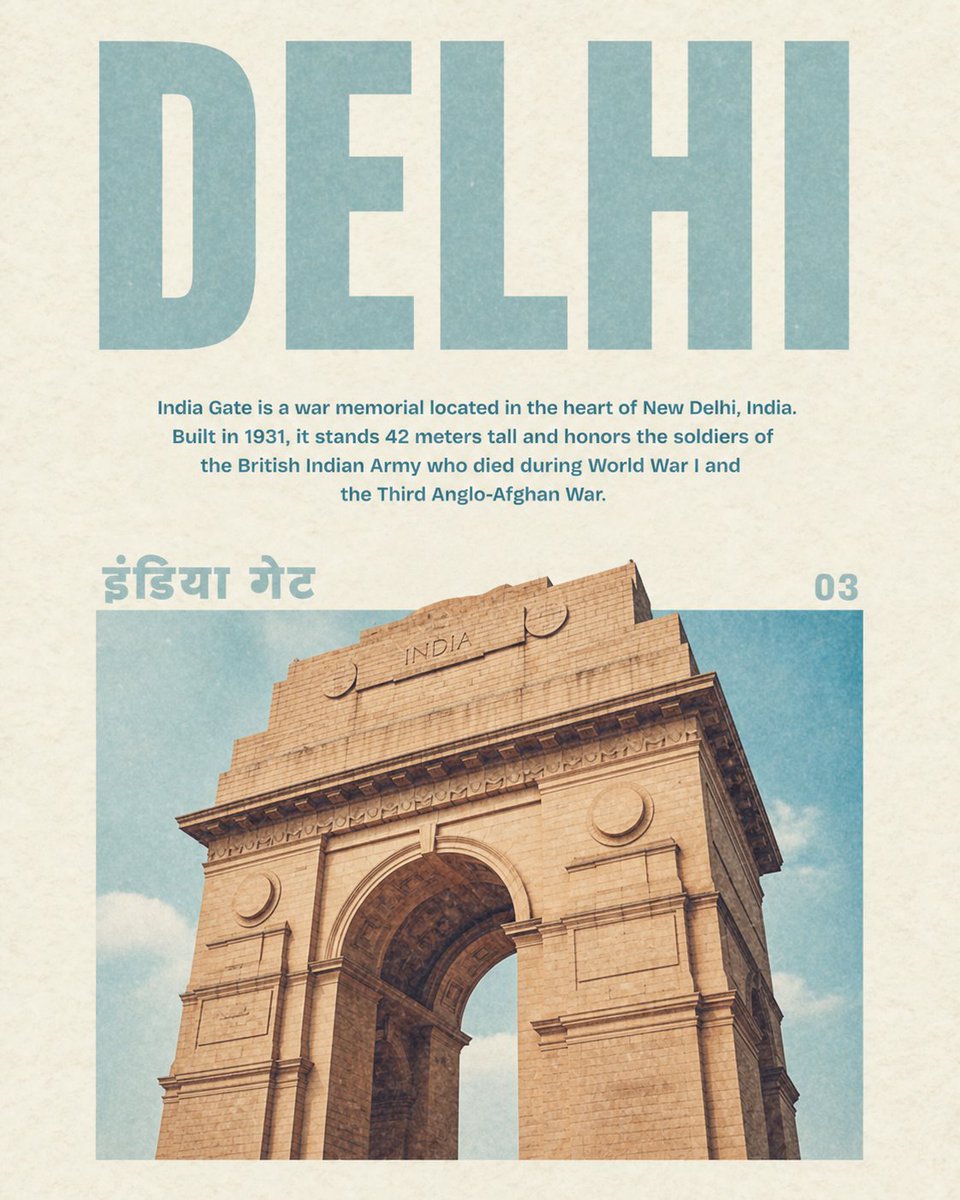
Generate a beautifully aged 1970s-style travel poster featuring Delhi's India Gate with authentic grain texture, bilingual text, and soft sepia tones.
ПРОМПТ · EN
为 argcity name: DELHI 创建一张复古旅行海报,背景采用带有细微颗粒感和褪色墨迹的暖米白色纹理纸。采用简洁的居中编辑排版,包含 4 个可见文本元素:顶部是一个巨大的大写无衬线标题,用淡灰青色书写“argcity name: DELHI”;下方是一个居中的说明段落,用较小的粗体青色字体书写“{argument name="description text" default="India Gate is a war memorial located in the heart of New Delhi, India. Built in 1931, it stands 42 meters tall and honors the soldiers of the British Indian Army who died during World War I and the Third Anglo-Afghan War."}”;图像区域左上角有一个巨大的印地语标签,用同样的淡青色书写“arglocal script label: इंडिया गेट”;右上角是一个页码,显示为“argpage number: 03”。下半部分包含一张 arglandmark: India Gate 的大型矩形照片风格图像,采用低角度裁剪,使砂岩拱门占据画面主体,展示出米色的石块、雕刻的檐口、圆形奖章、纪念碑顶部的“INDIA”字样,以及背后带有轻云的柔和蓝天。保持色调柔和复古:灰青色、米色纸张、暖棕褐色砂岩以及略微去饱和的天蓝色。添加轻微的印刷磨损、纸张斑点,营造出 20 世纪 70 年代杂志旅行指南的柔和褪色美感,并留出宽裕的页边距和精确的对齐。
О промпте
Generate a beautifully aged 1970s-style travel poster featuring Delhi's India Gate with authentic grain texture, bilingual text, and soft sepia tones. Use it as a Концепт-арт starting point for GPT Image 2: keep the visual structure and style constraints intact, then swap in your own subject, brand, or scene.
Start by replacing city name, description text, local script label, and page number, then keep the camera, composition, and material cues in the same order. This makes the output easier to compare across variations.
Как использовать этот промпт
- Copy the full prompt from the page.
- Paste it into your preferred AI image generator like Sora or Midjourney.
- Customize the
{city name},{landmark}, or{description text}variables to feature a different location. - Adjust the
{page number}if you are creating a series of posters. - Generate and refine the output until you achieve the desired vintage aesthetic.


