
GPT Image 2AI-промпт
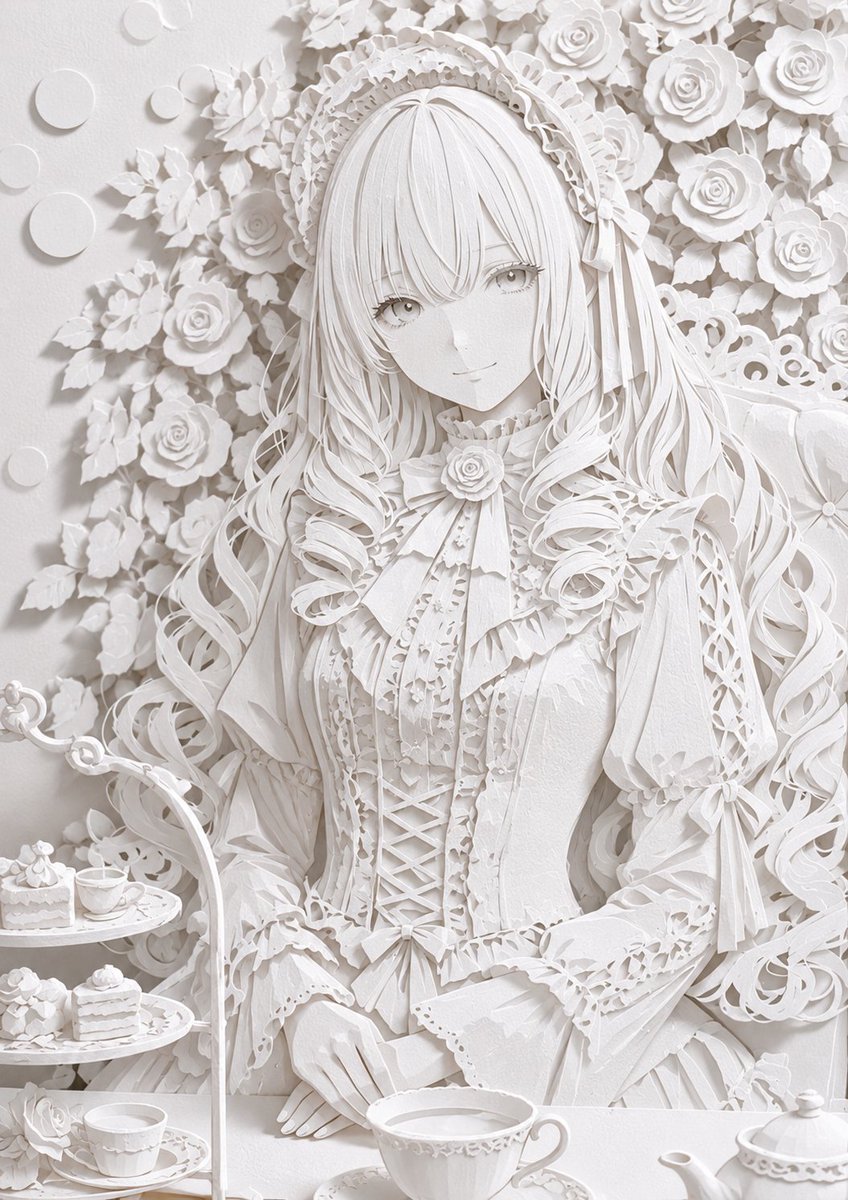
3D Paper Art Style Conversion — Hyper-Realistic Paper Craft Prompt
Transform any illustration into a stunning 3D paper craft masterpiece with laser-cut precision, layered depth, and realistic paper textures.
1 / 4
ПРОМПТ · EN
请将 argsubject: 此插画 转换为高度精确且逼真的 argcolor: 白色 纸质 argstyle: 纸艺 风格。通过类似激光切割纸板的锐利精准切口、精细折痕、多层叠加带来的丰富维度感、纸张纤维纹理以及自然阴影,展现高细节度。利用纸张的洁白质感和光影带来的微妙渐变,营造出如同真实三维纸艺作品般的质感。整体氛围需精致且具有艺术感。忠实保留原插画的构图与角色。
О промпте
Transform any illustration into a stunning 3D paper craft masterpiece with laser-cut precision, layered depth, and realistic paper textures. Use it as a Концепт-арт starting point for GPT Image 2: keep the visual structure and style constraints intact, then swap in your own subject, brand, or scene.
Start by replacing subject, color, and style, then keep the camera, composition, and material cues in the same order. This makes the output easier to compare across variations.
Как использовать этот промпт
- Copy the entire prompt text and paste it into your AI image generation tool (e.g., Sora 2). 2. Replace the default variables like
{subject}and{color}with your own illustration details and preferred paper color. 3. Select an appropriate AI model that excels at photorealistic and intricate detail rendering. 4. Generate the image and review the output for the layered paper effect and shadow realism. 5. Experiment with different source illustrations to see how the paper art style adapts to various compositions.


