
GPT Image 2AI-промпт
OpenPose Chibi Animal Skeleton Overlay Prompt
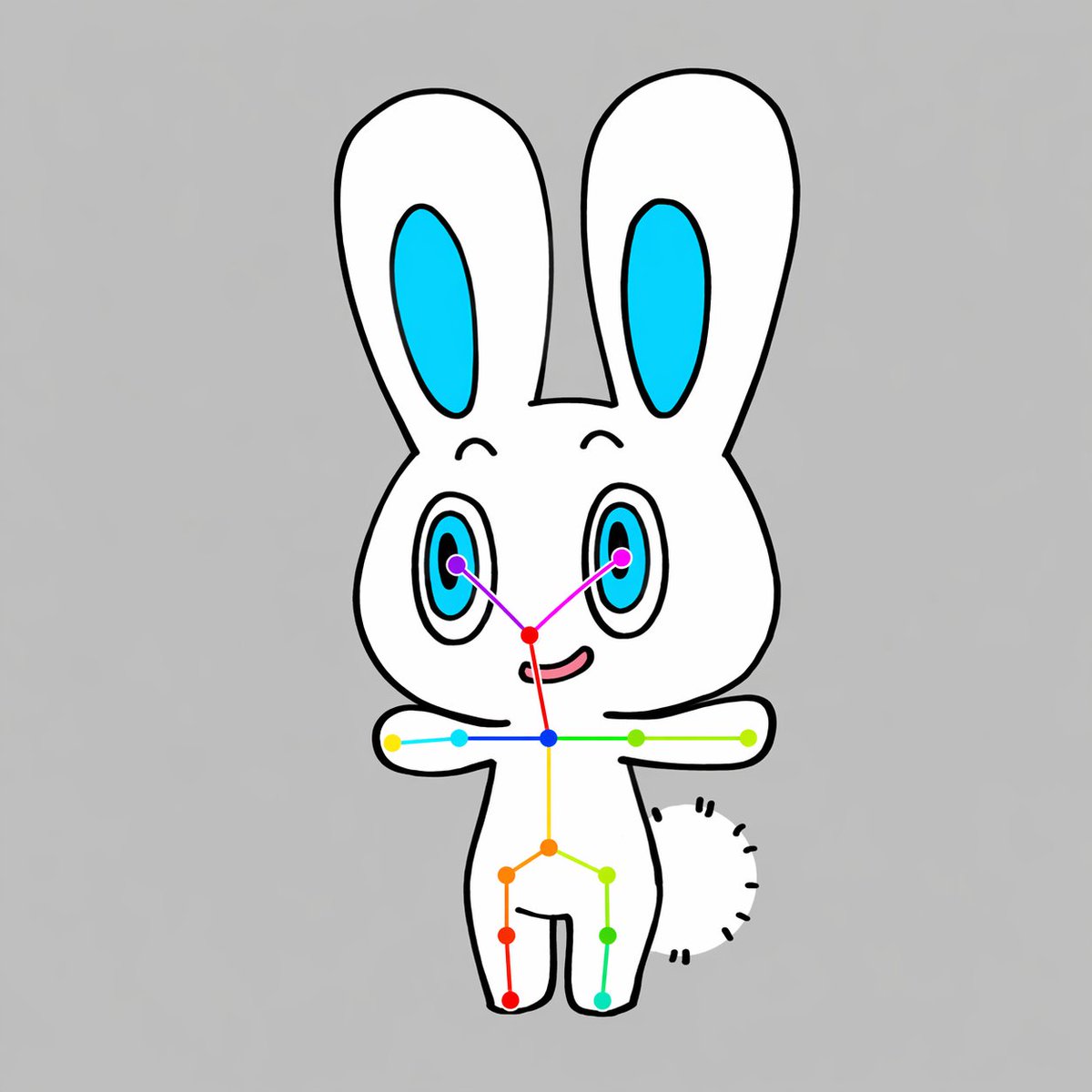
Generate adorable chibi animal illustrations with a clear OpenPose skeleton overlay, ideal for pose estimation references, dataset samples, and educational visuals.
ПРОМПТ · EN
一张简单的全身居中插图,展示了一个可爱的 Q 版 arganimal type: 兔子 角色,背景为纯色 argbackground color: 浅灰色,采用扁平卡通风格绘制,具有清晰的黑色粗轮廓和极简阴影。角色拥有白色的身体、一个硕大的圆头、两只竖起的长耳朵(内耳为亮青色)、两只带有青色虹膜、黑色瞳孔和微小高光的大椭圆形眼睛、细小的弯眉、小巧的红粉色鼻区以及微微上扬的嘴巴。角色正面朝向,双臂水平向两侧伸直,双腿分开呈简单的站立姿势,身体右侧可见一个由短黑虚线构成的半圆形短绒尾巴。在角色上方叠加一套清晰的 OpenPose 风格骨架标记系统:包含 2 个紫色眼部关键点、1 个红色鼻部关键点、1 个蓝色颈部关键点、2 个肩部关键点、2 个肘部关键点、2 个腕部关键点、1 个黄色脊椎或骨盆中心点、2 个髋部关键点、2 个膝盖关键点和 2 个踝部关键点,总计 17 个彩色点,并通过细彩色线条连接面部、肩部、躯干、手臂和腿部。使用紫色、洋红色、红色、蓝色、青色、绿色、黄色、橙色和蓝绿色等鲜艳的颜色,使姿态叠加层清晰可见。构图保持垂直居中、对称、整洁且具有图示感,以可爱的吉祥物角色和姿态估计叠加层作为唯一主体。
О промпте
Generate adorable chibi animal illustrations with a clear OpenPose skeleton overlay, ideal for pose estimation references, dataset samples, and educational visuals. Use it as a Концепт-арт starting point for GPT Image 2: keep the visual structure and style constraints intact, then swap in your own subject, brand, or scene.
Start by replacing animal type and background color, then keep the camera, composition, and material cues in the same order. This makes the output easier to compare across variations.
Как использовать этот промпт
- Copy the complete prompt text.
- Paste it into a text-to-image model that supports detailed prompts (e.g., Stable Diffusion, DALL·E, Midjourney).
- Customize the
animal typeandbackground colorvariables as needed (e.g., change "兔子" to "fox" or "浅灰色" to "light blue"). - Generate the image; if the skeleton overlay isn’t clear, try emphasizing it in the prompt or using a control net.
- Use the output for pose estimation demos, AI training data, or as a base for further editing.


