
Stylish Office Worker Portrait — AI Photography Prompt
Create a high-end, photorealistic vertical portrait of a fashionable professional in a modern corporate setting with cinematic lighting and detail.
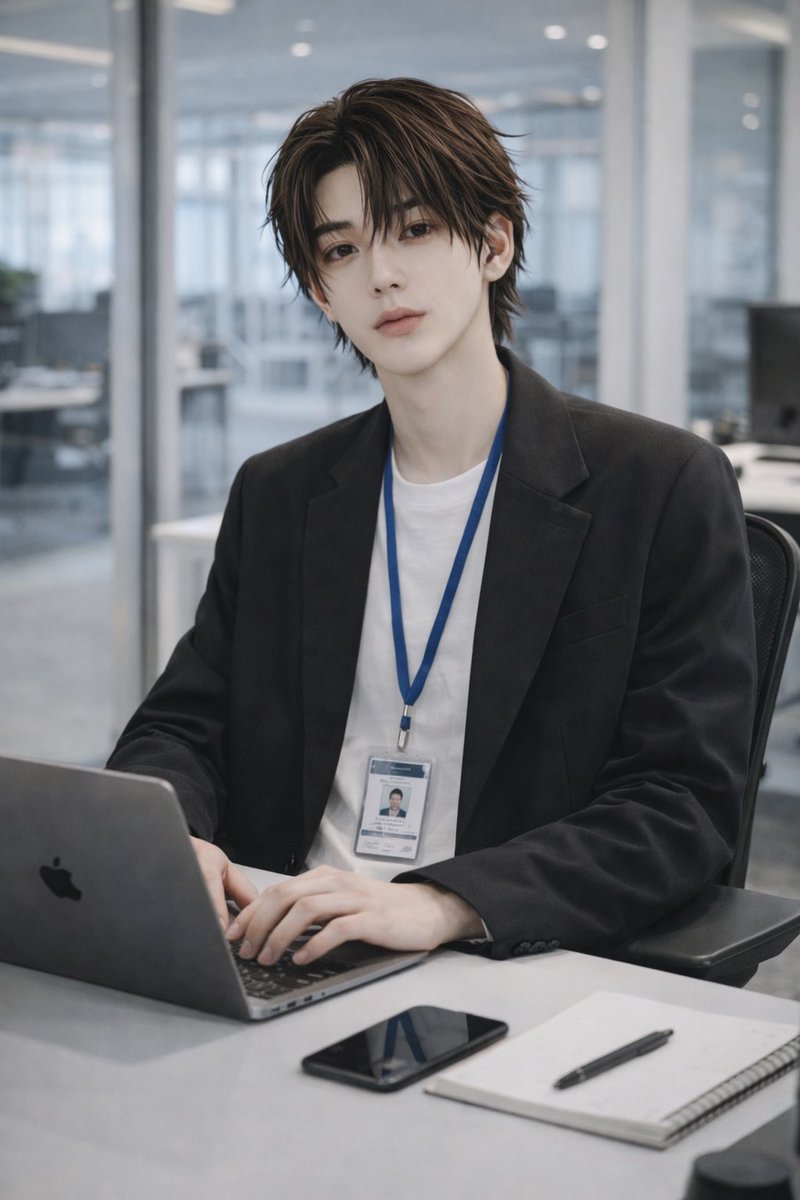
A photorealistic vertical portrait of a argsubject: young East Asian male office worker seated at a modern office desk, looking calmly and directly at the camera with a soft neutral expression. He has arghair style: medium-length layered dark brown hair, slightly wet textured, parted with loose bangs, smooth pale skin, delicate facial features, and a fashionable clean appearance. He wears a argoutfit: oversized black blazer over a plain white T-shirt with a blue lanyard and visible employee ID badge hanging at his chest. His hands rest on the keyboard of a space gray laptop with a black Apple logo on the left side of the desk. On the desk are exactly 3 visible objects besides the laptop: a black smartphone lying face-up near the center front, a white spiral notebook on the right, and a black pen placed diagonally on the notebook. The setting is a bright glass-walled corporate office with blurred desks, windows, partitions, and cool daylight in the background, shallow depth of field, realistic reflections, muted gray-blue color palette, soft diffused lighting, high-end editorial photography style, 85mm lens look, natural skin texture, crisp focus on the face, vertical 2:3 composition, professional yet stylish atmosphere.
О промпте
Create a high-end, photorealistic vertical portrait of a fashionable professional in a modern corporate setting with cinematic lighting and detail. Use it as a Концепт-арт starting point for GPT Image 2: keep the visual structure and style constraints intact, then swap in your own subject, brand, or scene.
Common directions include gptimage2api prompts, gptimage2api, and ja. Treat these tags as creative cues; the prompt structure and preview image are the more useful guide.
Start by replacing subject, hair style, and outfit, then keep the camera, composition, and material cues in the same order. This makes the output easier to compare across variations.
Как использовать этот промпт
- Copy the entire prompt text into your AI image generation model.2. Choose a model that excels at photorealism, like Sora 2, DALL-E 3, or Midjourney.3. Adjust the variables in curly braces { } (e.g.,
subject,hair style,outfit) to customize the person.4. Generate the image. The output will be a vertical 2:3 composition with shallow depth of field.


