
GPT Image 2AI-промпт
Energy Drink Tokyo Street Ad — Sora 2 Prompt
Create a realistic Japanese streetwear ad poster with customizable energy drink branding and dynamic urban typography.
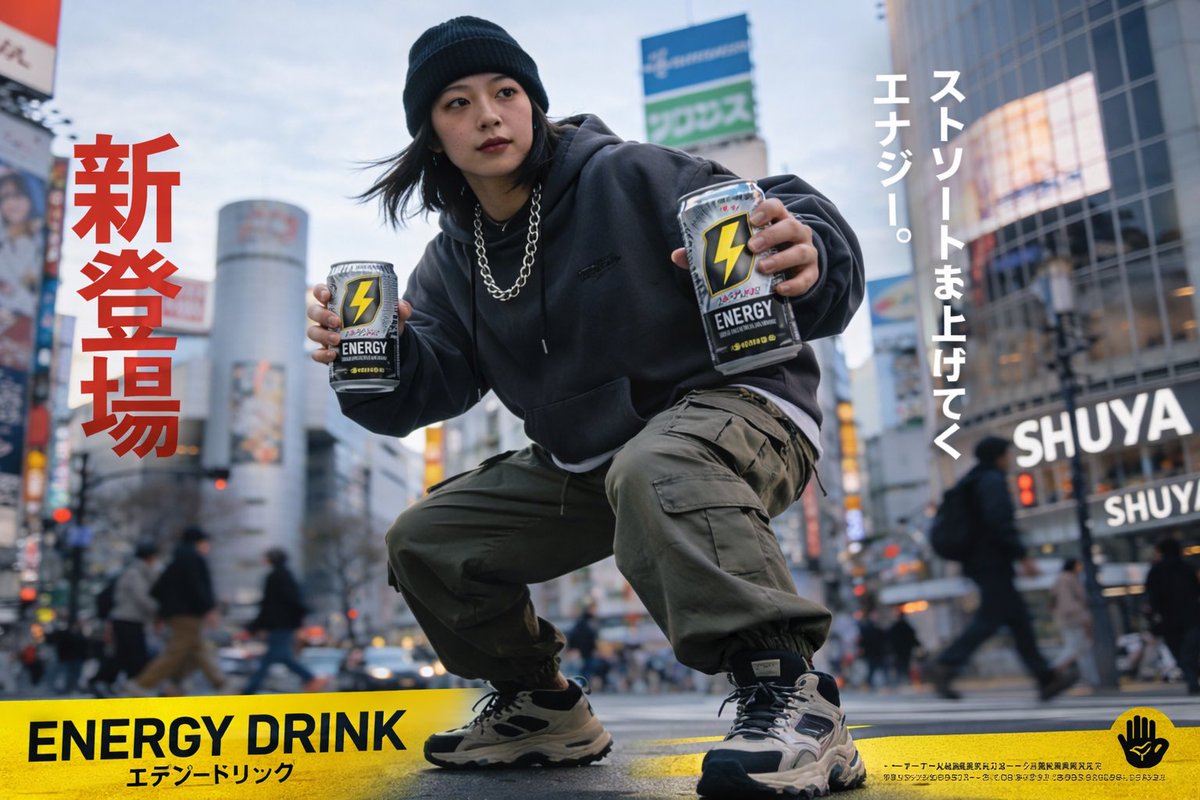
ПРОМПТ · EN
一张写实风格的城市广告海报,画面中一位身穿街头服饰的日本年轻女性正在繁忙的人行横道中央做深蹲。她戴着黑色针织帽,身穿深灰色超大款连帽衫,佩戴粗款银色项链,下身穿着橄榄绿工装裤,脚蹬米色与黑色拼接的厚底运动鞋。她正向镜头展示两罐一模一样的能量饮料;罐身为银黑配色,印有醒目的黄色闪电标志和文字 argcan logo text: ENERGY。背景是模糊且熙熙攘攘的 argcity background: 类似涩谷十字路口的东京街景,伴有行人与霓虹灯。图像采用醒目的排版设计:左侧为巨大的红色竖排日语文字 argleft red text: 新登場,右侧为白色竖排日语文字 argright white text: ストリートま上げてく エナジー。,底部边缘有一条纯黄色横幅,上面印有粗体黑色文字 argbottom banner text: ENERGY DRINK,旁边配有较小的日语文字以及最右侧的一个小型黑色手部标志。采用动态广角视角,具有浅景深效果。
О промпте
Create a realistic Japanese streetwear ad poster with customizable energy drink branding and dynamic urban typography. Use it as a Концепт-арт starting point for GPT Image 2: keep the visual structure and style constraints intact, then swap in your own subject, brand, or scene.
Start by replacing can logo text, city background, left red text, and right white text, then keep the camera, composition, and material cues in the same order. This makes the output easier to compare across variations.
Как использовать этот промпт
- Copy this prompt template into your AI image generator (Sora 2, Midjourney, or DALL·E).
- Select a model optimized for realistic images and text rendering.
- Customize variables like
can logo text,city background,left red text, etc. - Set image aspect ratio to portrait (e.g., 2:3) for a poster layout.
- Generate and refine the output to perfect composition and details.


