
GPT Image 2AI-Prompt
Akihabara Otaku 2010s Snapshot Grid — Sora 2 Prompt
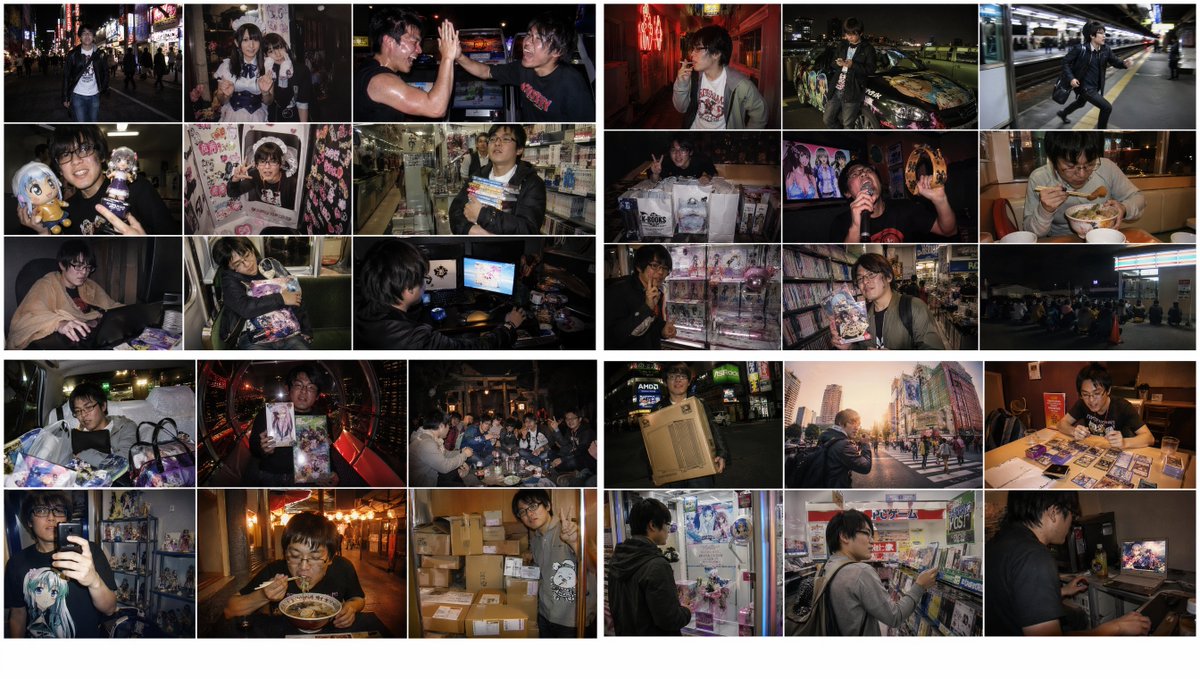
Generate a nostalgic 3x3 photo grid of late-night Akihabara otaku moments, styled like lo-fi 2010s digital camera snapshots with authentic JPEG artifacts.
PROMPT · EN
基于以下提示词,创建一个 3x3 网格的四张 16:9 2K 图像:以 2010 年代秋叶原御宅族男生(典型的平成末期至令和初期秋叶原风格)为主题的情感化图像,时间跨度从深夜到清晨。从 <Themes> 列表中随机选择互不重叠的摄影场景。风格:使用 2010 年代便携式数码相机或 iPhone 4 至 X 的直接闪光灯拍摄的快照。具有数字噪点、轻微的 JPEG 伪影、暗角、温暖的褪色调以及轻微的过饱和度。应具备 2010 年代至 2020 年代初期数码摄影特有的怀旧、原始质感。转瞬即逝、带有淡淡数码气息的 2010 年代快照风格。<Themes>:[列表包含各种秋叶原场景,如霓虹街道、女仆咖啡厅、游戏厅、抓娃娃机、深夜商店、网吧、首班车等。]
Über diesen Prompt
Generate a nostalgic 3x3 photo grid of late-night Akihabara otaku moments, styled like lo-fi 2010s digital camera snapshots with authentic JPEG artifacts. Use it as a Konzeptkunst starting point for GPT Image 2: keep the visual structure and style constraints intact, then swap in your own subject, brand, or scene.
Start with small changes to subject, scene, camera, and color, then generate a few variations to compare composition and detail without turning the page copy into keyword stuffing.
So verwendest du diesen Prompt
- Copy the full prompt from sora2hub.com.
- Open your preferred AI image generator (e.g., Sora 2, Midjourney, or DALL·E).
- Paste the prompt and select the 16:9 aspect ratio or 2K resolution if available.
- Adjust scene variables by swapping items from the <Themes> list to personalize the grid.
- Generate and refine—regenerate if needed to get the desired nostalgic snapshot aesthetic.


