
GPT Image 2AI-Prompt
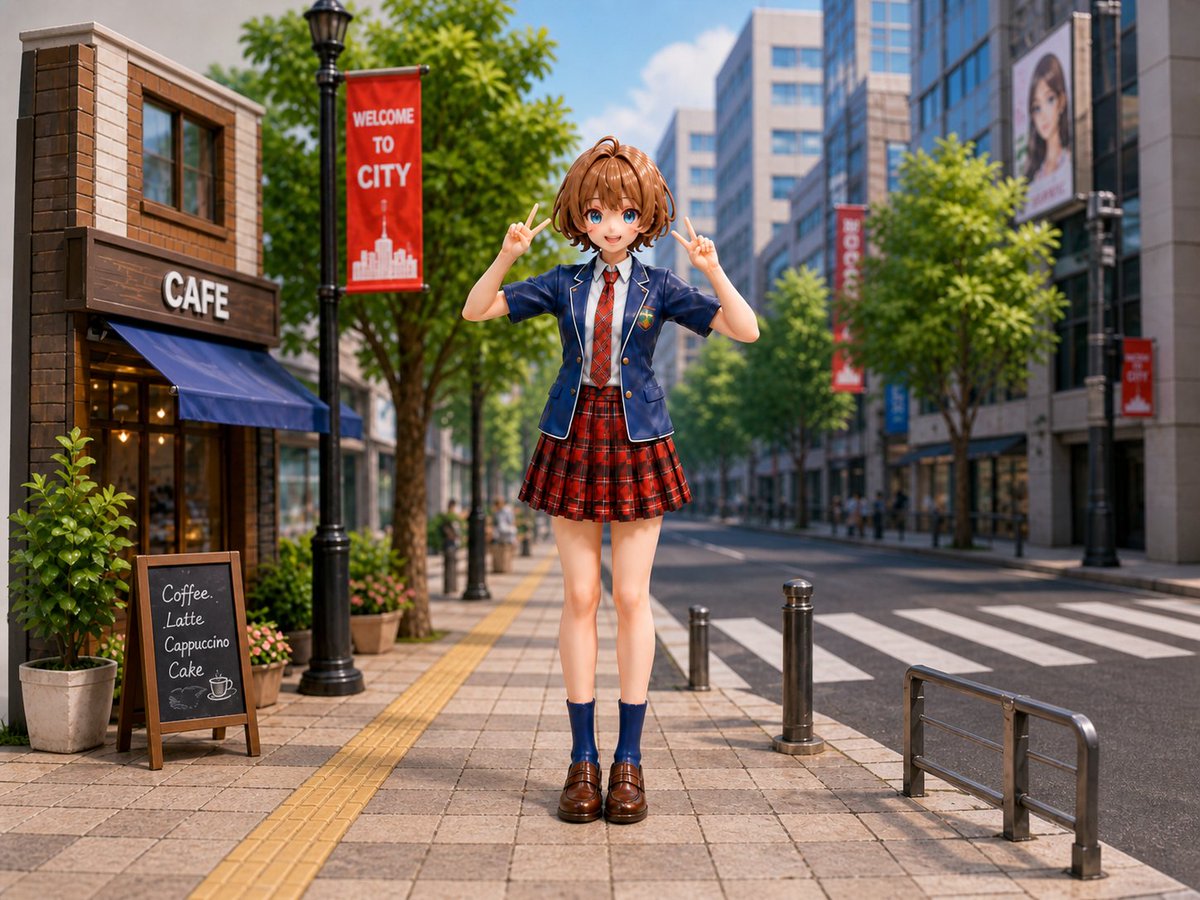
Anime Schoolgirl Diorama Prompt — Miniature City Scene
Creates a photorealistic miniature tilt-shift city diorama with an anime figure, detailed streetscape, and vibrant sunlight for unique AI art.
PROMPT · EN
Create a highly realistic miniature diorama photograph of a cute anime-style argcharacter type: Japanese schoolgirl figure standing centered on a modern city sidewalk in bright daylight, posed full body facing the camera with both hands raised in cheerful peace signs. She has arghair color and style: short light brown bob hair with a small top ponytail, a softly blurred featureless face, slim proportions, and wears a navy school blazer with white piping and crest badge, white shirt, red necktie, red tartan pleated skirt, navy ankle socks, and glossy brown loafers. The scene is a detailed urban street diorama with a cafe building on the left, a large white “CAFE” sign, blue awning, warm interior lights, potted plants, and one chalkboard menu listing four items: “Coffee,” “Latte,” “Cappuccino,” and “Cake.” Add a black streetlamp with a red vertical banner reading argbanner text: WELCOME TO CITY, leafy green trees lining the sidewalk, tactile yellow paving strips, tiled pavement, short metal bollards, a crosswalk and road on the right, metal guardrail in the foreground, glass office buildings and distant pedestrians in the background, plus additional red city banners and a billboard with a blurred portrait. Use a shallow depth of field, tilt-shift miniature effect, crisp foreground details, soft background blur, vibrant colors, realistic sunlight and shadows, 4:3 landscape composition, eye-level camera, photorealistic toy-figure diorama aesthetic.
Über diesen Prompt
Creates a photorealistic miniature tilt-shift city diorama with an anime figure, detailed streetscape, and vibrant sunlight for unique AI art. Use it as a Konzeptkunst starting point for GPT Image 2: keep the visual structure and style constraints intact, then swap in your own subject, brand, or scene.
Start by replacing character type, hair color and style, and banner text, then keep the camera, composition, and material cues in the same order. This makes the output easier to compare across variations.
So verwendest du diesen Prompt
- Copy the full prompt text from Sora2Hub.
- Choose an AI image model like Sora or Midjourney that supports detailed scene generation.
- Customize variables like
{character type}and{hair color}with your preferred anime style. - Generate the image and adjust settings for aspect ratio (4:3 recommended) and style emphasis.


