
Heist Mastermind Whiteboard — Cinematic Thriller Prompt
Generate a moody, film-grain heist planning scene with detailed tactical notes, perfect for thriller posters or cinematic concept art.
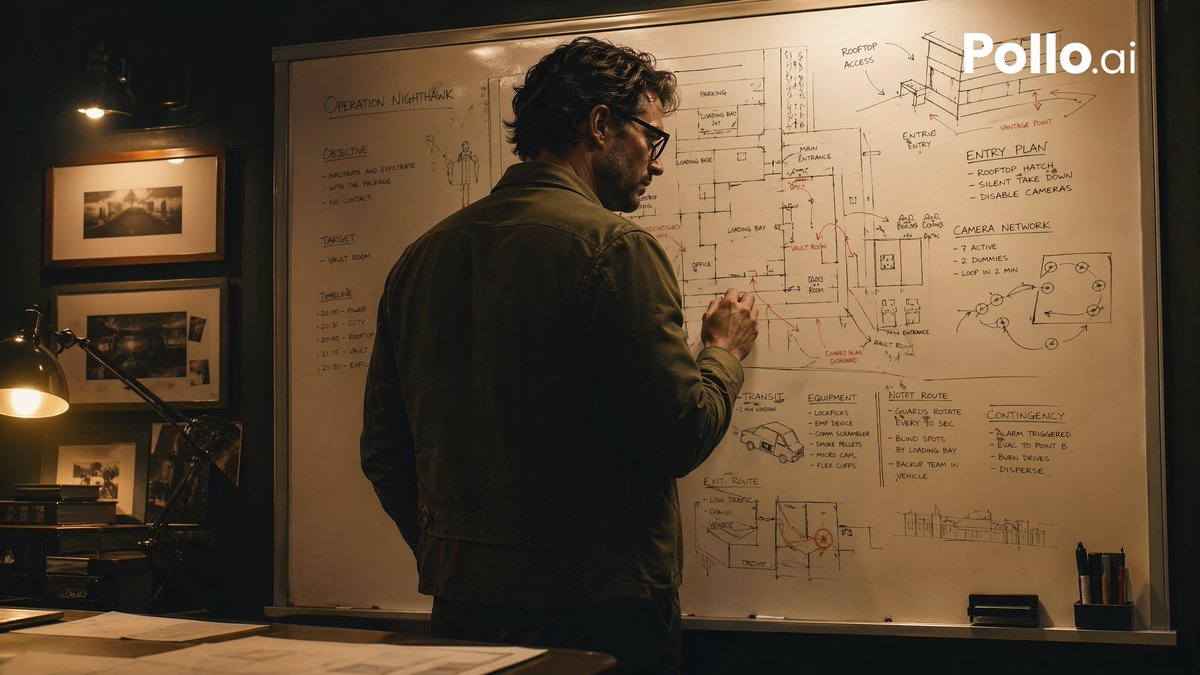
A cinematic, moody heist-planning scene in a dimly lit office at night, shot in a realistic thriller style. A single adult man stands with his back mostly to the camera, slightly turned in profile, writing on a huge whiteboard filled edge to edge with tactical notes, building sketches, floor plans, arrows, routes, and hand-drawn diagrams. He has wavy dark hair and wears a dark olive or charcoal casual jacket over dark trousers, giving the impression of a mastermind strategist. The whiteboard is the focal point and contains multiple readable planning areas: the top left title says "OPERATION NIGHTHAWK"; the left column has 3 sections labeled "OBJECTIVE," "TARGET," and "TIMELINE"; the upper right has 2 labeled diagram areas, "ENTRY PLAN" and "CAMERA NETWORK"; the lower middle-right has 4 labeled planning blocks, "TRANSIT," "EQUIPMENT," "HOTEL ROUTE," and "CONTINGENCIES." Include sketched building elevations, a rooftop access drawing, loading bay notes, room labels, arrows in black and red marker, and a small van sketch near the lower center. The room is warm and shadowy with amber practical lighting. On the left side of the frame, show a desk lamp glowing over a dark wooden desk with scattered papers, and a wall with 3 framed black-and-white photographs arranged vertically. Composition is a medium-wide over-the-shoulder shot, the man centered slightly left, the whiteboard dominating the background. High contrast, soft filmic grain, tense atmosphere, realistic textures, prestige TV crime-drama aesthetic similar to a brilliant planner preparing a robbery, but not depicting any specific copyrighted character. Add a white "Pollo.ai" watermark in the top-right corner.
Über diesen Prompt
Generate a moody, film-grain heist planning scene with detailed tactical notes, perfect for thriller posters or cinematic concept art. Use it as a Konzeptkunst starting point for GPT Image 2: keep the visual structure and style constraints intact, then swap in your own subject, brand, or scene.
Common directions include gptimage2api prompts, gptimage2api, and ja. Treat these tags as creative cues; the prompt structure and preview image are the more useful guide.
Start with small changes to subject, scene, camera, and color, then generate a few variations to compare composition and detail without turning the page copy into keyword stuffing.
So verwendest du diesen Prompt
- Copy the full prompt text.
- Paste it into your preferred AI video or image generator (e.g., Sora 2, Runway, Pika).
- Adjust variables like hair color, jacket style, or whiteboard labels for customization.
- Generate multiple versions to refine lighting, grain, or composition.
- Use the output for storyboards, social media visuals, or poster mockups.


