
Eiffel Tower Low-Angle Selfie — Sora 2 Prompt
Generate a hyper-realistic Paris vacation selfie with dramatic tower perspective, natural sunlight, and customizable outfit and hair details.
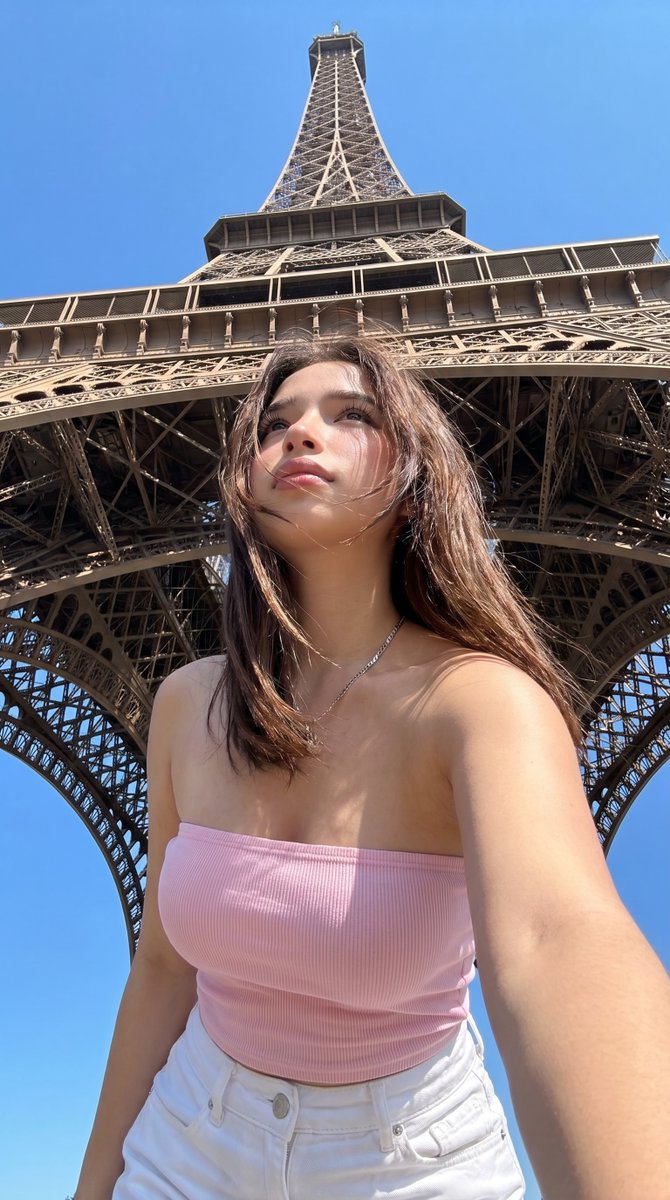
A photorealistic travel selfie shot from a low angle directly beneath the Eiffel Tower in Paris on a bright cloudless day, with the tower rising dramatically overhead and centered in perfect vertical symmetry against a vivid blue sky. In the foreground, a young woman with arghair color: medium brown shoulder-length straight hair stands very close to the camera, holding the phone slightly below chest level for an upward-facing selfie perspective. Her face is mostly neutral and relaxed, with a casual candid vacation-photo feel. She wears a fitted ribbed strapless tube top in argtop color: light pink, high-waisted argbottom color: white jeans, and 2 thin layered silver necklaces. Her skin is warmly lit by strong midday sunlight, with crisp natural shadows from the tower structure and subtle highlights on her shoulders and collarbone. Frame the subject from mid-thigh to head, with one arm extended toward the camera in a natural selfie pose. Emphasize realistic smartphone photography, sharp architectural detail in the iron lattice beneath the Eiffel Tower, authentic tourist snapshot composition, natural body proportions, clean summer styling, and high-detail photorealism. Make it look like a real handheld vacation selfie of argcharacter name: a stylish young woman in arglocation: Paris, not a studio image.
Über diesen Prompt
Generate a hyper-realistic Paris vacation selfie with dramatic tower perspective, natural sunlight, and customizable outfit and hair details. Use it as a Konzeptkunst starting point for GPT Image 2: keep the visual structure and style constraints intact, then swap in your own subject, brand, or scene.
Common directions include gptimage2api prompts, gptimage2api, and ko. Treat these tags as creative cues; the prompt structure and preview image are the more useful guide.
Start by replacing hair color, top color, bottom color, and character name, then keep the camera, composition, and material cues in the same order. This makes the output easier to compare across variations.
So verwendest du diesen Prompt
- Copy the full prompt text into your preferred AI image or video generator.
- Select a model optimized for photorealism, such as Sora 2, Flux, or SDXL.
- Replace the placeholder variables—hair color, outfit colors, character name, and location—to personalize the scene.
- Generate the image and review the output. Adjust the character or setting details if the composition or realism needs refinement.
- For best results, keep the lighting descriptor (“bright midday sun”) and camera angle (“low-angle”) intact.


