
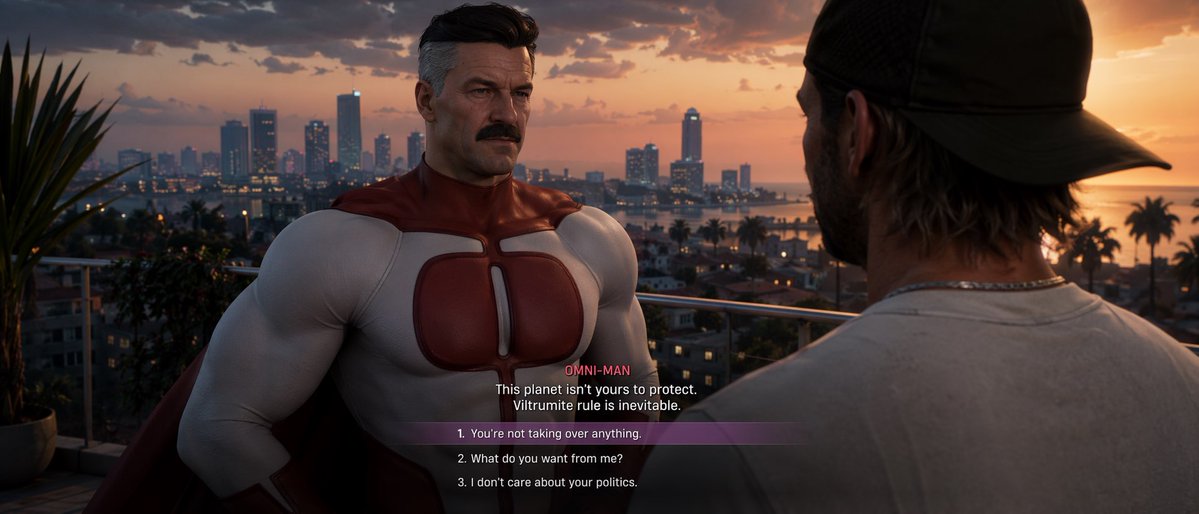
GTA VI Dialogue Screenshot: Omni-Man & Choices — Sora 2
Generate a hyper-realistic GTA VI-style game screenshot with cinematic dialogue, a customizable Omni-Man NPC, and multiple choice selections.
Über diesen Prompt
Generate a hyper-realistic GTA VI-style game screenshot with cinematic dialogue, a customizable Omni-Man NPC, and multiple choice selections. Use it as a Konzeptkunst starting point for GPT Image 2: keep the visual structure and style constraints intact, then swap in your own subject, brand, or scene.
This prompt is organized as structured JSON with fields such as type, style, setting, characters, and ui elements. Keeping that hierarchy helps the model separate the subject, layout, interface elements, and detail constraints.
Start with small changes to subject, scene, camera, and color, then generate a few variations to compare composition and detail without turning the page copy into keyword stuffing.
So verwendest du diesen Prompt
- Copy the full prompt from this page.
- Open Sora 2 or your preferred AI image generator and paste the prompt.
- Replace the argument placeholders (e.g., art style, NPC description, dialogue) with your own values to customize the scene.
- Generate the image and refine as needed.


