
Japanese Webinar Thumbnail Generator — Sora 2 Prompt
Create professional Japanese webinar thumbnails with bold, clear copy and elegant typography that grabs attention instantly.
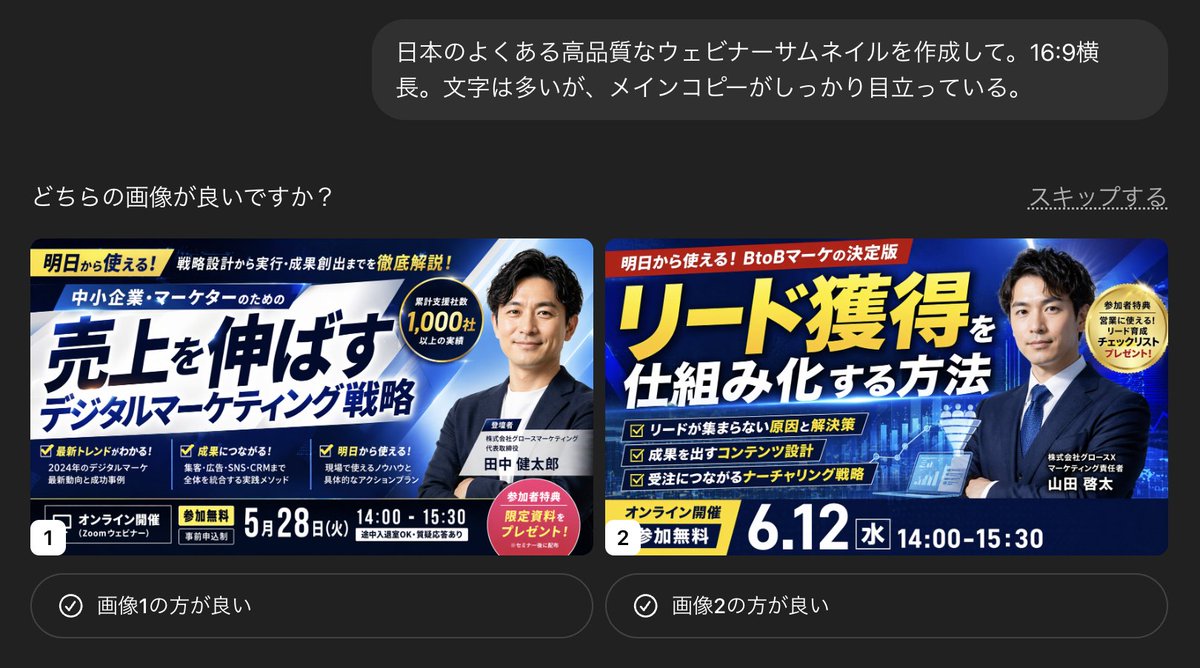
Create a high-quality Japanese argthumbnail type: webinar thumbnail. argaspect ratio: 16:9 widescreen. There is a lot of text, but the main copy stands out clearly.
Über diesen Prompt
Create professional Japanese webinar thumbnails with bold, clear copy and elegant typography that grabs attention instantly. Use it as a Konzeptkunst starting point for GPT Image 2: keep the visual structure and style constraints intact, then swap in your own subject, brand, or scene.
Common directions include gptimage2api prompts, gptimage2api, and ja. Treat these tags as creative cues; the prompt structure and preview image are the more useful guide.
Start by replacing thumbnail type and aspect ratio, then keep the camera, composition, and material cues in the same order. This makes the output easier to compare across variations.
So verwendest du diesen Prompt
- Copy the prompt text below.
- Open your preferred AI image generator (e.g., Sora 2, Midjourney).
- Replace the variables like
thumbnail typeandaspect ratiowith your desired specs. - Generate the image and refine if needed by adjusting the prompt or re-running.


