
GPT Image 2AI-Prompt
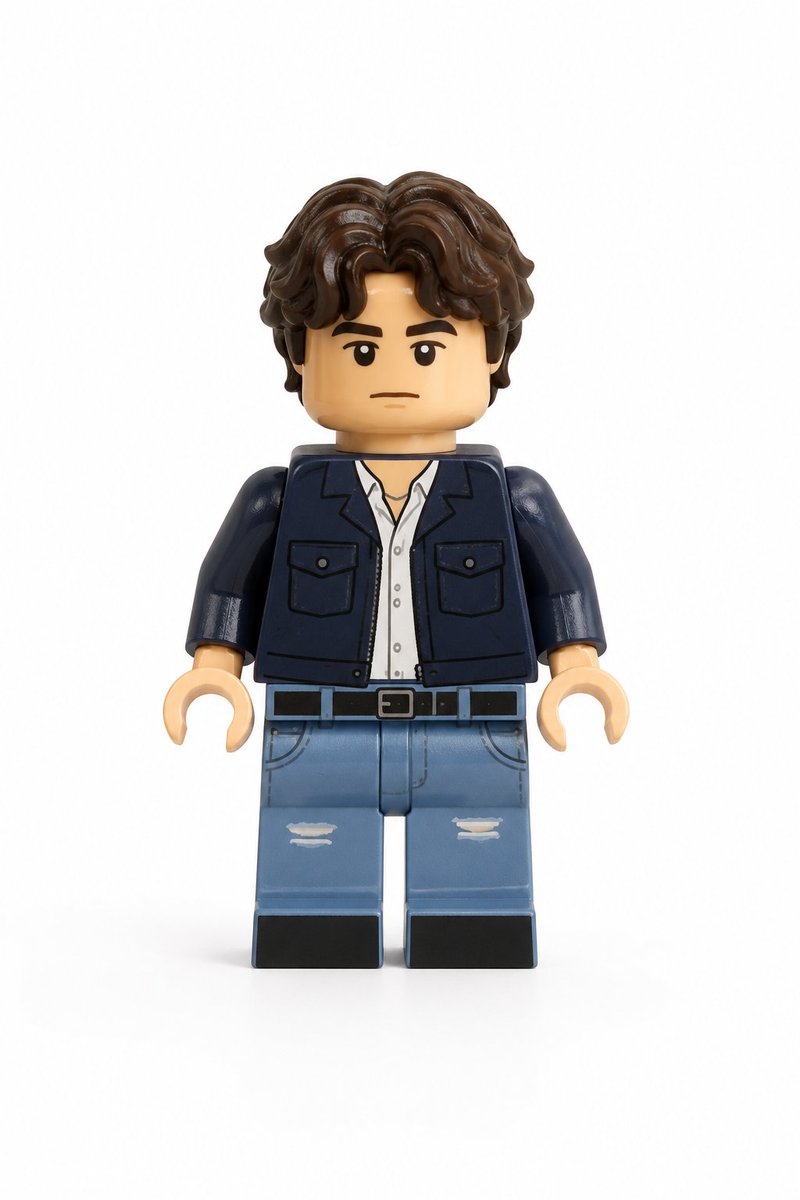
Photo to LEGO Minifigure — Realistic 3D Toy Render
Transform any portrait into a detailed, realistic LEGO minifigure with accurate face, hair, and outfit details on a clean white background.
PROMPT · EN
仅使用用户上传的图片作为主体参考。将上传图片中的人物转换为逼真的 LEGO 风格小人仔,同时保留其可辨识的身份和装束。在 LEGO 小人仔的设计限制内,尽可能保留主体的面部相似度,并保持相同的发型和发色(适配为 LEGO 发饰)、面部表情、服装颜色、服装设计和图案,以及任何可见的配饰。最终结果应清晰地呈现出该人物的 LEGO 化形象。角色必须遵循正宗的 LEGO 小人仔比例,包括圆柱形的黄色或肤色 LEGO 风格头部、根据主体特征适配的简洁印刷面部细节、带有印刷服装细节的块状躯干、标准的 LEGO 小人仔手臂及弯曲手部、短款 LEGO 小人仔腿部,以及与主体发型相符的独特模塑塑料发饰。
使用逼真的 LEGO 塑料材质进行渲染,带有轻微的光泽感、细微的模塑接缝以及自然的玩具表面反射。面部和躯干应包含 LEGO 小人仔典型的印刷细节,发饰应呈现出模塑塑料的质感。最终图像应为高质量的逼真 3D 玩具渲染图,采用柔和的漫射摄影棚灯光、强调形状和塑料纹理的细微阴影,以及清晰锐利的对焦和精致的细节。构图必须展示从头到脚的全身小人仔,居中对齐,确保整个形象完全可见。使用纯白色背景,不包含任何场景、道具或其他元素。最终风格应呈现为具有高度细节塑料纹理和摄影棚灯光的逼真 LEGO 小人仔玩具渲染图。
Über diesen Prompt
Transform any portrait into a detailed, realistic LEGO minifigure with accurate face, hair, and outfit details on a clean white background. Use it as a Konzeptkunst starting point for GPT Image 2: keep the visual structure and style constraints intact, then swap in your own subject, brand, or scene.
Start with small changes to subject, scene, camera, and color, then generate a few variations to compare composition and detail without turning the page copy into keyword stuffing.
So verwendest du diesen Prompt
- Copy the full prompt text and upload your reference portrait photo.
- Choose an AI image model that supports image-to-image or detailed rendering (e.g., Sora 2, DALL·E, Midjourney).
- Paste the prompt and attach your photo as the subject reference.
- Tweak optional variables like skin tone preference (yellow vs. skin-colored head) if the model allows.
- Generate the image and review; regenerate or adjust for best likeness and LEGO fidelity.


