
GPT Image 2AI-Prompt

Japanese Tech Company Logo Concept Board — Sora 2 Prompt

Generate a clean, six-logo concept presentation board for a Japanese tech brand, perfect for client pitches and brand exploration.
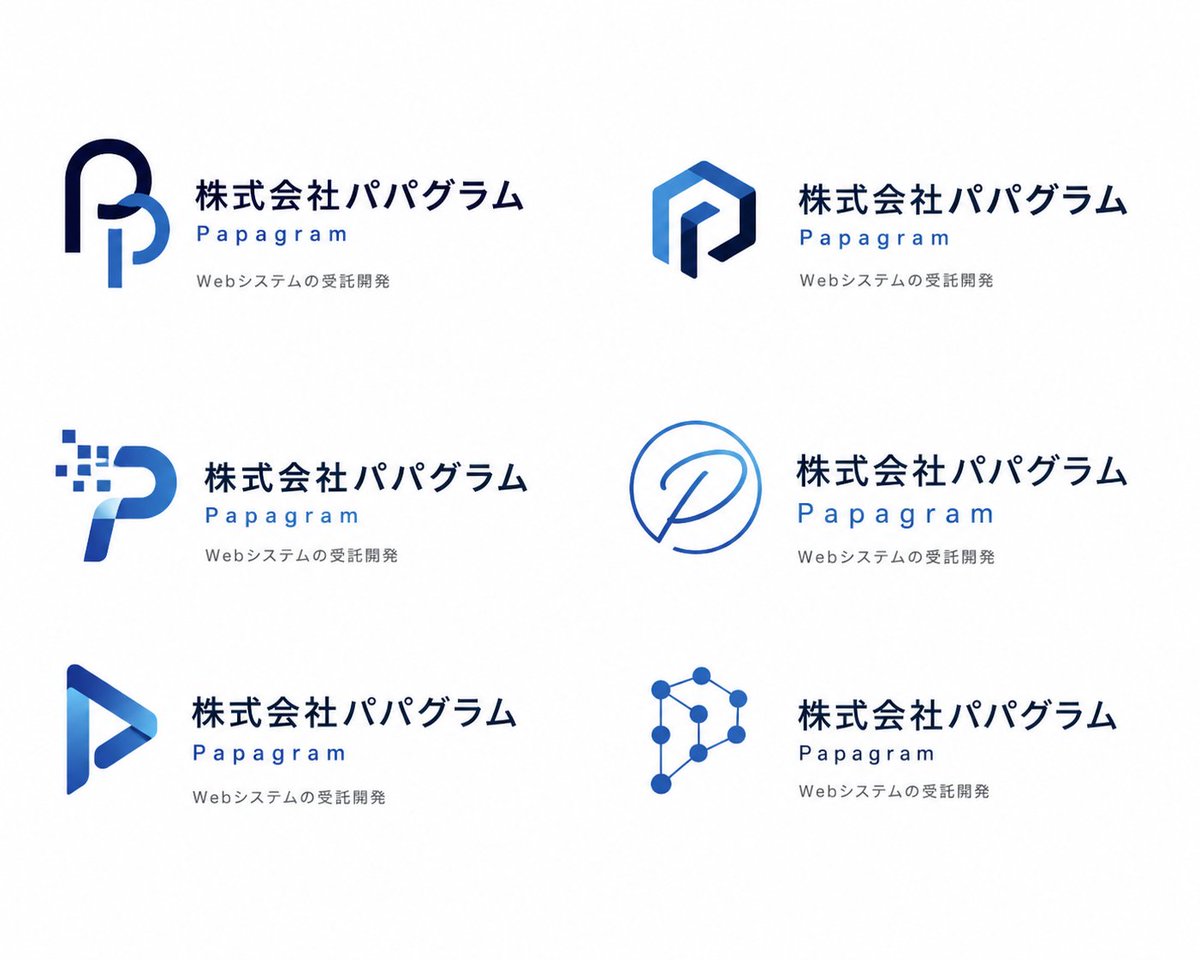
Japanese Tech Company Logo Concept Board — Sora 2 Prompt
PROMPT · EN
type
logo 概念展示项目
style
纯白背景下简洁的现代企业品牌展示页
brand
company_name_japanese
{argument name="company name in Japanese" default="株式会社パパグラム"}
brand_name_english
{argument name="brand name in English" default="Papagram"}
tagline_japanese
{argument name="tagline text" default="Webシステムの受託開発"}
visual_direction
mood
冷静、专业、极简、科技感、精致
palette
item 1
深海军蓝
item 2
宝蓝色
item 3
浅天蓝色
typography
公司名称使用粗体日文无衬线字体,英文品牌名称使用宽间距几何无衬线字体,标语使用小型浅灰色无衬线字体
layout
grid
columns
2
rows
3
count
6
sections
item 1
title
左上角 Logo
position
top-left
count
1
labels
item 1
由两条粗丝带状笔触构成的圆形字母 P 组合,深海军蓝外弧线与浅蓝色内垂直曲线
item 2
title
右上角 Logo
position
top-right
count
1
labels
item 1
多面六边形字母 P,带有蓝色渐变面和深海军蓝内描边的棱角几何图形
item 3
title
左中 Logo
position
middle-left
count
1
labels
item 1
数字像素 P,弯曲的蓝色字母形状,左上方有 8 个向外扩散的小方块像素
item 4
title
右中 Logo
position
middle-right
count
1
labels
item 1
单线圆形徽标,细蓝色轮廓构成类似对话气泡的圆形,内部包含手写体 P
item 5
title
左下 Logo
position
bottom-left
count
1
labels
item 1
三角形播放键风格 P,带有蓝色渐变和空心中心的折叠丝带形状
item 6
title
右下 Logo
position
bottom-right
count
1
labels
item 1
网络节点 P,由 8 个圆形节点通过细线连接成多边形科技符号
text_placement
对于 6 个概念中的每一个,图标位于左侧,文本块位于右侧
spacing
宽边距,留白充裕,概念分布均匀且对齐一致
repeated_text_block
count
6
structure
item 1
第一行显示大型日文公司名称
item 2
下方以蓝色显示宽字间距的英文品牌名称
item 3
第三行显示小型灰色日文标语
rendering
finish
扁平化矢量 Logo 样机
lighting
无,摄影棚级扁平图形展示
shadows
detail
边缘清晰,高分辨率品牌提案页

Über diesen Prompt

Generate a clean, six-logo concept presentation board for a Japanese tech brand, perfect for client pitches and brand exploration. Use it as a Konzeptkunst starting point for GPT Image 2: keep the visual structure and style constraints intact, then swap in your own subject, brand, or scene.

This prompt is organized as structured JSON with fields such as type, style, brand, visual direction, layout, repeated text block, and rendering. Keeping that hierarchy helps the model separate the subject, layout, interface elements, and detail constraints.

Start with small changes to subject, scene, camera, and color, then generate a few variations to compare composition and detail without turning the page copy into keyword stuffing.

So verwendest du diesen Prompt

  1. Copy the entire prompt body into your Sora 2 interface. 2. Select the Sora 2 model or your preferred video generation model. 3. Customize the variables like 'company name in Japanese' and 'brand name in English' to fit your project. 4. Adjust the visual style by tweaking the 'palette' or 'typography' fields if desired. 5. Generate the video to see your animated logo concept board.


FAQ

Mehr von GPT Image 2

Alle ansehen

Schneller erstellen mit Sora2Hub-Prompts.

Nutze kuratierte Prompt-Seiten als suchbare Einstiege und starte direkt mit dem passenden Modellkontext.

Prompts entdecken
