
GPT Image 2AI-Prompt
Custom Logo Black Plastic Bag — Photorealistic Studio Mockup Prompt
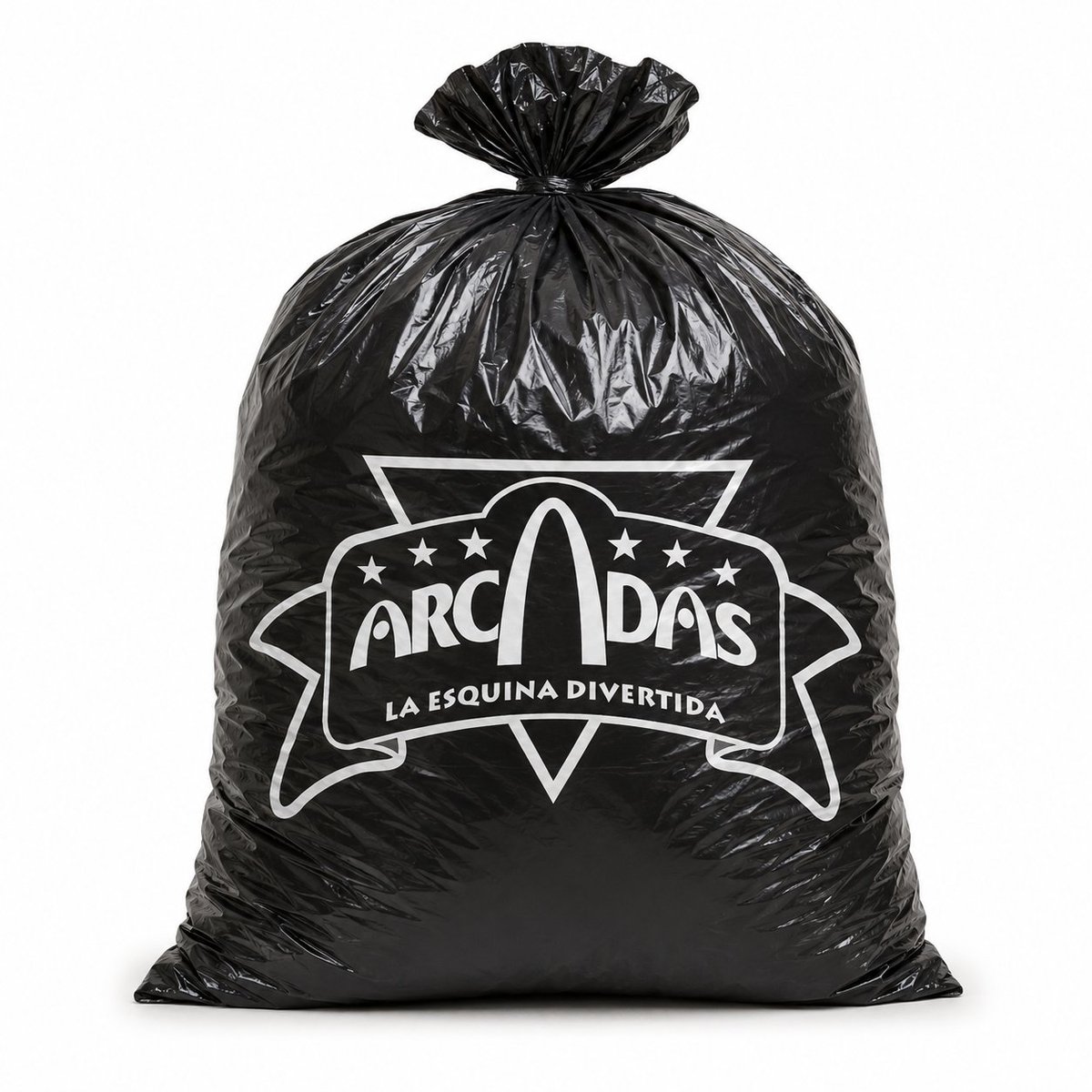
Generate a photorealistic studio product shot of a glossy black bag with your custom white carnival-style logo centered on the front.
PROMPT · EN
创作一张逼真的摄影棚产品照,展示一个直立的亮面黑色塑料垃圾袋或商品袋,袋身饱满且略微鼓起,置于干净的白色背景中央,配以柔和均匀的灯光和细微的地面阴影。袋口紧紧系住,形成褶皱的塑料结和荷叶边状的颈部,袋身呈现出逼真的褶皱、折痕、光亮高光以及拉伸后的黑色聚乙烯质感。在袋身正前方中央,印上一个清晰的白色定制商业 Logo,采用嘉年华风格徽章设计:包含一个大型轮廓横幅和带有小星星的几何徽标,主品牌文字 argbrand name: ARCADIAS 使用粗体俏皮字体,字标中融入了一个大拱形,下方弯曲排列着标语 argtagline text: LA ESQUINA DIVERTIDA。Logo 需保持纯白色平铺印刷效果,如同直接丝印在袋子上,高对比度,完美居中,画面中不包含其他物体、手部、杂物或背景装饰。
Über diesen Prompt
Generate a photorealistic studio product shot of a glossy black bag with your custom white carnival-style logo centered on the front. Use it as a Konzeptkunst starting point for GPT Image 2: keep the visual structure and style constraints intact, then swap in your own subject, brand, or scene.
Start by replacing brand name and tagline text, then keep the camera, composition, and material cues in the same order. This makes the output easier to compare across variations.
So verwendest du diesen Prompt
- Copy the prompt and paste it into your preferred AI image generator (e.g., Sora, Midjourney, DALL·E).
- Select the model version best suited for photorealistic output.
- Replace the
{brand name}and{tagline text}variables with your own business name and slogan. - Adjust aspect ratio or resolution if your platform allows fine-tuning.
- Generate and review; re-roll or refine if the logo placement or bag lighting isn't ideal.


