
Mirrored Actor Retrospective Poster — Sora 2 Prompt
Generates a flipped biographical poster layout for a cinematic actor, featuring an asymmetric timeline, era labels, and symbolic props.
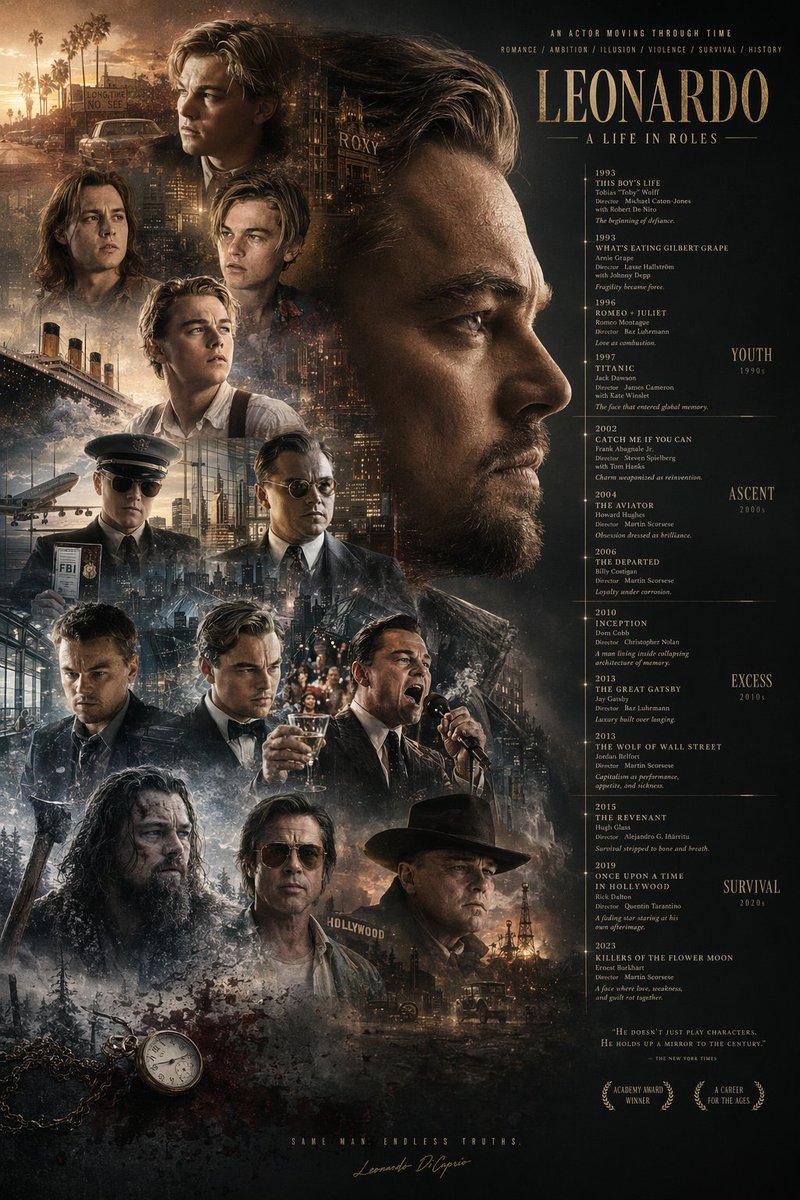
Using the provided reference image, redesign the poster layout by horizontally flipping the macro composition. Move the large primary profile face to the right side, looking left. Move the main title argmain title: LEONARDO A LIFE IN ROLES to the top right. Relocate the filmography timeline to the right column beneath the title, and append new era category labels to the far right: "YOUTH 1990s", "ASCENT 2000s", "EXCESS 2010s", and "SURVIVAL 2020s". Shift the blended character montage to the left side and lower middle, featuring exactly 12 distinct smaller character portraits (including a pilot, a man yelling into a microphone, a tuxedoed man toasting, and a bearded frontiersman). In the bottom left corner, introduce new elements not in the reference: a vintage pocket watch on a chain, blood splatter, and an axe handle. At the bottom right, add a new quote argquote text: HE DOESN'T JUST PLAY CHARACTERS. HE HOLDS UP A MIRROR TO THE CENTURY. and exactly 2 award laurel graphics reading "ACADEMY AWARD WINNER" and "A CAREER FOR THE AGES". Add a final bottom-center tagline argtagline: SAME MAN. ENDLESS TRUTHS. above the signature.
Über diesen Prompt
Generates a flipped biographical poster layout for a cinematic actor, featuring an asymmetric timeline, era labels, and symbolic props. Use it as a Konzeptkunst starting point for GPT Image 2: keep the visual structure and style constraints intact, then swap in your own subject, brand, or scene.
Common directions include gptimage2api prompts, gptimage2api, and en. Treat these tags as creative cues; the prompt structure and preview image are the more useful guide.
Start by replacing main title, quote text, and tagline, then keep the camera, composition, and material cues in the same order. This makes the output easier to compare across variations.
So verwendest du diesen Prompt
- Copy the entire prompt body text.
- Select a compatible AI image generation model (like Sora 2).
- Replace the bracketed variables for the main title, quote, and tagline with your own text.
- Ensure your reference image is attached or uploaded as required.
- Generate the image and iterate on the prompt if needed.


