
Shibuya Street Selfie — Photorealistic Portrait Prompt
Create a customizable photorealistic selfie on a bustling Japanese street, complete with editable signs, clothing, and background details for a natural social media look.
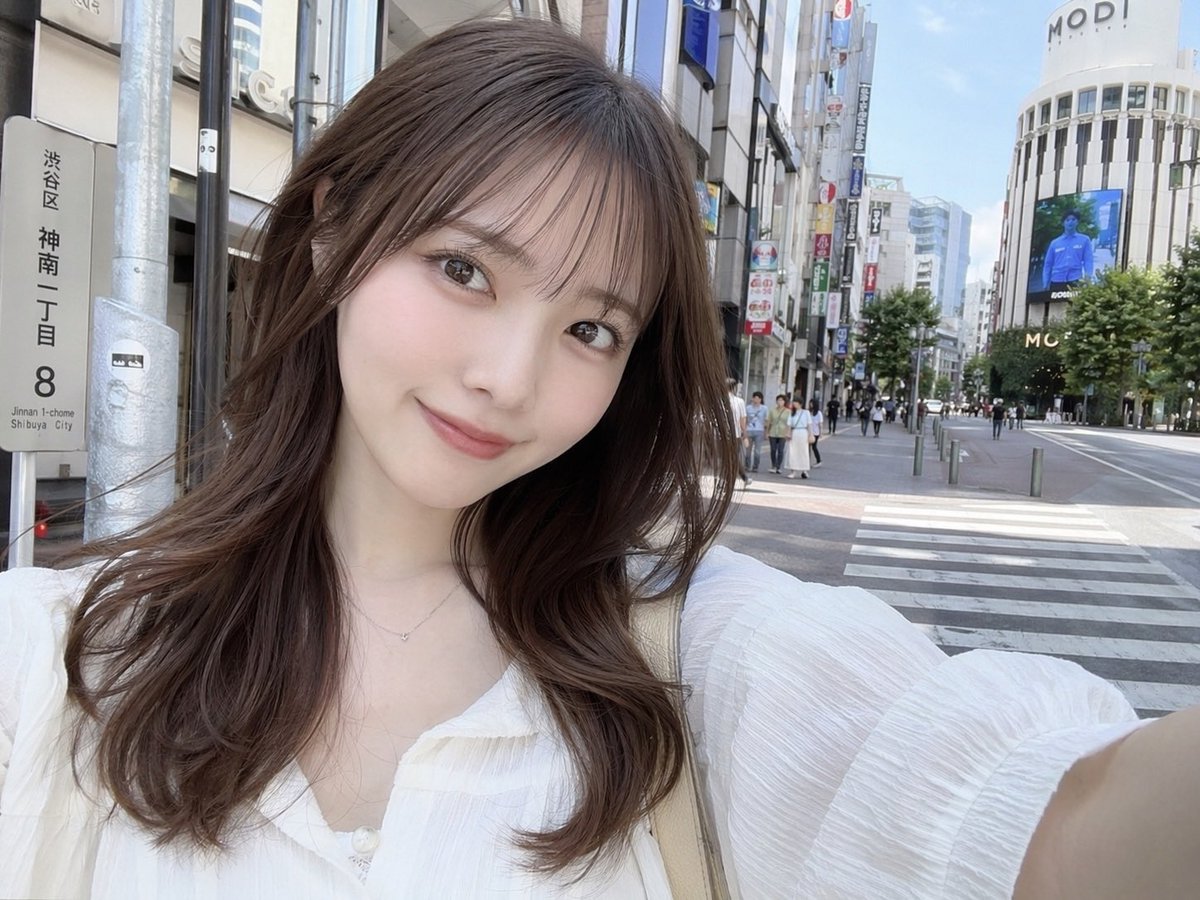
A photorealistic selfie of a young Japanese woman standing on a sunny city street in arglocation: Shibuya, Japan. She has a soft smile, fair skin, light makeup, and arghair style: long wavy brown hair with see-through bangs. She is wearing a argclothing: white textured blouse with a delicate necklace and a beige shoulder bag strap visible. The background features a bustling urban environment with a crosswalk, pedestrians on the sidewalk, and a large white commercial building displaying the text argbuilding text: MODI at the top along with a digital billboard. On the left side of the frame, a vertical street sign clearly displays the text argstreet sign text: 渋谷区 神南一丁目 8. The image has a bright, natural daylight aesthetic typical of a casual social media photo.
Über diesen Prompt
Create a customizable photorealistic selfie on a bustling Japanese street, complete with editable signs, clothing, and background details for a natural social media look. Use it as a Konzeptkunst starting point for GPT Image 2: keep the visual structure and style constraints intact, then swap in your own subject, brand, or scene.
Common directions include gptimage2api prompts, gptimage2api, and en. Treat these tags as creative cues; the prompt structure and preview image are the more useful guide.
Start by replacing location, hair style, clothing, and building text, then keep the camera, composition, and material cues in the same order. This makes the output easier to compare across variations.
So verwendest du diesen Prompt
- Copy the prompt text.
- Choose a capable AI image generator like Sora 2.
- Customize the variables in curly braces for location, hair, clothing, and text.
- Generate the image and review the result.
- Tweak the text prompts as needed to perfect your scene.


