AI-Prompt

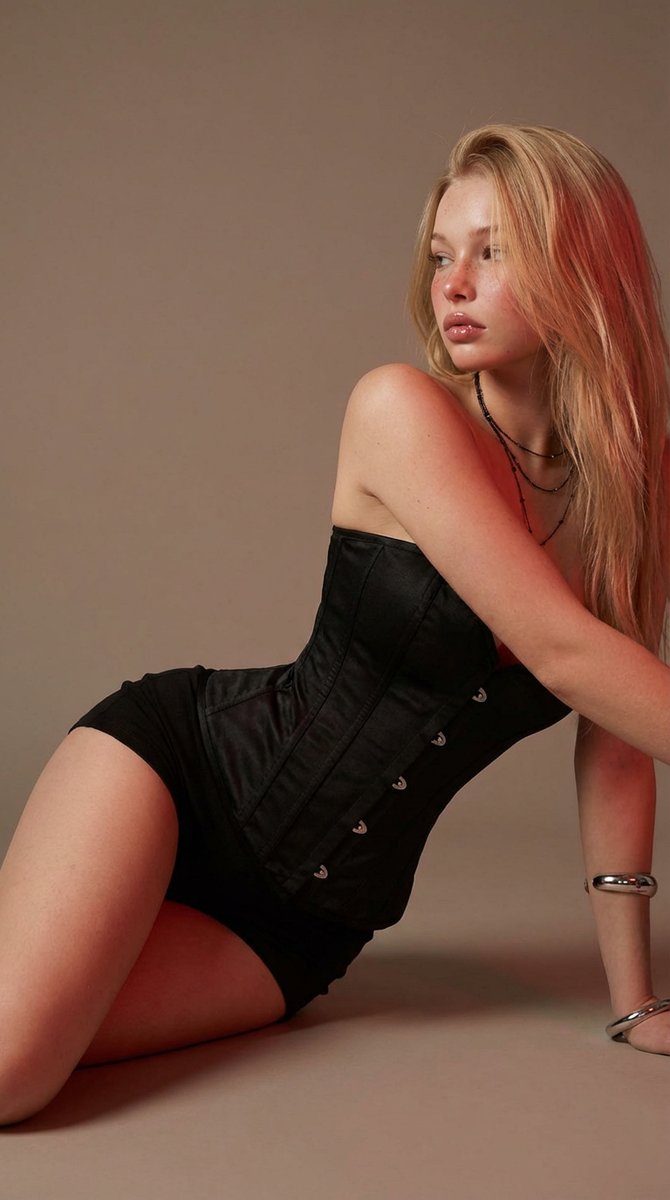
Elegant Blonde Studio Portrait — Sora 2 Prompt

Create a high-end editorial portrait with soft warm lighting, detailed skin, and a relaxed fashion pose. Ideal for elegant studio photography.
Elegant Blonde Studio Portrait — Sora 2 Prompt
PROMPT · EN
prompt
Studio portrait of a young adult woman with long blonde hair and fair freckled skin, wearing a fitted black corset-style dress. She is seated on the floor in a relaxed pose, one hand resting behind her and the other touching her hair, looking off to the side with a calm, contemplative expression. Minimalist warm-toned studio background with soft gradient lighting, subtle red accent light adding depth and contrast. Clean editorial fashion photography style, high detail skin texture, soft shadows, elegant and modern aesthetic.
negative_prompt
lowres, blurry, bad anatomy, extra limbs, deformed hands, distorted face, harsh lighting, overexposed, underexposed, watermark, text, logo, jpeg artifacts, cartoon, CGI, 3D render
style
editorial fashion photography, photorealistic
camera
angle
slightly low angle
framing
three-quarter body portrait
lens
85mm
aperture
f/2.0
lighting
type
studio lighting
setup
soft key light with warm fill and subtle red rim light
mood
warm and refined
setting
location
studio
background
smooth warm gradient backdrop
color_palette
item 1
black
item 2
warm beige
item 3
soft red
item 4
golden tones
size
768x1152

Über diesen Prompt

Create a high-end editorial portrait with soft warm lighting, detailed skin, and a relaxed fashion pose. Ideal for elegant studio photography. Use it as a Konzeptkunst starting point for an AI model: keep the visual structure and style constraints intact, then swap in your own subject, brand, or scene.

This prompt is organized as structured JSON with fields such as prompt, negative prompt, style, camera, lighting, setting, and color palette. Keeping that hierarchy helps the model separate the subject, layout, interface elements, and detail constraints.

Start with small changes to subject, scene, camera, and color, then generate a few variations to compare composition and detail without turning the page copy into keyword stuffing.

So verwendest du diesen Prompt

  1. Copy the prompt text.
  2. Paste into your AI image generator (e.g., Sora 2, Midjourney).
  3. Set the aspect ratio to 768x1152 and include the negative prompt for best results.
  4. Generate and iterate with slight variations to perfect the look.
FAQ

Mehr von Prompt-Bibliothek

Alle ansehen

Schneller erstellen mit Sora2Hub-Prompts.

Nutze kuratierte Prompt-Seiten als suchbare Einstiege und starte direkt mit dem passenden Modellkontext.