
GPT Image 2AI-Prompt
Cinematic Anime Enhancement Prompt — Dark Supernatural Glow
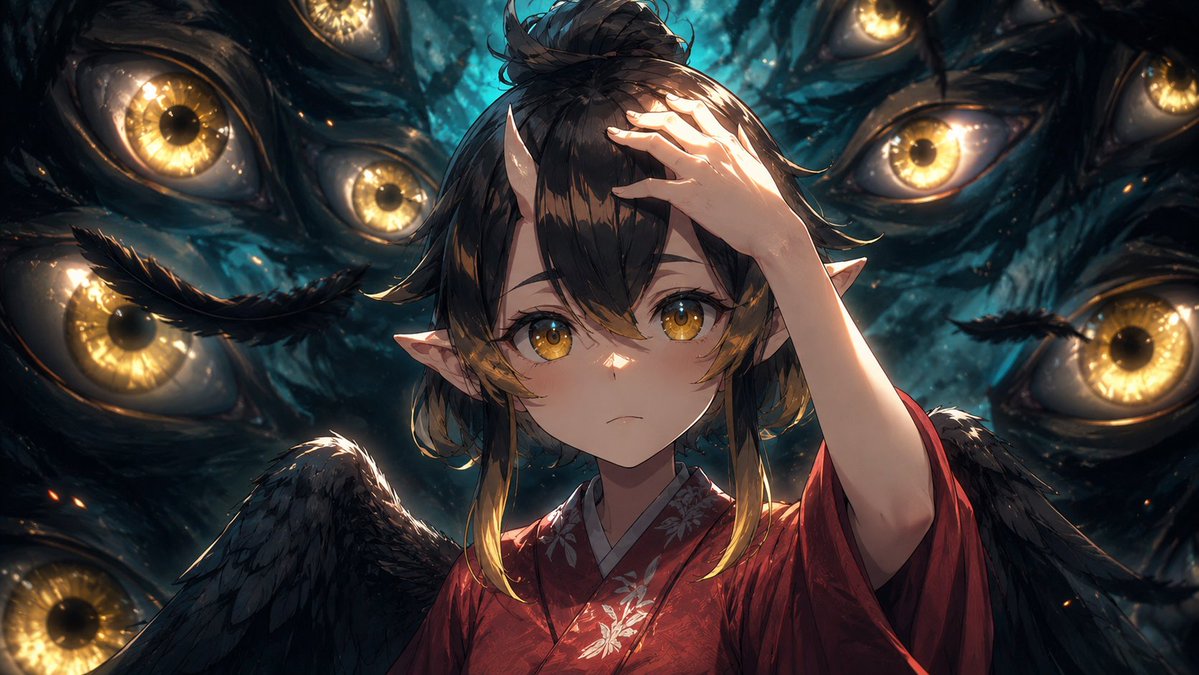
Transform a rough anime frame into a polished, cinematic key visual with dramatic lighting, intricate details, and a mysterious glowing eye atmosphere.
PROMPT · EN
以提供的参考图像作为基础帧,将其润色为高端电影级动漫关键视觉图,同时保留原始构图、角色姿势、服装、翅膀、尖耳朵、手部位置以及面部中央的矩形隐私遮罩。保持相同的暗黑超自然场景,且周围必须有 8 只清晰可见的金色眼睛,但要大幅增加绘画密度、阴影细节、轮廓光、深度、纹理和对比度。使背景中的眼睛更加锐利且发光,呈现湿润的有机质感、青黑色调、发光的琥珀色虹膜、细微的火花以及分层的景深效果。优化发丝、羽毛、和服面料、花卉刺绣、皮肤阴影和高光,使画面看起来更像是一张精致的制作剧照,而非粗糙的动漫截图。保持相同的宽屏裁剪和整体构图。视觉风格:argvisual style: 高级电影级动漫插画。增强强度:argenhancement strength: 强力润色,增加更多细节、阴影和深度。光影氛围:arglighting mood: 戏剧性的青金双色超自然光影。隐私遮罩:argprivacy mask: 保留覆盖面部的不透明矩形遮罩。
Über diesen Prompt
Transform a rough anime frame into a polished, cinematic key visual with dramatic lighting, intricate details, and a mysterious glowing eye atmosphere. Use it as a Konzeptkunst starting point for GPT Image 2: keep the visual structure and style constraints intact, then swap in your own subject, brand, or scene.
Start by replacing visual style, enhancement strength, lighting mood, and privacy mask, then keep the camera, composition, and material cues in the same order. This makes the output easier to compare across variations.
So verwendest du diesen Prompt
- Copy the Prompt: Copy the full prompt text provided above.
- Choose a Model: Select an image generation model like Sora 2 or a compatible AI art tool that accepts detailed prompts.
- Tweak Variables: Customize the arguments in curly braces
{}(e.g.,visual style,enhancement strength,lighting mood) to match your vision. - Generate: Paste the prompt into the AI model and generate your enhanced cinematic anime visual.


