
GPT Image 2AI-Prompt
Brand Personification Comic Infographic — Sora 2 Prompt
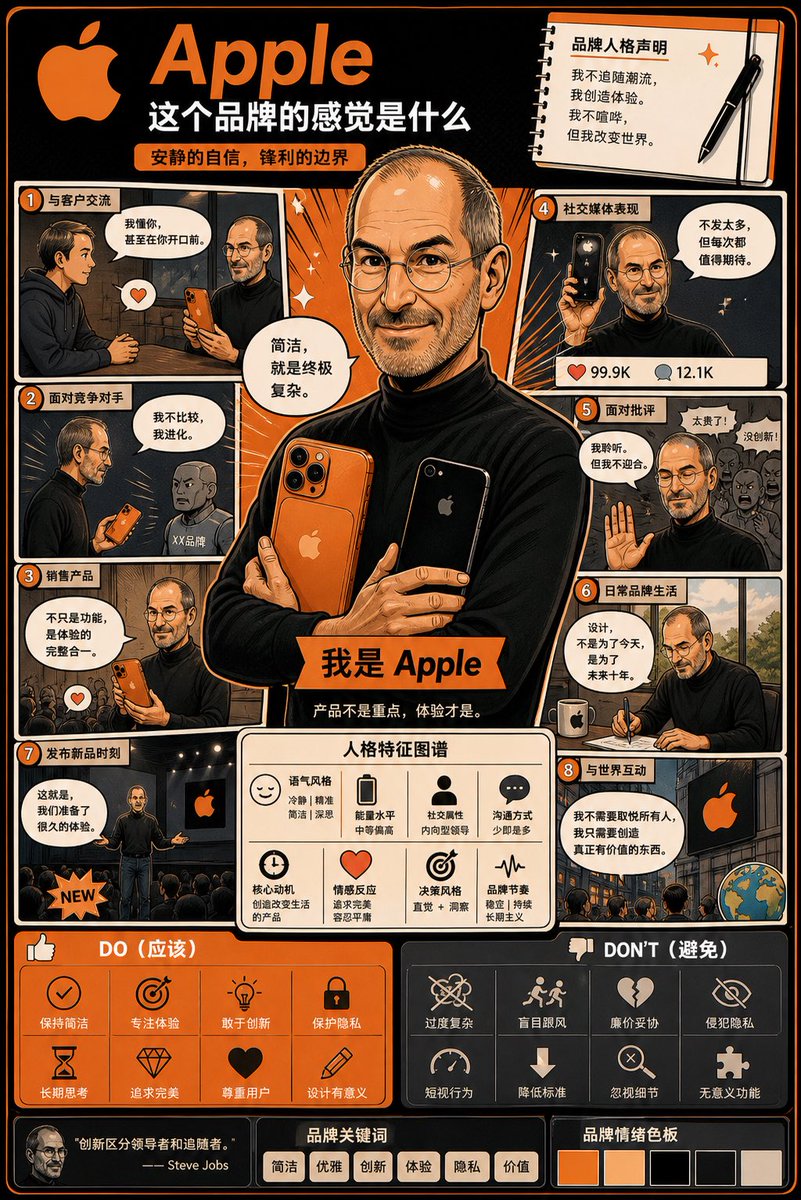
Transform any uploaded logo into a detailed, multi-panel comic infographic poster that brings your brand's unique personality to life.
PROMPT · EN
使用上传的 Logo,创作一张高度详细的漫画风格信息图海报: 标题:“品牌给人的感觉”
目标:将品牌转化为一个“活生生的个体”,并直观地展示它如何行动、说话以及与世界互动。
融合:品牌策略 + 角色设计 + 漫画叙事 核心规则:所有内容必须源自 Logo 本身(颜色、风格、基调、个性)。禁止使用通用的个性描述。 结构:arglayout: 竖版 4:5 海报,信息密集的多面板布局,argstyle: 漫画与信息图混合风格。 主角:创建一个代表品牌拟人化的核心角色。服装、姿态和表情必须反映品牌形象。
面板:6–8 个漫画面板,展示在客户互动、应对竞争或社交媒体表现等场景下的行为。
特征:使用图标的模块化部分,展示语气风格、能量水平和沟通方式。
做与不做:关于品牌一致行为与不一致行为的视觉指南。
最终效果:应看起来像一张值得收藏的拟人化品牌策略项目,而非平庸或通用的设计。
Über diesen Prompt
Transform any uploaded logo into a detailed, multi-panel comic infographic poster that brings your brand's unique personality to life. Use it as a Konzeptkunst starting point for GPT Image 2: keep the visual structure and style constraints intact, then swap in your own subject, brand, or scene.
Start by replacing layout and style, then keep the camera, composition, and material cues in the same order. This makes the output easier to compare across variations.
So verwendest du diesen Prompt
- Copy this prompt into your Sora 2 or compatible AI image model.
- Upload your brand's logo file when prompted for the source image.
- Adjust the optional
layoutandstylevariables to match your desired format. - Generate the image and review the resulting brand character and infographic panels.


