
GPT Image 2AI-Prompt
Bold Ink Fashion Portrait — AI Image-to-Image Prompt
Transform your photo into a high-fashion ink illustration with expressive brushstrokes, sharp contrast, and a vibrant accent color.
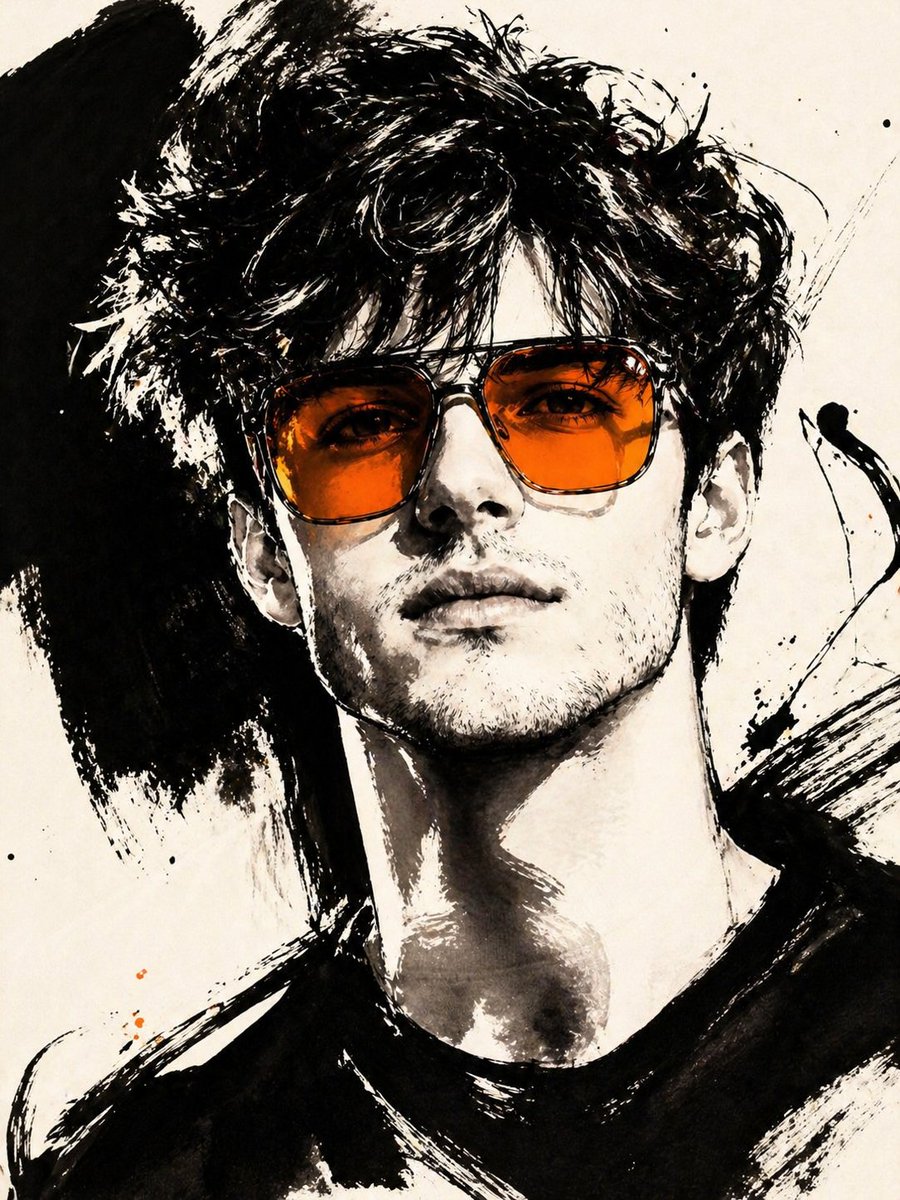
PROMPT · EN
ASPECT_RATIO: [arg长宽比: 3:4] SOURCE_IMAGE: [arg参考图: 上传的照片] ACCENT_COLOR: [arg点缀色: 单一鲜艳的高光色] 以上传的照片作为基础图像和唯一的身份来源。保持人物完全一致且清晰可辨。忽略原始构图,始终将其重新构图为紧凑的特写或上半身编辑裁剪,使面部占据画面主体。将图像转化为手势风格的编辑类墨水时尚插画。风格必须由粗犷的黑色笔触构成,而非细腻的素描线条。 使用: 极粗的黑色笔触 宽阔的干擦笔触 大面积不对称的黑色墨块 修长且随性的书法线条 破碎的轮廓 带有刮擦感的辅助线条 强烈的黑白对比(象牙白背景) 平滑的单色皮肤 粗笔触必须占据主导地位。不要主要用细轮廓线来绘制肖像。不要使其显得整洁、精致或柔和。图像应呈现出饱蘸墨水的绘画感,并以锋利且富有表现力的笔触收尾。 保持肖像的时尚感和高定感。 使用一件核心配饰,最好是超大号的半透明有色墨镜。 点缀色 [ACCENT_COLOR] 必须主要体现在该配饰中,尤其是镜片部分,呈现为大胆明亮的色调。仅允许在其他地方出现极少量的同色系辅助痕迹。
Über diesen Prompt
Transform your photo into a high-fashion ink illustration with expressive brushstrokes, sharp contrast, and a vibrant accent color. Use it as a Konzeptkunst starting point for GPT Image 2: keep the visual structure and style constraints intact, then swap in your own subject, brand, or scene.
Start by replacing 长宽比, 参考图, and 点缀色, then keep the camera, composition, and material cues in the same order. This makes the output easier to compare across variations.
So verwendest du diesen Prompt
- Copy the entire prompt text below.
- Paste it into your preferred AI image generation model (e.g., Midjourney, DALL-E 3, Stable Diffusion).
- Upload your source photo when prompted.
- Adjust the variables in brackets
[{...}](like aspect ratio or accent color) to match your preference. - Generate the image and review the results.


