
GPT Image 2AI-Prompt
Multi-Frame Banner Ad with Custom Layout — Sora 2 Prompt
Generate professional multi-frame banner ads with Sora 2, customizing layout, dimensions, and product for impactful marketing visuals.
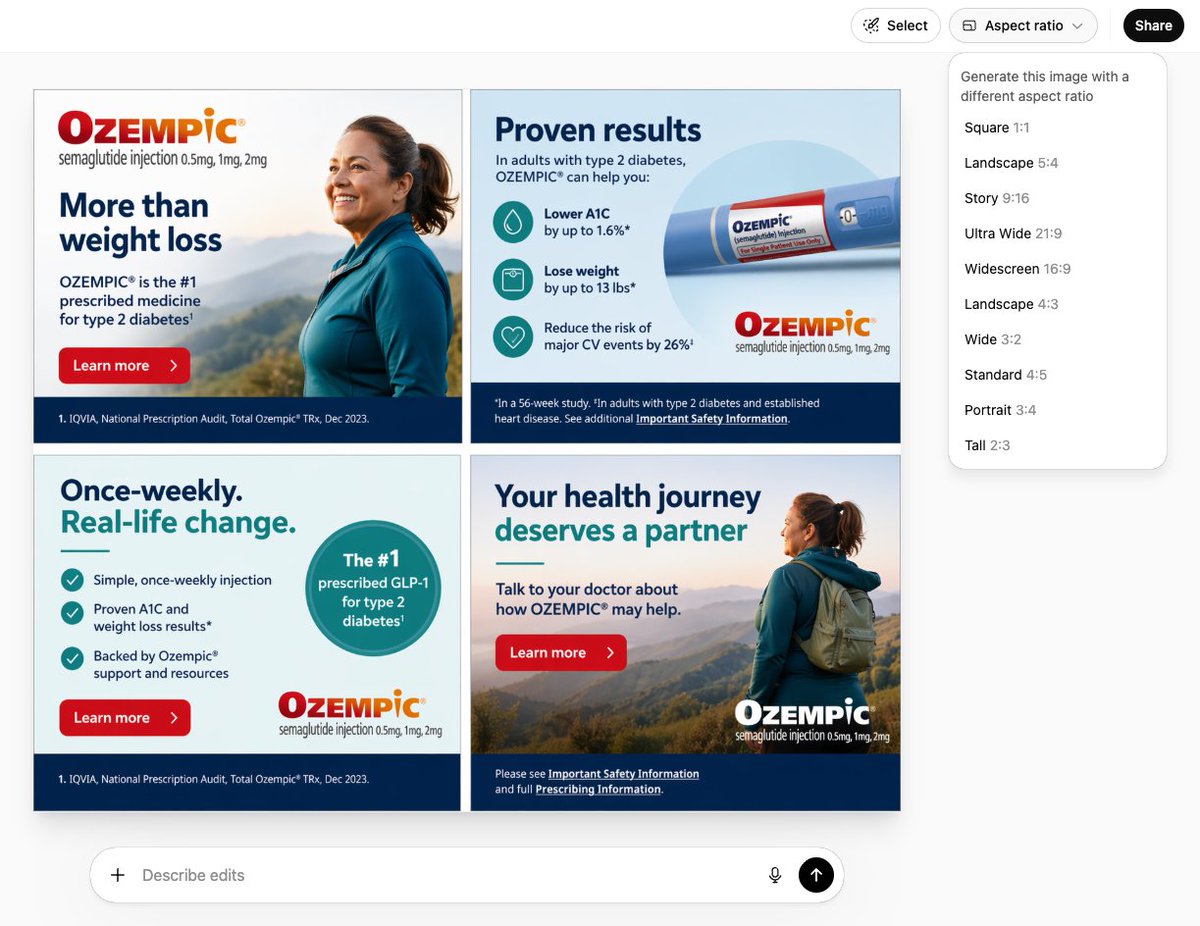
PROMPT · EN
创建一个包含 arglayout: 四帧 的 argdimensions: 300x250 横幅广告图片,产品为 argproduct: Ozempic
Über diesen Prompt
Generate professional multi-frame banner ads with Sora 2, customizing layout, dimensions, and product for impactful marketing visuals. Use it as a Konzeptkunst starting point for GPT Image 2: keep the visual structure and style constraints intact, then swap in your own subject, brand, or scene.
Start by replacing layout, dimensions, and product, then keep the camera, composition, and material cues in the same order. This makes the output easier to compare across variations.
So verwendest du diesen Prompt
- Copy the prompt text from above.
- Customize the arguments: set
layout(e.g., "四帧" for four frames),dimensions(e.g., "300x250"), andproduct(e.g., "Ozempic"). - Open your AI image generation tool (such as GPT Image 2) and paste the modified prompt.
- Generate the image and download your banner ad.


