
GPT Image 2AI-Prompt
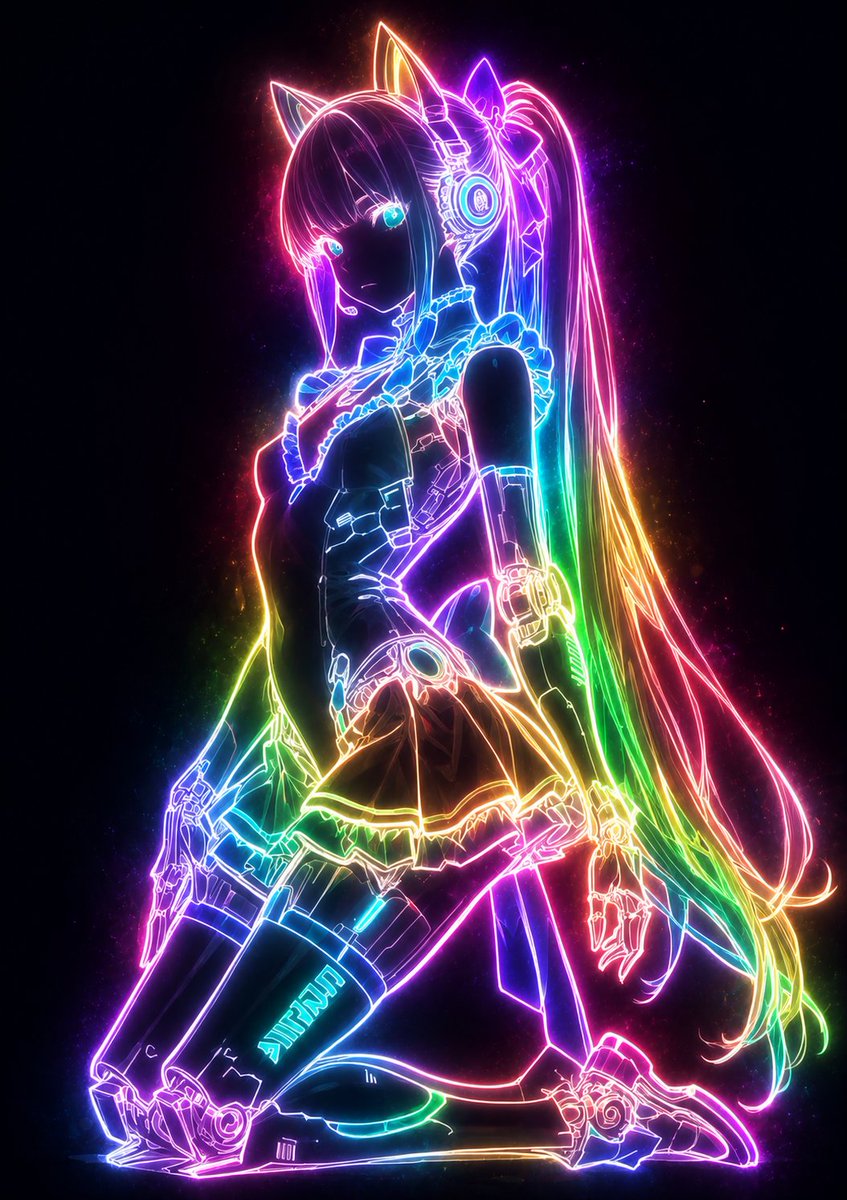
Glowing Neon Outline Portrait Prompt
Transforms illustrations into mystical portraits where only outlines glow with customizable neon light against a dark, dramatic background.
1 / 4
PROMPT · EN
请将此插图转化为神秘且梦幻的发光风格。使用 【glow color: argglow color: rainbow】,确保仅角色轮廓、衣物线条、配饰细节以及发丝流向散发出强烈的绚丽光芒。线条应如柔和的霓虹灯般从内部发出微光,缓慢浮现并散发出细微的光粒,轻柔地照亮周围环境。请勿照亮表面,仅让线条成为主要的发光元素,保持其他部分(皮肤、头发、衣物表面)处于极度暗淡的状态。发光的线条应与深色背景形成高对比度,强调 argglow color: rainbow 光谱的柔和扩散。整体氛围应冷峻而神秘,创造出一种令人惊叹的唯美剪影,仅呈现出神奇的 argglow color: rainbow 轮廓。请务必完整保留原始构图和特征。
Über diesen Prompt
Transforms illustrations into mystical portraits where only outlines glow with customizable neon light against a dark, dramatic background. Use it as a Konzeptkunst starting point for GPT Image 2: keep the visual structure and style constraints intact, then swap in your own subject, brand, or scene.
Start by replacing glow color, then keep the camera, composition, and material cues in the same order. This makes the output easier to compare across variations.
So verwendest du diesen Prompt
- Copy the entire prompt text into your AI model's prompt field.
- Select a compatible image generation model like Sora 2.
- Customize the
glow colorvariable to your preferred palette (e.g., 'ice blue', 'gold'). - Upload your base illustration or describe the subject.
- Generate the image to see your subject's lines glow while surfaces stay dark.


