GPT Image 2AI-Prompt
The Shining Horror Poster Crayon Art Style — Sora 2 Prompt
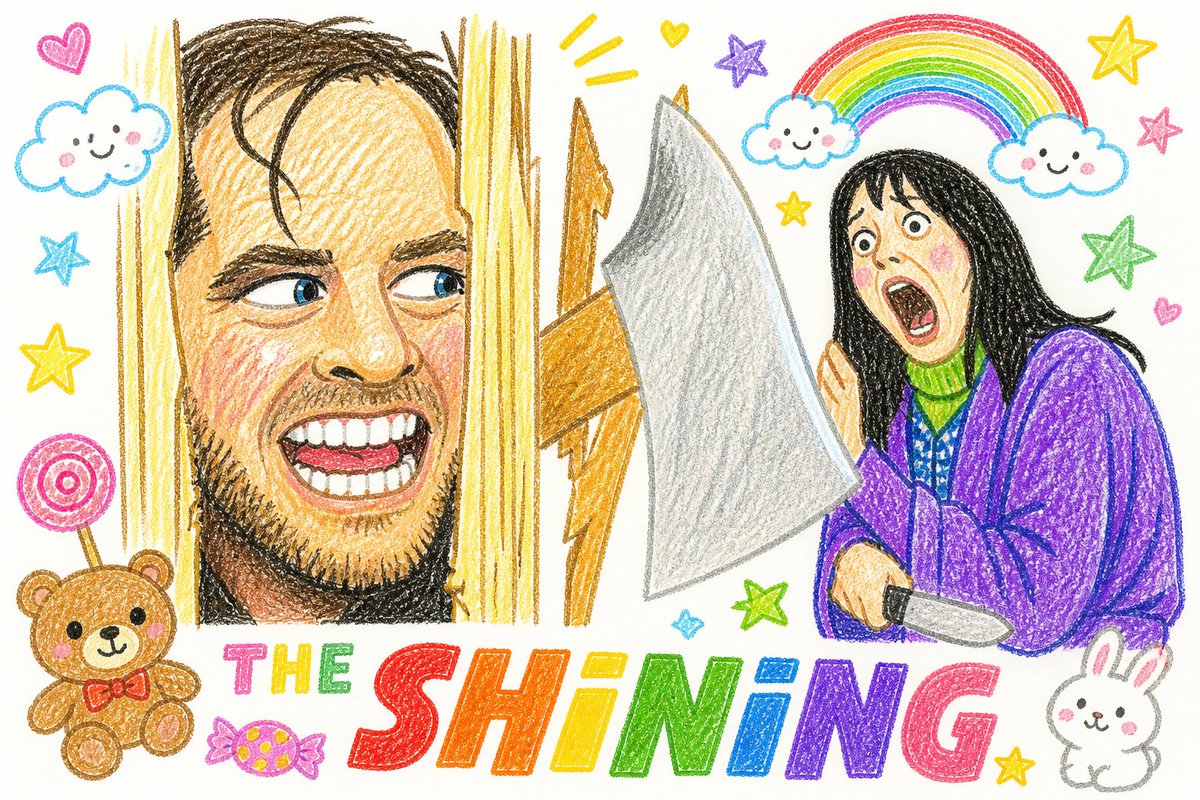
Transform a classic horror movie poster into an eerie yet cute children's crayon drawing with a clean white background and playful kindergarten elements.
PROMPT · EN
使用提供的参考图像,重现相同的海报构图和人物位置,但将其转化为诡异又可爱的儿童蜡笔画。保留从右侧窥视的持刀女性和破门框架,但将所有元素简化为干净白纸背景上的手绘彩色铅笔/蜡笔纹理。用俏皮的幼儿园艺术元素取代阴暗的恐怖氛围,同时保留底层令人不安的场景。准确添加 2 朵微笑的云、角色上方 1 个彩虹拱门、左下角 1 只泰迪熊、右下角 1 只兔子、左侧 1 根棒棒糖、标题附近 1 颗包装糖果、散落的 6 颗星星和 3 个小爱心。将底部的电影标题重绘为巨大的彩虹蜡笔字体,写上“THE SHINING”,每个字母都要色彩鲜艳且充满童趣。使其看起来天真、欢快、潦草且不完美,但仍带有一丝微妙的诡异感。
Über diesen Prompt
Transform a classic horror movie poster into an eerie yet cute children's crayon drawing with a clean white background and playful kindergarten elements. Use it as a Konzeptkunst starting point for GPT Image 2: keep the visual structure and style constraints intact, then swap in your own subject, brand, or scene.
Start with small changes to subject, scene, camera, and color, then generate a few variations to compare composition and detail without turning the page copy into keyword stuffing.
So verwendest du diesen Prompt
- Copy the full prompt text provided.
- Select your preferred AI image generation model (e.g., Sora 2, Midjourney).
- Upload a reference image of The Shining movie poster to guide the composition.
- Optionally tweak details like the number of stars, hearts, or background elements to customize the output.
- Generate the image and refine the prompt if needed for a more creepy or cute balance.