
GPT Image 2AI-Prompt
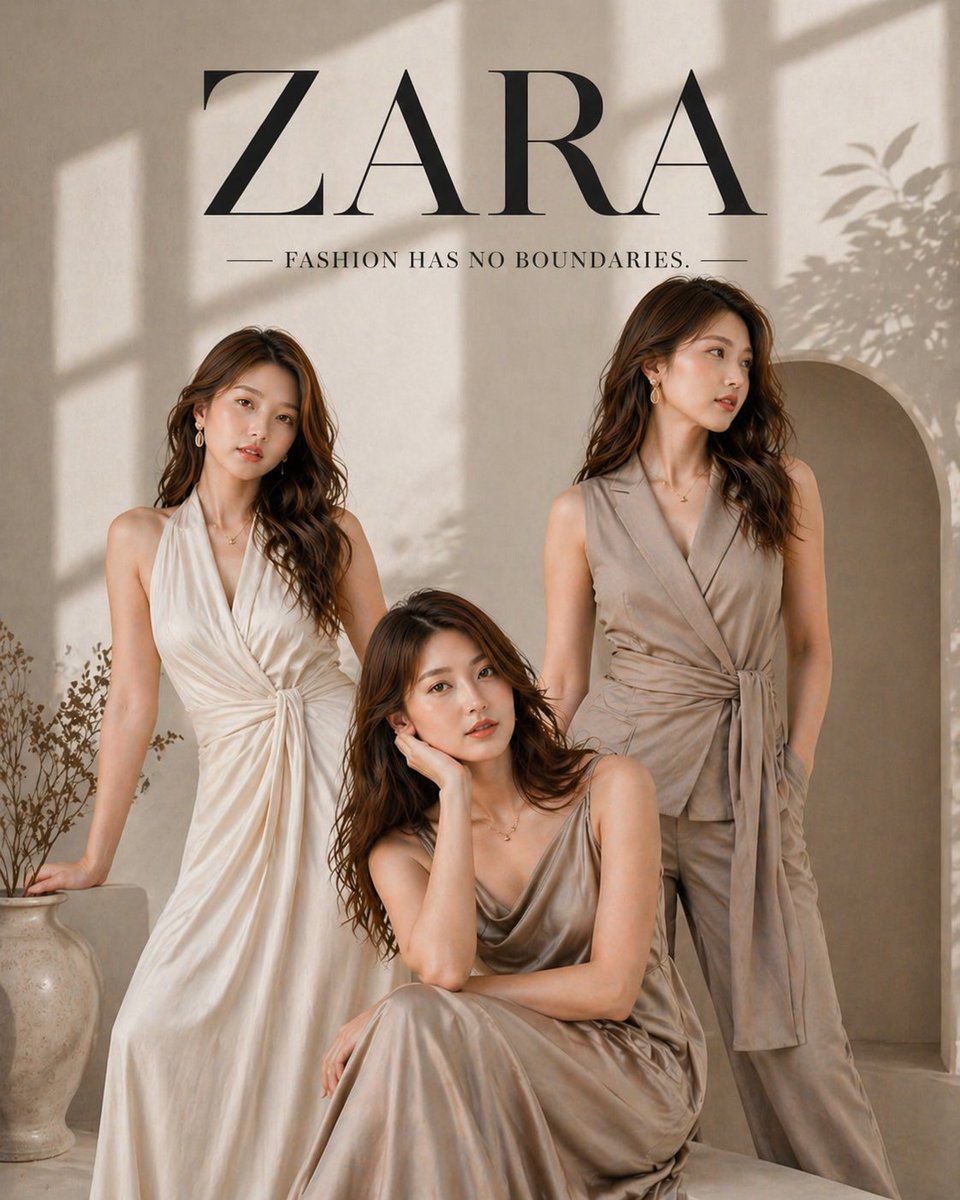
Luxus-Modenwerbeplakat — Sora 2 Prompt
Erstellen Sie atemberaubende minimalistische Modeanzeigen mit eleganten Models in neutralen Tönen, weichem natürlichem Licht und hochwertiger editorialer Kompos
PROMPT · EN
奢华时尚广告海报,argbrand style: ZARA 风格,极简编辑审美,argcolor palette: 柔和米色与暖中性色 色调,自然窗光投射出柔和阴影,高端杂志摄影。
三位优雅的女性模特(所有姿势面部一致),皮肤光滑细腻,妆容柔和,棕色波浪卷发,身着高级中性色调服装(argoutfit types: 飘逸缎面裙、裹身裙、剪裁无袖西装,米色/奶油色系),造型现代且高级。
姿势:
站姿放松,一手轻触头发,眼神自信
侧身站立,看向别处,表情柔和
坐姿,身体微微前倾,手托脸颊,姿态优雅
背景:极简摄影棚,带有弧形拱门墙面,柔和的阳光阴影,微妙的植物剪影,陶瓷花瓶作为美学点缀。
排版:顶部:“ZARA”,使用大号高级衬线字体
下方:“FASHION HAS NO BOUNDARIES.”,使用简洁的大写极简字体
风格:超写实,焦点清晰,电影级布光,柔和阴影,高级编辑构图,高定时尚大片质感,4K 画质,布局简洁,奢华品牌感。
Über diesen Prompt
Erstellen Sie atemberaubende minimalistische Modeanzeigen mit eleganten Models in neutralen Tönen, weichem natürlichem Licht und hochwertiger editorialer Kompos. Use it as a Konzeptkunst starting point for GPT Image 2: keep the visual structure and style constraints intact, then swap in your own subject, brand, or scene.
Start by replacing brand style, color palette, and outfit types, then keep the camera, composition, and material cues in the same order. This makes the output easier to compare across variations.
So verwendest du diesen Prompt
- Kopieren Sie den gesamten Prompt-Text und fügen Sie ihn in Ihren bevorzugten KI-Bildgenerator ein (Sora 2, Midjourney oder DALL·E).
- Passen Sie die Variable
{brand style}an Ihre gewünschte Modemarken-Ästhetik an (z. B. COS, Massimo Dutti). - Passen Sie die Argumente
{color palette}und{outfit types}an Ihre kreative Vision an. - Generieren Sie das Bild und überprüfen Sie das Ergebnis – passen Sie bei Bedarf die Licht- oder Modellposenbeschreibungen an.
- Exportieren Sie in hoher Auflösung für die Verwendung in sozialen Medien, Moodboards oder Präsentationen.


