
Snack Technical Breakdown Prompt: Realistic + Sketch Overlay
Generate a branded snack infographic merging a photoreal product with hand-drawn technical callouts, cross-sections, and specs on a clean white background.
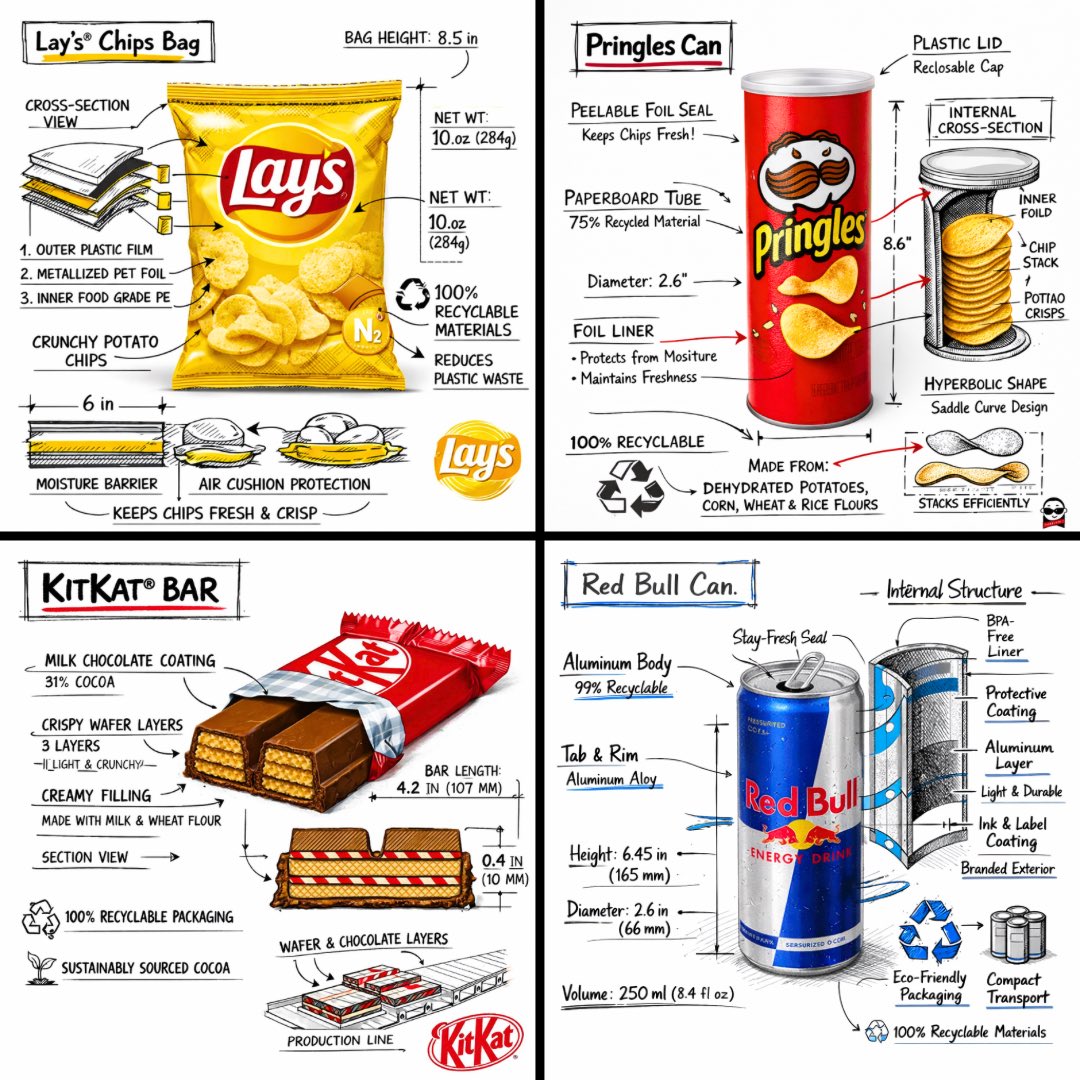
Create a branded technical infographic of a [SNACK], combining a realistic photograph or photoreal render of the product with technical annotation overlays placed directly on top. Use black ink–style line drawings with strategic [BRAND COLOR] accents (architectural sketch look) on a pure white studio background, including: • Key component labels • Internal cross-section showing structure, layering, or internal design • Measurements, dimensions, and specifications • Material callouts with composition and quantities • Arrows indicating function for primary features and structural integrity • Simple schematic or sectional diagram showing key mechanical or design elements • Sustainability callouts Title placement: Inside a hand-drawn technical annotation box with accent border reading the product name in bold font, positioned in upper corner. Style & layout rules: • The realistic product remains clearly visible • Annotations feel sketched, technical, and architectural • Accents used for highlight (20-30% of linework), black for primary technical lines (70-80%) • Clean composition with balanced negative space • Educational, food-engineering vibe with premium branding • Include subtle brand logo mark in corner Visual style: Minimal technical illustration aesthetic, black linework with accents over realistic imagery, precise but slightly hand-drawn feel. Color palette: White background, black annotation lines/text, [BRAND COLOR] for accents and key callouts only. Output: 1080×1080, ultra-crisp, social-feed optimized, no watermark.
Über diesen Prompt
Generate a branded snack infographic merging a photoreal product with hand-drawn technical callouts, cross-sections, and specs on a clean white background. Use it as a Konzeptkunst starting point for an AI model: keep the visual structure and style constraints intact, then swap in your own subject, brand, or scene.
Common directions include chatgpt, 技术绘图, 食品工程, and 产品展示. Treat these tags as creative cues; the prompt structure and preview image are the more useful guide.
Start with small changes to subject, scene, camera, and color, then generate a few variations to compare composition and detail without turning the page copy into keyword stuffing.
So verwendest du diesen Prompt
- Copy the full prompt template from this page.
- Open your preferred AI image generator (e.g., DALL·E 3, Midjourney, Stable Diffusion).
- Replace
[SNACK]with your snack name and[BRAND COLOR]with a hex code or color reference. - Optionally tweak any dimensions, materials, or sustainability notes within the prompt.
- Generate the image at 1080×1080 and iterate if needed for perfect alignment.


