
GPT Image 2AI-Prompt
iPhone-Style Wedding Snapshot: Bride & Father — Sora 2 Prompt
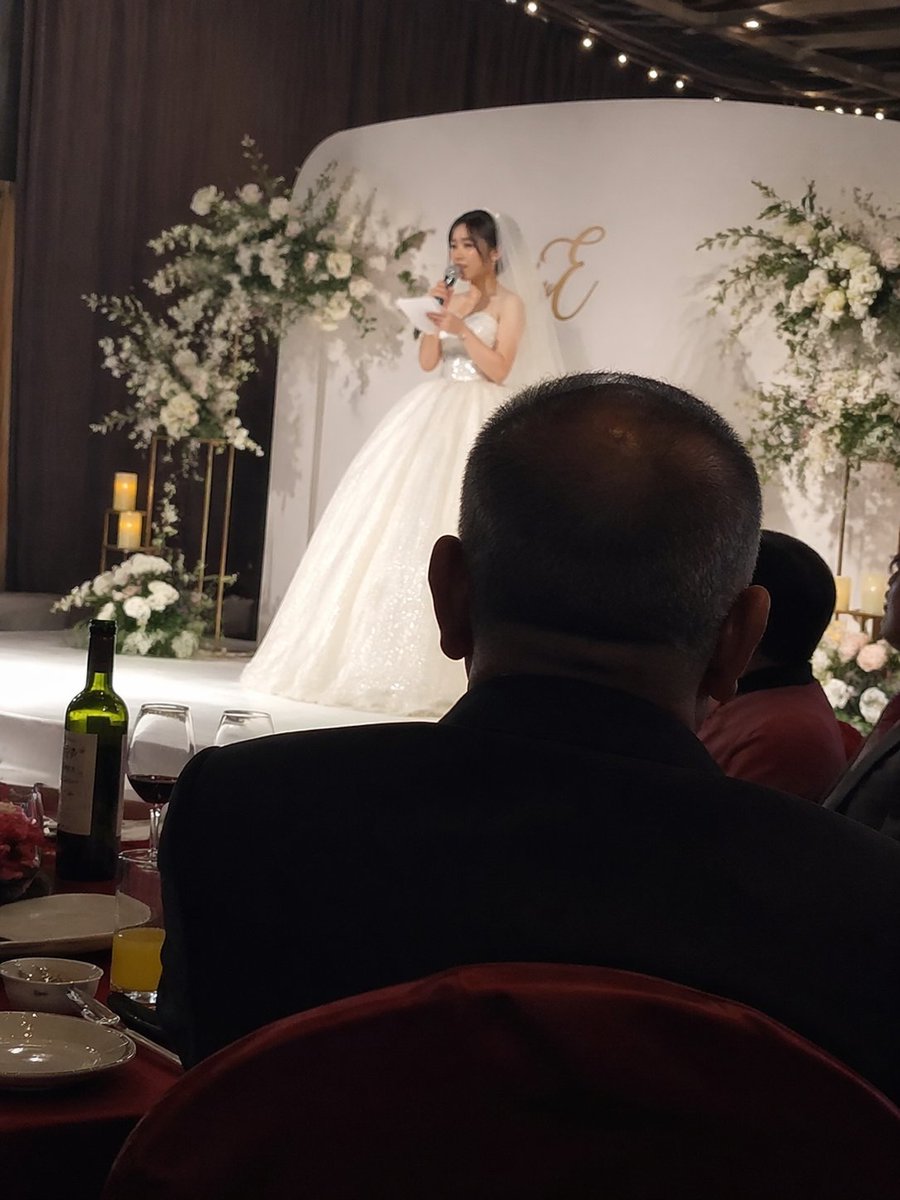
Capture a heartfelt wedding moment: iPhone-style snapshot of the bride's speech with father's silhouette in foreground.
PROMPT · EN
iPhone 风格抓拍,argspeaker: 新娘在婚礼舞台上致辞,前景为 argforeground subject: 坐在下方宴席桌旁的父亲背影。
Über diesen Prompt
Capture a heartfelt wedding moment: iPhone-style snapshot of the bride's speech with father's silhouette in foreground. Use it as a Konzeptkunst starting point for GPT Image 2: keep the visual structure and style constraints intact, then swap in your own subject, brand, or scene.
Start by replacing speaker and foreground subject, then keep the camera, composition, and material cues in the same order. This makes the output easier to compare across variations.
So verwendest du diesen Prompt
- Copy the provided prompt template.
- Open Sora 2 (or any AI image generator that supports descriptive prompts).
- Replace the variables:
{argument name="speaker" default="新娘在婚礼舞台上致辞"}with your desired speaker description, and{argument name="foreground subject" default="坐在下方宴席桌旁的父亲背影"}with your foreground subject. - Generate the image and adjust settings like aspect ratio or style for an iPhone-like look.
- Experiment with synonyms or add details (like lighting, emotion) to refine the output.


