
GPT Image 2AI-Prompt
Cinematic Street Fashion — Moody Blue-Hour Photography Prompt
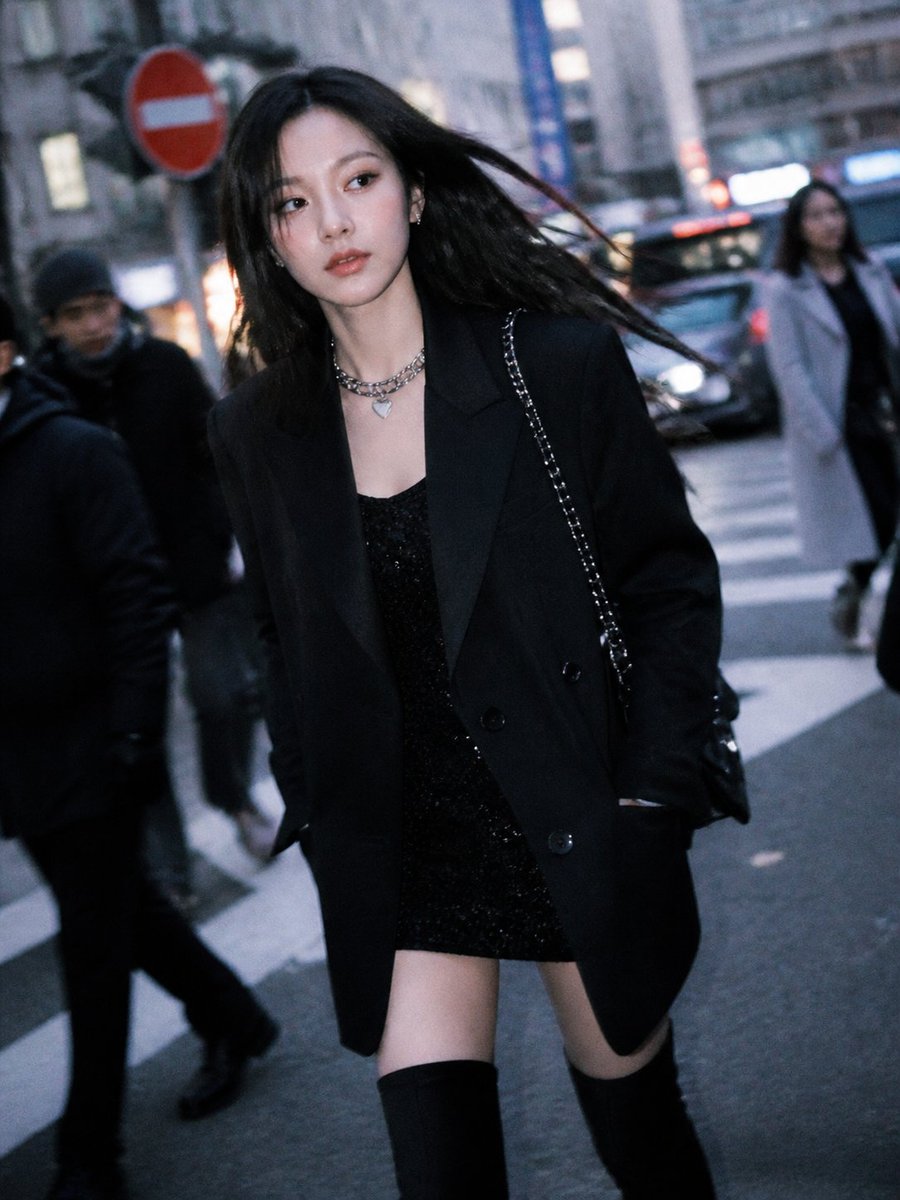
Generate a high-end, paparazzi-style editorial photo of a confident woman in an oversized blazer and mini dress, captured with a cinematic blue-hour aesthetic.
1 / 3
PROMPT · EN
一张抓拍风格的街头时尚照片,一位身材苗条的年轻女性在黄昏时分穿过城市人行横道,采用略微倾斜的手持相机拍摄,营造出编辑部狗仔队的视觉感。她留着 arghair color: 乌黑色 的中长直发,在风中戏剧性地向一侧飘动,身穿一件深色超大款双排扣西装外套,内搭 argdress style: 黑色亮片迷你裙。她搭配了 argboots style: 黑色过膝长靴、一个银色链条肩包以及 2 条叠戴的银色项链,包括 1 条粗链条项链和 1 条心形吊坠项链。她的双手插在西装口袋里,步伐自然且自信。背景是模糊的城市市中心街道,有车流、车灯、高楼大厦和行人,背景中可见 3 个虚化的人物。左上方背景包含 1 个红色的圆形禁止通行交通标志,脚下是白色的斑马线。采用忧郁的蓝调时刻光影、浅景深、柔和的动态模糊、逼真的皮肤和织物纹理、奢华时尚大片造型、电影般的冷色调,以及略带颗粒感的高端编辑摄影质感。
Über diesen Prompt
Generate a high-end, paparazzi-style editorial photo of a confident woman in an oversized blazer and mini dress, captured with a cinematic blue-hour aesthetic. Use it as a Konzeptkunst starting point for GPT Image 2: keep the visual structure and style constraints intact, then swap in your own subject, brand, or scene.
Start by replacing hair color, dress style, and boots style, then keep the camera, composition, and material cues in the same order. This makes the output easier to compare across variations.
So verwendest du diesen Prompt
- Copy the entire prompt text below.
- Open your preferred AI image generator (e.g., Midjourney, DALL·E 3, Stable Diffusion).
- Customize the variables in curly braces, like
{hair color}or{boots style}, with your desired options. - Paste the modified prompt into the generator and run it.
- Experiment with different settings for style and aspect ratio to refine the results.


