
GPT Image 2AI-Prompt
Cinematic Old European Room with 11 Candles — Sora 2 Prompt
Generate a moody ultra-wide interior scene featuring an antique closed door illuminated by warm candlelight in a realistic European room.
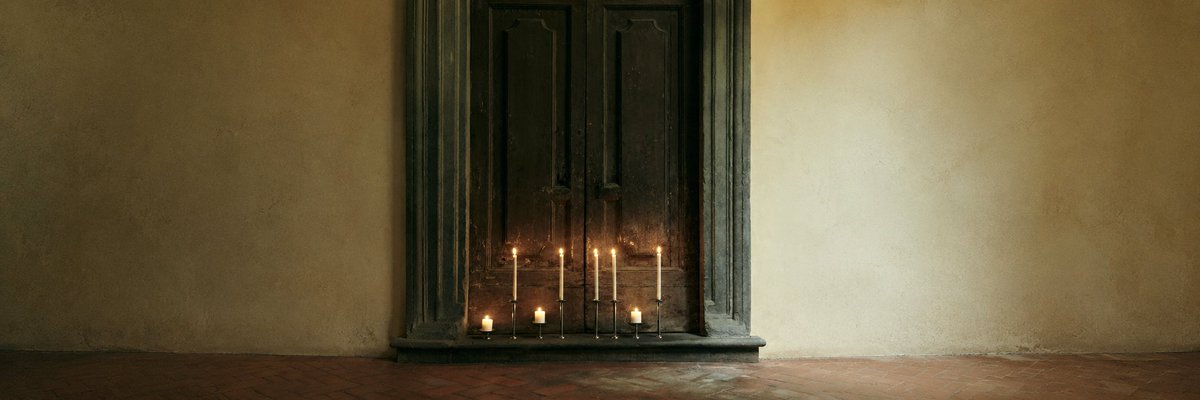
PROMPT · EN
创建一个电影感超宽 3:1 的写实室内场景:一个安静的欧洲老式房间,画面中偏左位置有一扇高大的深色闭合双开木门,门框为厚重的黑绿色风化材质,带有雕刻装饰。周围墙壁为陈旧的米色灰泥,带有细微的污渍、裂纹、不均匀的纹理和柔和的暗角,两侧留有大面积的留白。在门底放置 11 支点燃的蜡烛:7 支细长的锥形蜡烛置于深色金属烛台中,呈松散的一排排列;另有 4 支短柱状蜡烛靠近地面。所有蜡烛均带有微小的暖色火焰,柔和的橙色光芒映照在石质门槛上。地面为红棕色陶土砖,磨损且呈哑光质感,沿画面底部水平延伸。采用低调的电影感自然光,以烛光为点缀,色调为柔和的橄榄色和赭色,具备真实的阴影、轻微的胶片颗粒感、宁静的氛围和对称的构图。画面中无人,无现代物品,无文字。
Über diesen Prompt
Generate a moody ultra-wide interior scene featuring an antique closed door illuminated by warm candlelight in a realistic European room. Use it as a Konzeptkunst starting point for GPT Image 2: keep the visual structure and style constraints intact, then swap in your own subject, brand, or scene.
Start with small changes to subject, scene, camera, and color, then generate a few variations to compare composition and detail without turning the page copy into keyword stuffing.
So verwendest du diesen Prompt
- Copy the full prompt text above.
- Open your preferred AI image or video generator (e.g., Sora 2, Runway, Pika).
- Paste the prompt and select your desired aspect ratio — 3:1 ultra-wide works best.
- Optionally tweak details like candle count, wall color, or lighting mood.
- Generate and refine by re-rolling or adjusting the prompt until satisfied.


