
GPT Image 2AI-Prompt
Golden Hour Street Portrait with Churro — Sora 2 Prompt
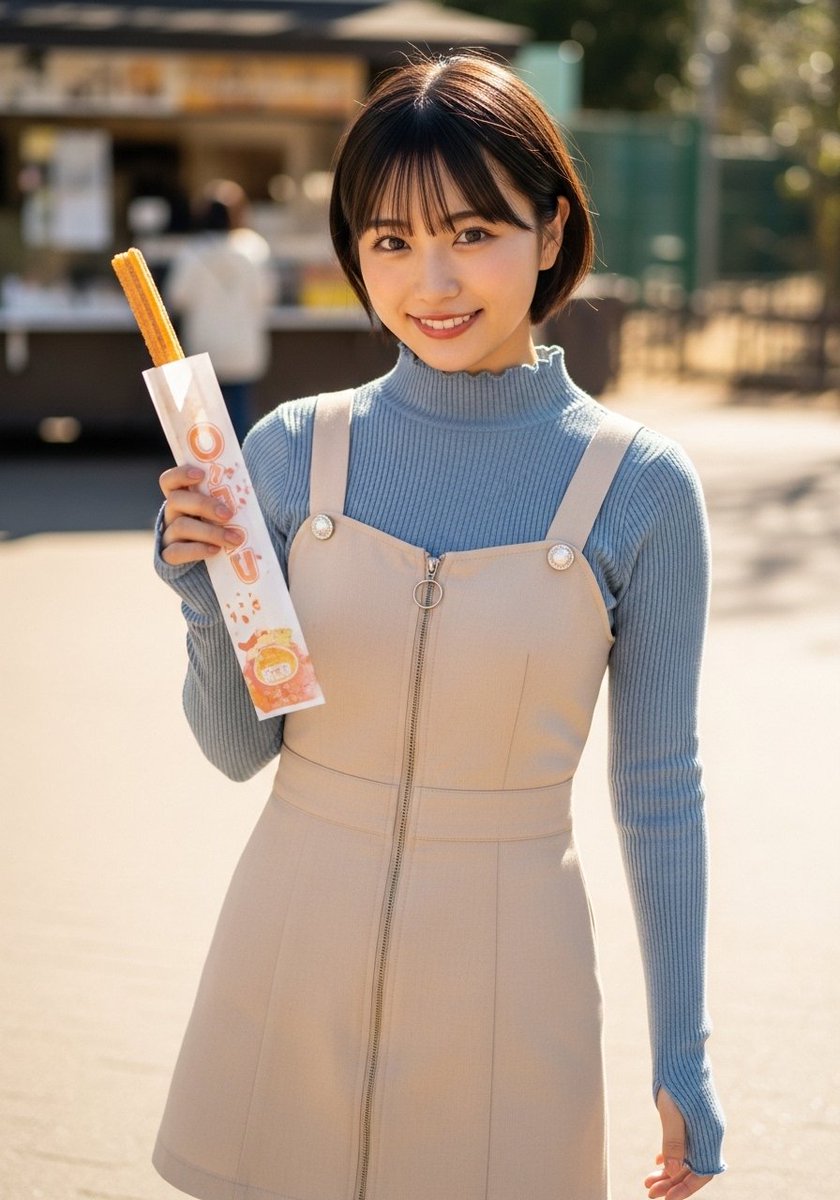
Generate a hyper-realistic street fashion snapshot of a young woman holding a churro in warm, golden-hour light, perfect for lifestyle or travel content.
PROMPT · EN
一张抓拍风格的写实户外人像,拍摄对象为一位站在阳光明媚的街道或广场上的年轻东亚女性,取景范围从大腿中部向上,背景是虚化处理的美食摊位或报刊亭,以及几个模糊的人影。她留着一头利落的短波波头,发色为 arghair color: 深棕色,侧分刘海,正对着镜头,姿态放松自然。她的着装包含 2 层可见衣物:内搭一件 argtop color: 淡蓝色 的修身罗纹高领针织衫,外穿一件 argdress color: 浅米色 的无袖 A 字背带短裙,肩带较宽,肩带连接处有 2 枚装饰性圆扣,正面有醒目的全长拉链及圆环拉头。她的一只手拿着 1 根长吉拿棒,装在白色的高纸袋中,纸袋上垂直印有橙色的日文 argpackage text: チュロス,底部附近有一个小巧的橙色零食插图。温暖的午后黄金时刻光线,浅景深,奶油般柔美的背景虚化,自然的肤色,柔和的阴影,写实的织物纹理,街头时尚快照美学,高细节,单反风格人像摄影。
Über diesen Prompt
Generate a hyper-realistic street fashion snapshot of a young woman holding a churro in warm, golden-hour light, perfect for lifestyle or travel content. Use it as a Konzeptkunst starting point for GPT Image 2: keep the visual structure and style constraints intact, then swap in your own subject, brand, or scene.
Start by replacing hair color, top color, dress color, and package text, then keep the camera, composition, and material cues in the same order. This makes the output easier to compare across variations.
So verwendest du diesen Prompt
- Copy the entire prompt text from the box below.
- Select your preferred AI model, such as Sora 2 or a similar advanced text-to-image generator.
- Customize the variables in curly brackets, like
{hair color}and{top color}, to personalize the subject's look. - Paste the modified prompt into the model's input field and generate the image.


